2 DETT - Instructions for Use
18
System Detail Window
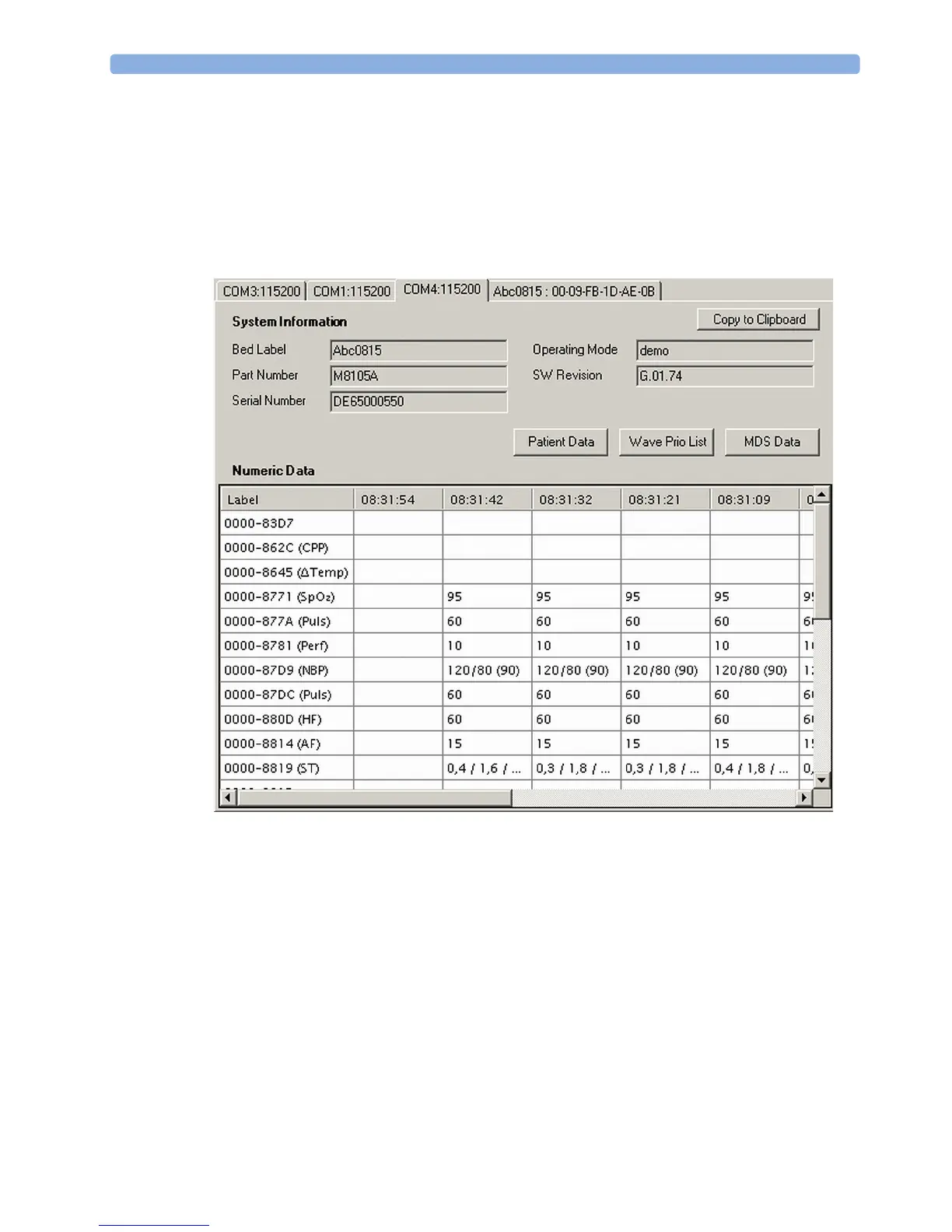
The System Detail Window consists of several parts. Per detected patient monitor, a tab is added to the
System Detail Window. The respective tab can be identified by the monitor label, the COM label or an
empty tab. It can be selected by a left mouse click on the tab area.
A tab displaying a monitor label might contain the LAN interface MAC address.
A tab displaying the associated COM port might contain the link speed.
Each tab consists of the system information, which contains the general details of the selected patient
monitor, sub-menu buttons and a grid displaying numeric data if available.
The following information is displayed within a tab:
Bed label – displays the associated bed label of the patient monitor (if available), e.g. Z0S14
Part number – displays the Product Number of the patient monitor, e.g. M8105A
Serial number – displays the Serial Number of the patient monitor, e.g. DE70403305
Operation mode – displays the Operation mode of the patient monitor, e.g. Demo mode
SW Rev. – displays the Software Revision of the patient monitor, e.g. G.01.74
NOTE
If the grid exceeds 256 columns, the content is written to a file in the execution directory of DETT.
Within the grid, columns are handled first in first out (FIFO).



 To Next Page