18 System Menu
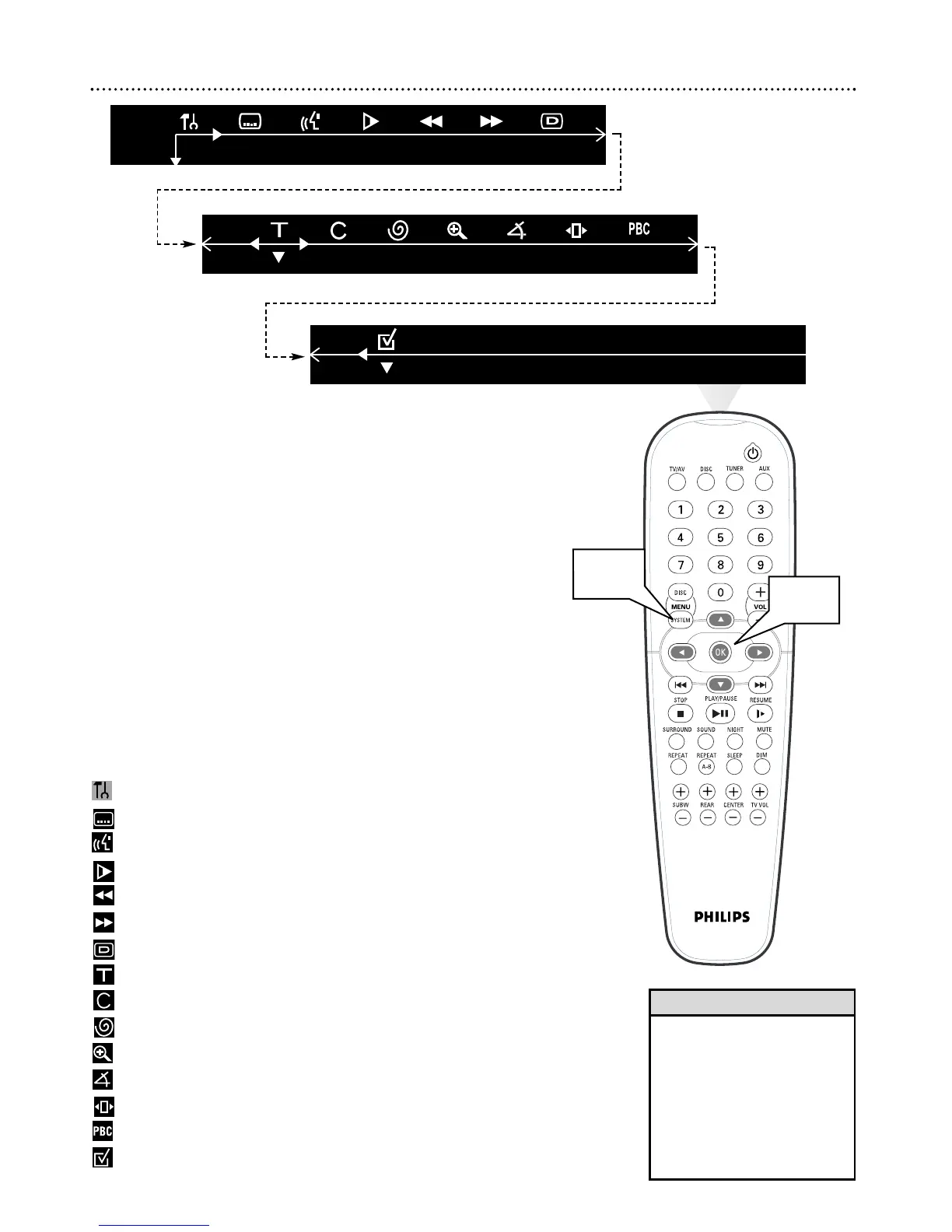
Use the System Menu to set up Disc features. Press SYSTEM MENU to
access or remove the DVD Receiver’s System Menu.
Press 98;:and OK to choose a Menu item and change the settings.
Even if a feature is set in the System Menu, it will not be available if the cur-
rent Disc does not include that feature. Details are on pages 19-23.
1
Press SYSTEM MENU. The Menu Bar will appear across the top
of the TV screen.
2
Press ; or : to move through the Menu Bar.
3
Press
99
to select the highlighted icon. Use 9 or 8 to select your
desired option.
4
Press OK to confirm a selection.
5
To exit, press SYSTEM MENU or OK.
System Menu Icons:
Setup Menu - User Preferences
Subtitle - Select Subtitle language if available
Language - Select multiple audio languages if available
Slow - Play DVD in slow motion
Fast Reverse - Play DVD backward in various speeds
Fast Forward - Play DVD forward in various speeds
Status - Check status of current Disc
Title Search - Choose different Titles if available
Chapter Search - Choose different Chapters if available
Time Search - Enter specific time for playback to begin
Zoom - Enlarge the DVD or Video CD image
Angle - Choose different Camera Angles during playback if available
Step - Select Frame-by-Frame (step-by-step) playback
PBC - Playback Control (Video CDs only)
Program - Select Favorite Track Selection
• Features described in this manu-
al may not be available on every
Disc. If the feature is not on the
Disc, you cannot use the DVD
Receiver to make the feature
available.
• When using the menu, a brief
description of the selected fea-
ture appears at the bottom of
the screen.
Helpful Hints



 To Next Page