Status
1
Press SYSTEM MENU.
2
Press ; or : to select .
3
Press 9 to see the status of the current Disc. Information may
include the current Chapter or Title number, elapsed playing time,
or remaining playing time. The information will vary according to
the type of Disc that is in the DVD Receiver.
4
Press SYSTEM MENU to remove the Menu Bar.
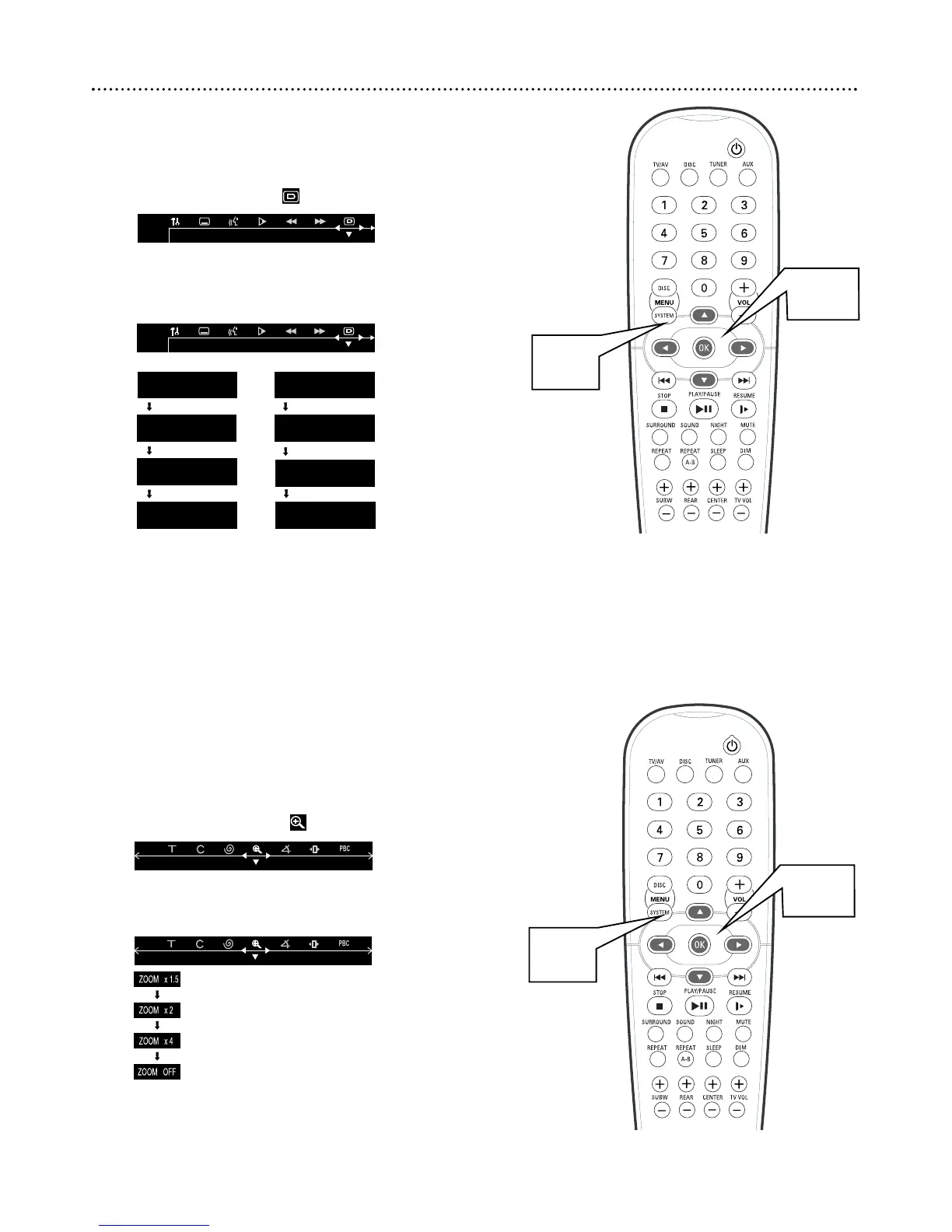
Zoom
Zooming allows you to enlarge the DVD or Video CD image and scan
through the picture.
1
Press SYSTEM MENU.
2
Press ; or : to select .
3
Press 9 repeatedly to select a zoom factor: x1.5, x2.0, x4.0,
or OFF, then press OK. The picture will appear at 1.5, twice, or
four times the normal size. Or, choose OFF to cancel zooming.
4
Press 9 8 ; : to move down, up, left, or right through the
enlarged picture.
5
Press SYSTEM MENU to remove the Menu Bar.
22 Status, Zoom



 To Next Page