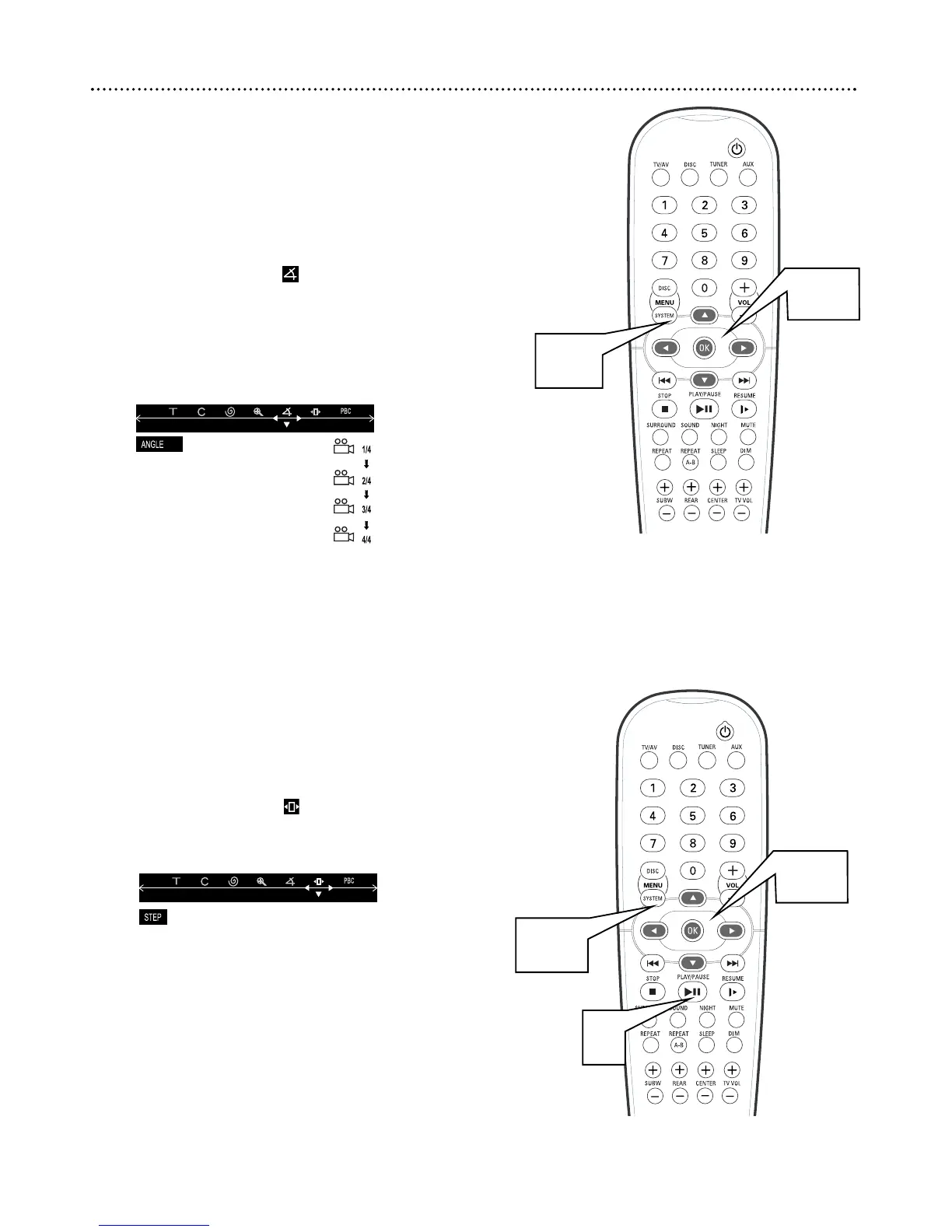
Angle
Some DVDs contain scenes that were recorded at different angles or per-
spectives. Use the Angle feature in the Menu Bar to view DVD playback
from a different angle.
Multiple angles must be available on the DVD. Check the DVD Disc Menu
or the DVD case for details and availability of multiple angles.
1
Press SYSTEM MENU.
2
Press ; or : to select .
3
Press
99
or
88
to select an angle from those available.
For example, if four different angles or perspectives are available,
your choices would be: 1/4 (one of four available), 2/4, 3/4, or
4/4. The picture will change to the angle you selected
automatically.
4
Press SYSTEM MENU to remove the Menu Bar.
Step
Some DVDs and Video CDs will allow you to play the Disc one picture
frame at a time. To do so, follow these steps.
1
Press SYSTEM MENU.
2
Press ; or : to select .
3
Press
99
to play the Disc one frame at a time.
4
Press PLAY/PAUSE Bk to resume normal playback.
5
Press SYSTEM MENU to remove the Menu Bar.
Angle, Step 23
2-3
1,4
2-3
1,5
4



 To Next Page