1. Welcome!
1
Status LED
2
Up / Brightness increase key
3
Menu / Enter key
4
Down / Brightness decrease key
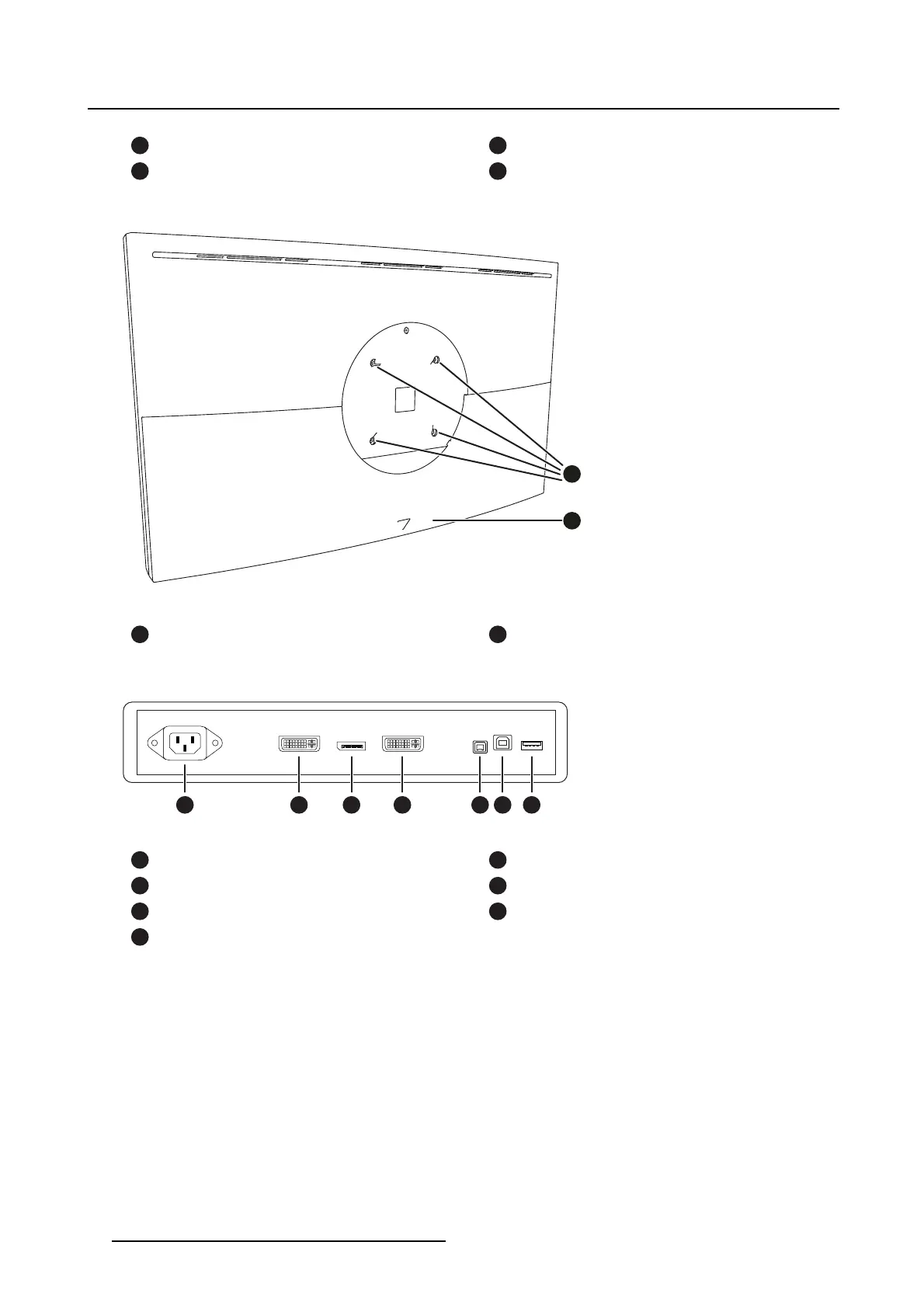
Rear
1
2
Image 1-2
1
VESA mounting fixation points (VESA 100
mm)
2
Cable cover
Connections
21 4 5 6 73
Image 1-3
1
100 - 240 VAC mains power input (IEC C14)
2
DVI 1 Single Link input
3
DisplayPort 1.1 input
4
DVI 2 Single Link input
5
+5 VDC, 500 mA power output
6
USB-B 2.0 upstream connector
7
USB-A 2.0 downstream connector
4
K5902101 (451920611531) PS27FHDER 21/05/2015


 To Next Page