22
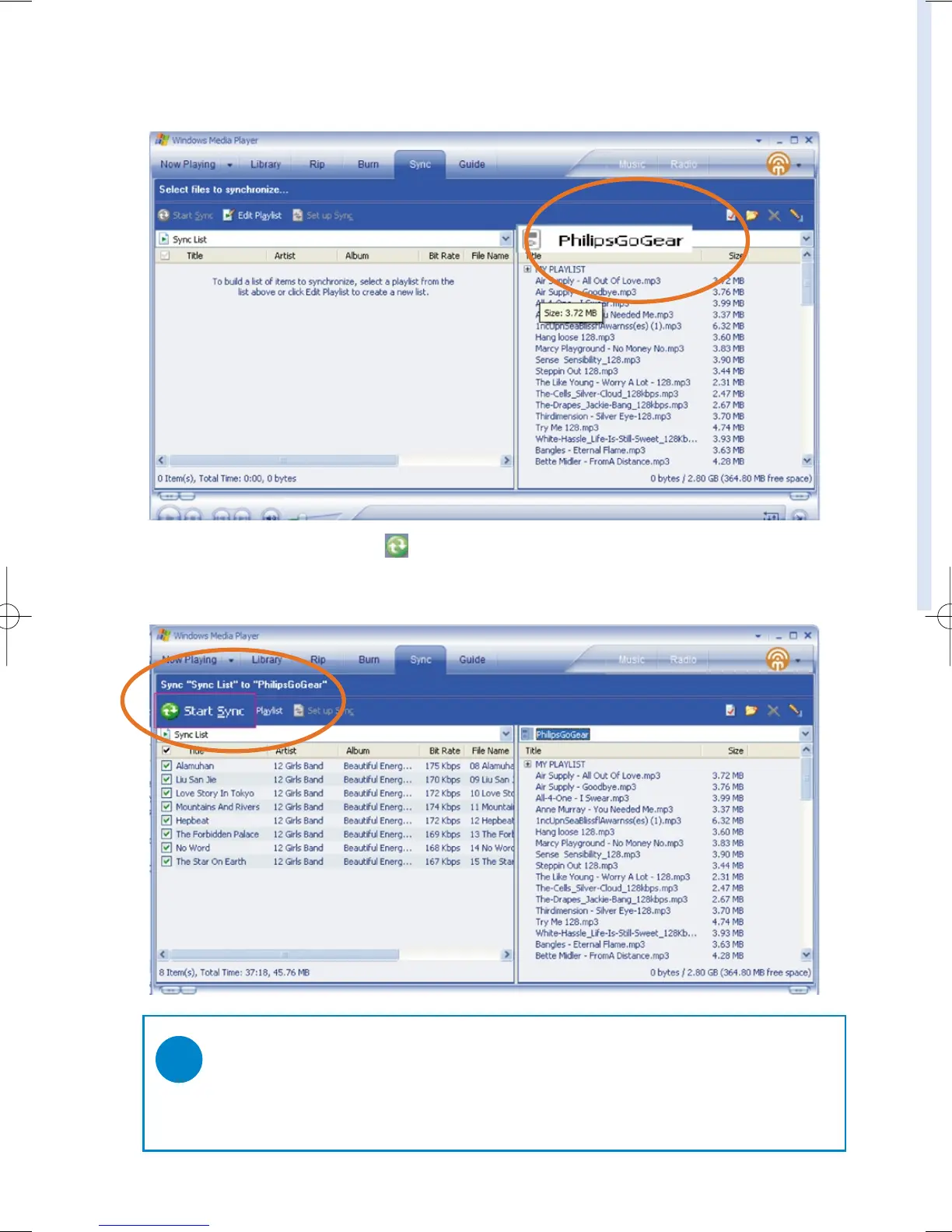
3 In the Items on Device pane, show the device that you want to copy files to, i.e. GoGear Audio /
Philips GoGear . Clear the check boxes next to any files you do not want to copy..
4 Click the Start Sync button
TIP
For further details of music transfer on WMP 10, go to the help section of Windows Media
Player and click Help > Synchronizing content to devices.
✔










 To Next Page