2
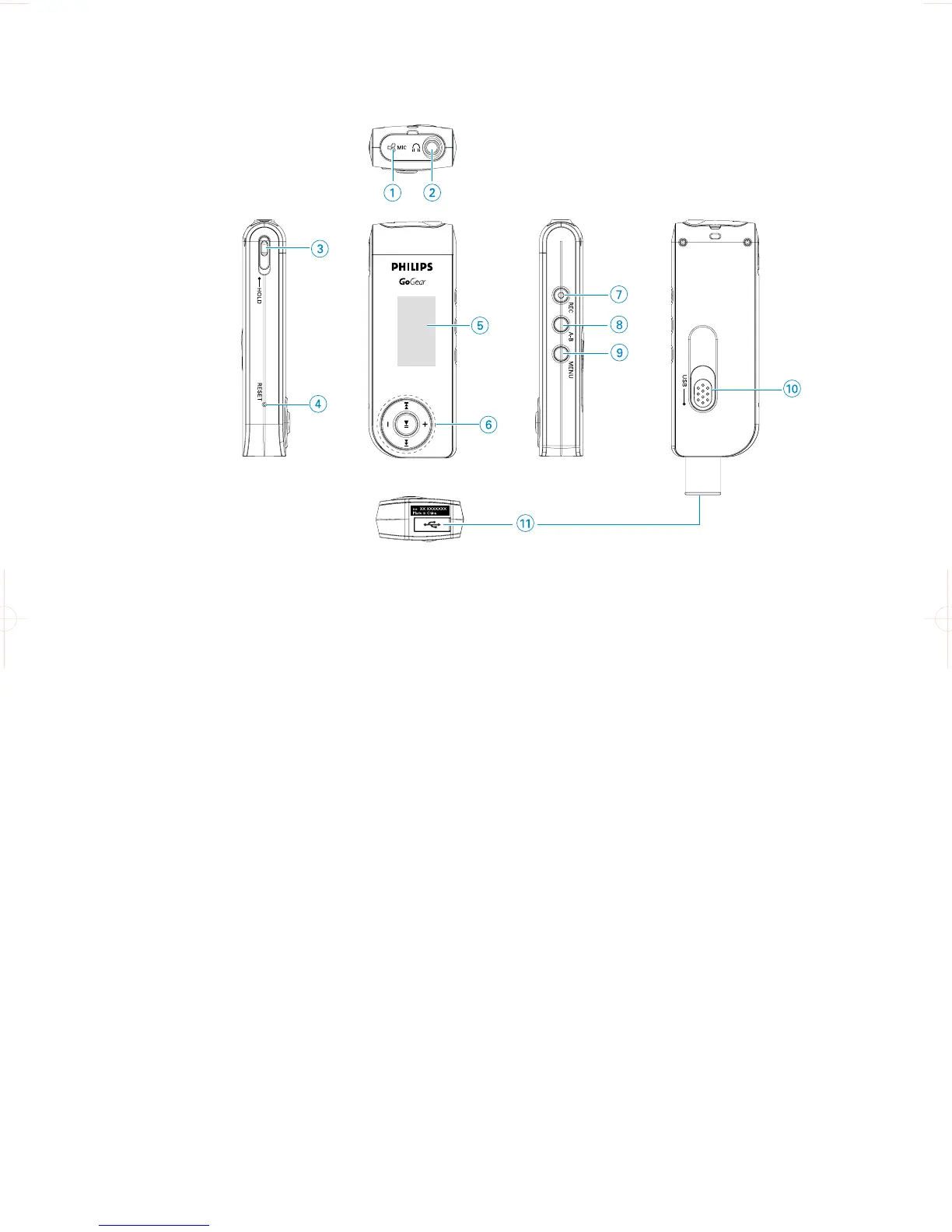
Overview of controls and connections
1 MIC Microphone
2 p Headphones jack
3 HOLD Disable key press
4 RESET Restore the player
5 Display Dynamically displays menu, options and track information
6 J( / )K Rewind / Fast forward; Up / Down to 1 level
2; Power on / off and Play / Pause; confirms a menu setting
Volume + / - Volume control; Scroll; Skip to previous / next
7 REC Start or Stop Voice / FM recording***
8 A - B Repeat or loop a sequence
9 MENU For menu options
0 USB slider Push USB connector in / out
! USB USB cable connector
***FM radio is only available to some regional versions.










 To Next Page