3 EN
What's in the box
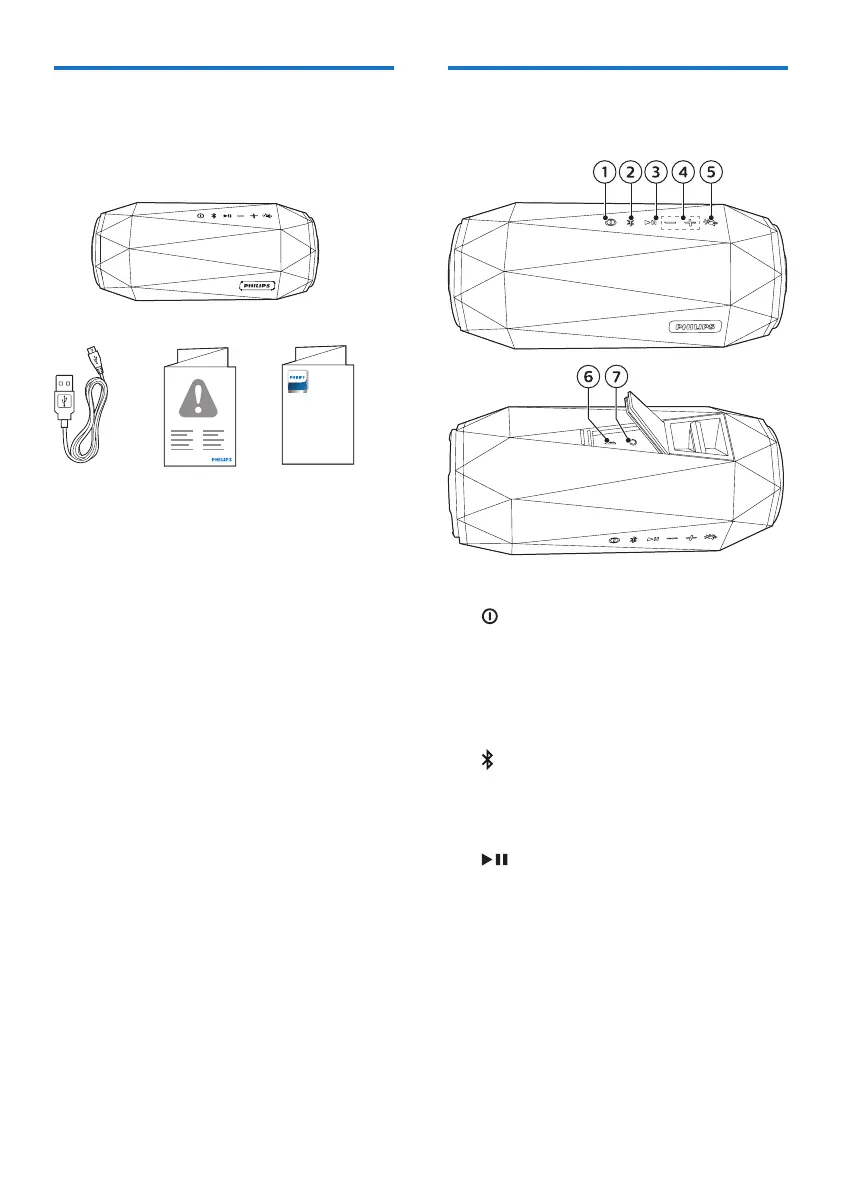
Check and identify the contents of your
package:
• Speaker
• USB cable for charging
• Printed materials
Quick Start
Guide
SB500
Portable speaker
Register your product and get support at
www.philips.com/support
Overview of the speaker
a
• Turn the speaker on or o.
• Check the battery level.
• Show the charging progress.
• Turn o the low battery
indication.
b
• Enter Bluetooth pairing mode.
• Clear Bluetooth pairing
information.
c
• In Bluetooth mode, press to
pause or resume play.
• In Bluetooth mode, press twice
to play the next track.
• Respond to an incoming call
through Bluetooth connection.
d -/+
• Adjust volume.



 To Next Page