5 EN
Charge the built-in battery
Note
•
It takes you approximately 3.5 hours to fully
charge the battery.
• The micro USB socket is for charging only.
• Rechargeable battery has a limited number
of charge cycles. Battery life and number of
charge cycles vary by use and settings.
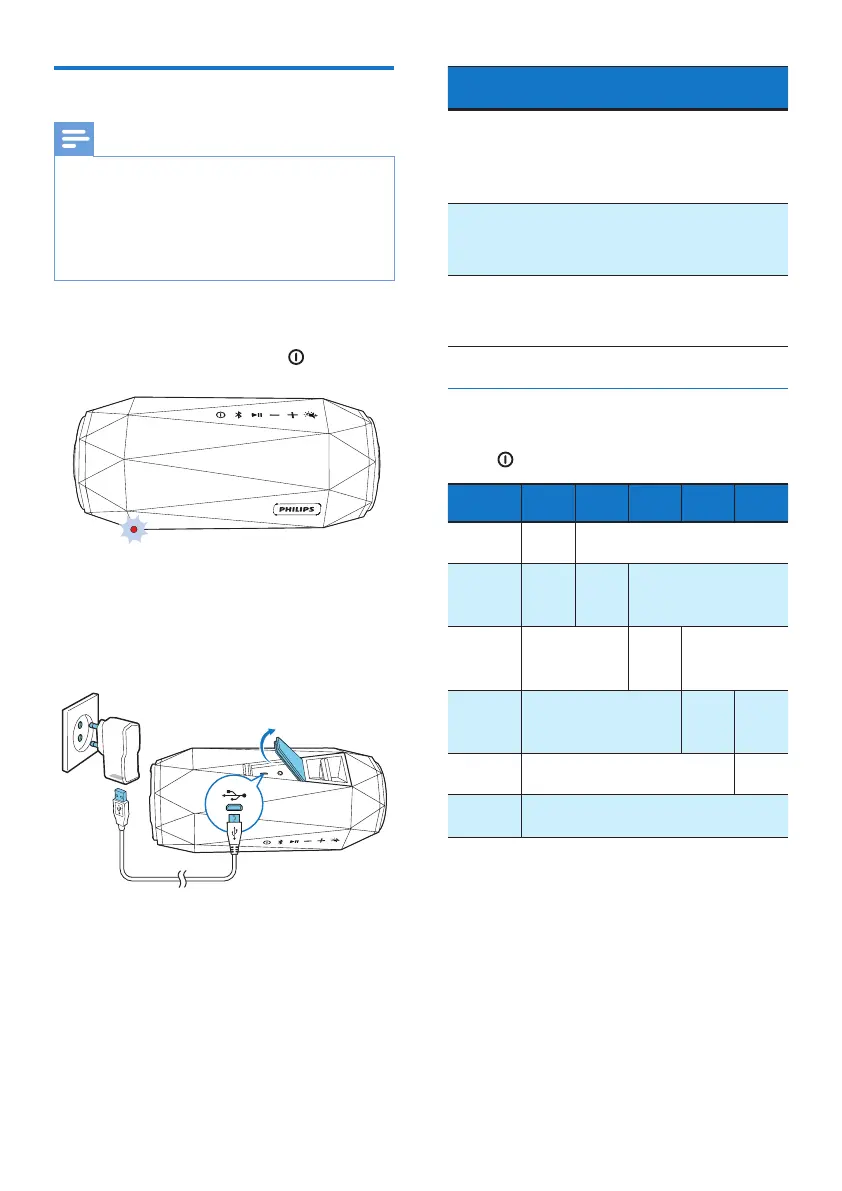
When the battery level is low, LED 1
ashes red as illustrated. To turn o the
low power indication, press
.
To charge the built-in battery:
• Connect the speaker to AC power
by using the adaptor (not supplied;
5V 2.1A adaptor recommended).
System
status
Battery
status
System behavior
On Under
charging
Beep once,
without
charging
indication.
O Under
charging
Show the
charging
indication
O Fully
charged
All LEDs are on,
then turn o in
3 minutes.
Check the charging progress
When the speaker is being charged,
press
to check the charging progress.
Battery
level
LED 1 LED 2 LED 3 LED 4 LED 5
<20%
charged
Flash
green
O
20%
- 40%
charged
Solid
green
Flash
green
O
40%
- 60%
charged
Solid green
Flash
green
O
60%
- 80%
charged
Solid green
Flash
green
O
> 80%
charged
Solid green
Flash
green
Fully
charged
Solid green (turn o in 3 minutes)



 To Next Page