4EN
e
• Turn the shoq mode on or o.
• Select dierent LED light
patterns.
• Turn o the lighting eect.
f
• Charge the built-in battery.
g AUDIO IN
• Connect an external audio
device.
3 Get started
Always follow the instructions in this
chapter in sequence.
Check the battery level
The speaker is powered by the built-in
rechargeable battery.
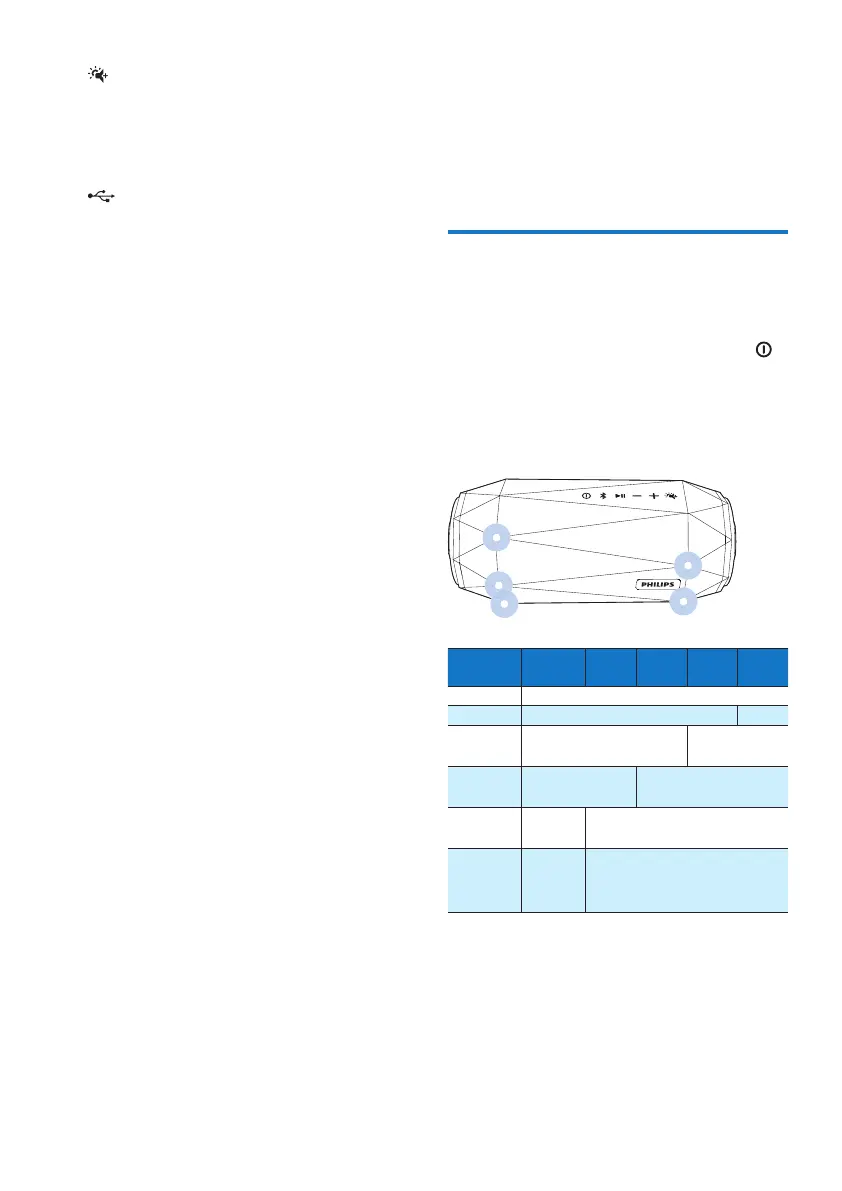
• To check the battery level, press
.
» The dierent behavior of the ve
LEDs indicates dierent battery
levels.
LED indication:
Battery
power
LED
1
LED
2
LED
3
LED
4
LED
5
Full Solid green
> 8% Solid green O
60% -
80%
Solid green O
40% -
60%
Solid green O
20% -
40%
Solid
green
O
Low
battery
(<20%)
Flash
red
O
LED 1
LED 3
LED 5
LED 4
LED 2



 To Next Page