Identifying the parts EN - 7
Philips Digital Photo Frame
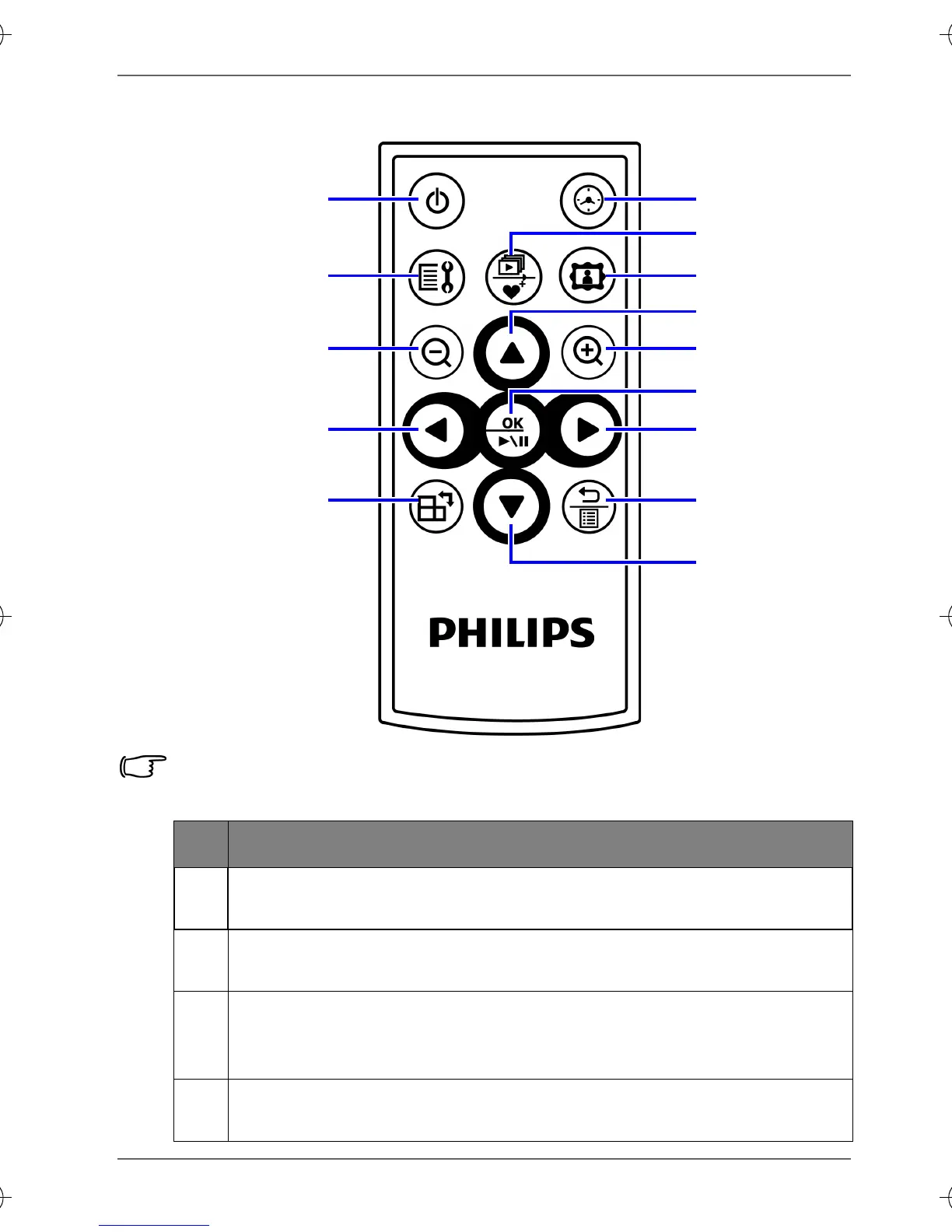
Using the remote control
Please remove the plastic film under the battery before using the
remote control for the first time.
No. Description
1
ON/OFF
Press this button to turn on/off the screen backlight.
2
SETUP
Press this button to access the Setup mode.
3
ZOOM OUT
Press this button to zoom out the selected picture in Single
view.
4
LEFT/PREVIOUS
Moves left/moves to the previous item.
1
2
3
4
5
6
7
8
9
10
11
12
13
14
GN104F00_GN-A18-G7_UM_en.book Page 7 Monday, September 14, 2009 10:57 PM



 To Next Page