File mode EN - 27
Philips Digital Photo Frame
Setup mode
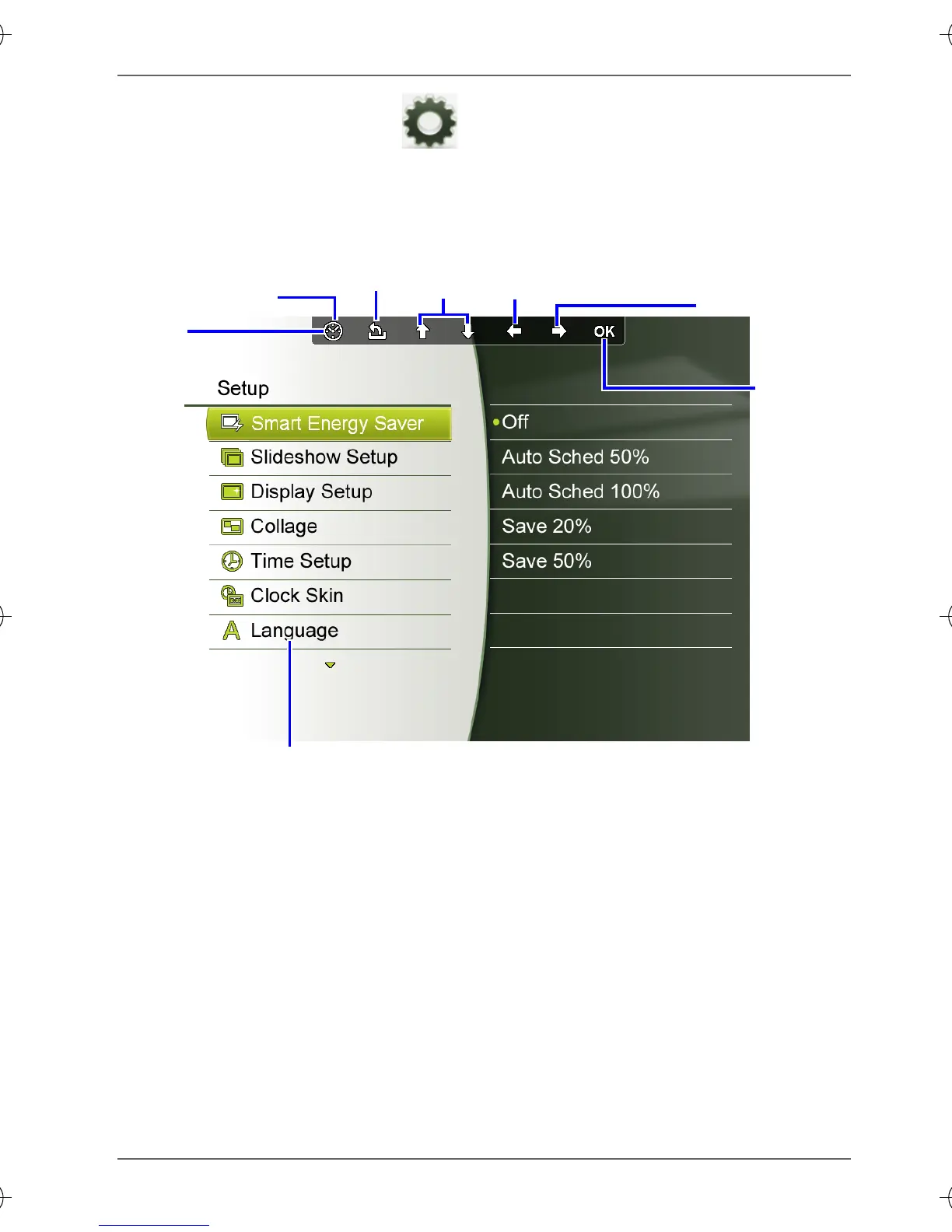
The Setup mode allows you to adjust settings on slideshow,
display, time, OSD languages, startup and factory default
settings.
Setup options menu
Move up,
down
Return
Confirm
selection
OSD
toolbar
Collage view/
Clock view
return to the last
submenu
Open the
submenu
GN104F00_GN-A18-G7_UM_en.book Page 27 Monday, September 14, 2009 10:57 PM



 To Next Page