Photo mode EN - 19
Philips Digital Photo Frame
Photo mode
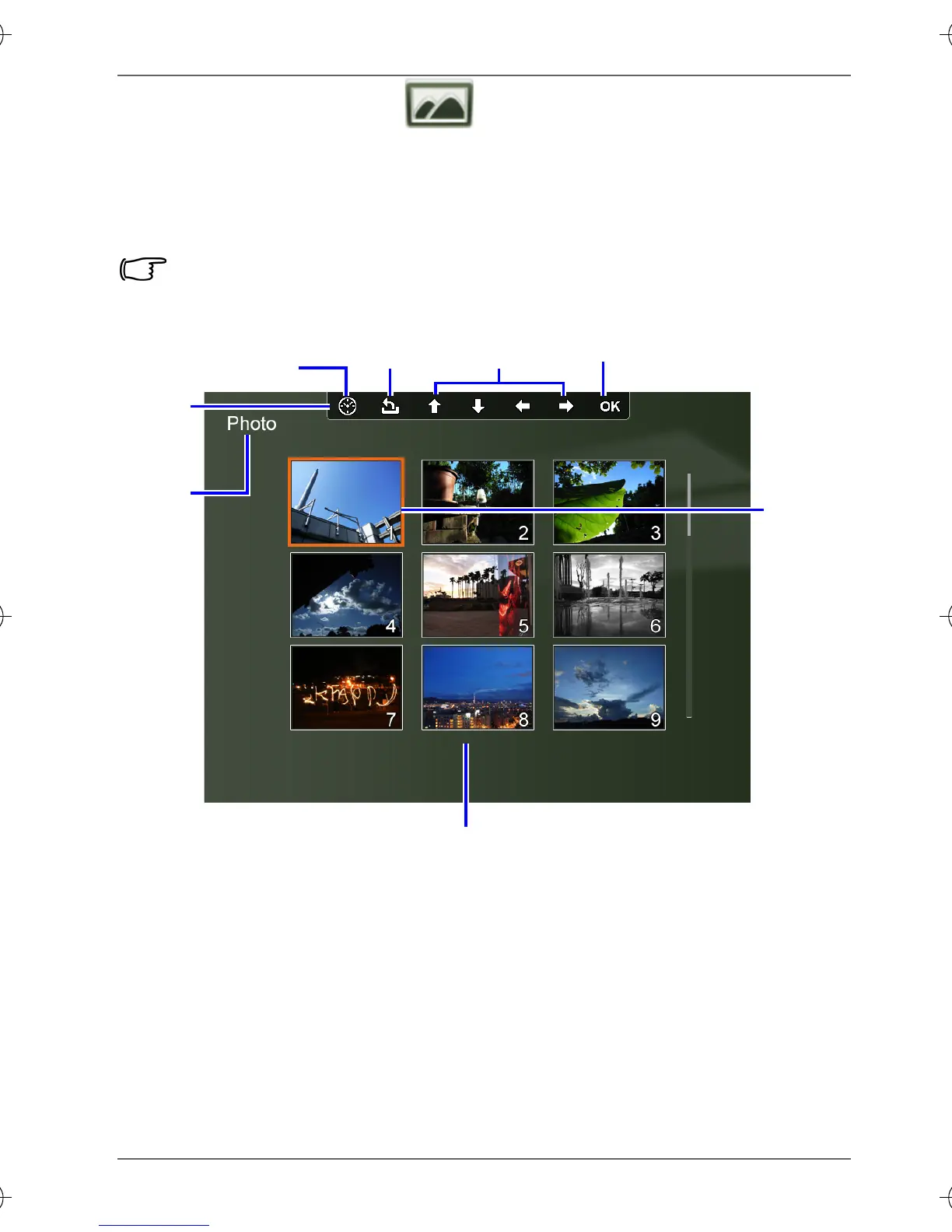
The Photo mode allows you to view photos that are stored in the
PhotoFrame (including Internal Memory, Favorite and Pre-
installed Library), in a memory card or in the inserted USB flash
drive.
The PhotoFrame supports the JPEG (*.jpg) and BMP (*.bmp) file
formats.
Move up, down,
left and right
Return
Confirm selection
OSD
toolbar
Collage view/
Clock view
Current
mode
Currently
selected
picture
Picture thumbnail list
GN104F00_GN-A18-G7_UM_en.book Page 19 Monday, September 14, 2009 10:57 PM



 To Next Page