Philips Digital Photo Frame
Collage mode
EN - 22
Collage mode
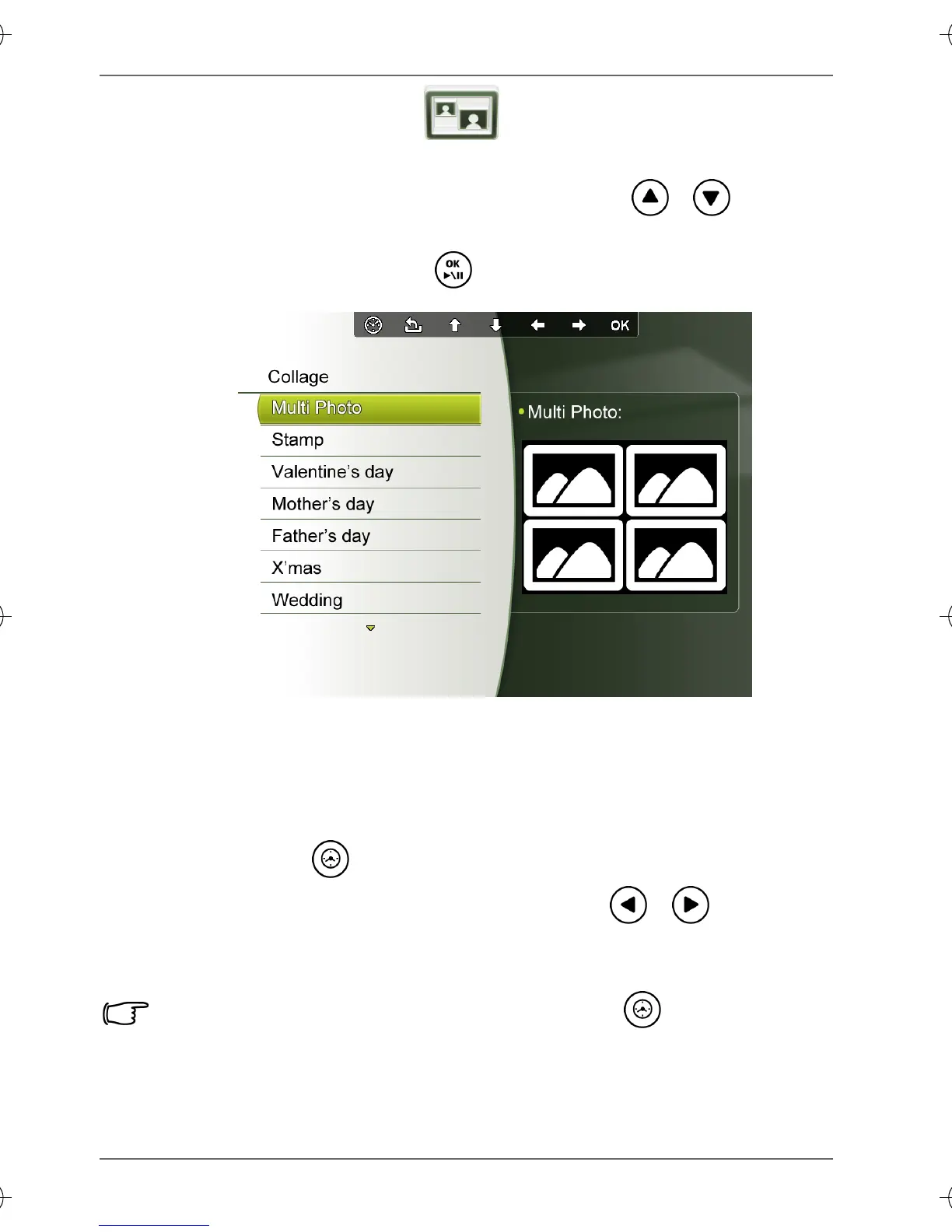
The Collage mode allows you to play back photos in slideshow
with various themes of Collage effects. Press / to select
a theme and its Collage effect will be displayed in the preview
window to the right. Press to confirm selection.
Switching between Collage view and
Clock view
If you have set a Collage effect in the Collage or Setup mode,
you can press repeatedly to switch between Collage view
and Clock view. When in Clock view, press / to select a
desired clock type. See "Displaying the clock" on page 18 for
more details.
If you have not set any Collage effect, pressing repeatedly will
allow you to switch between normal Slideshow view (without any
Collage effect) and Clock view.
GN104F00_GN-A18-G7_UM_en.book Page 22 Monday, September 14, 2009 10:57 PM



 To Next Page