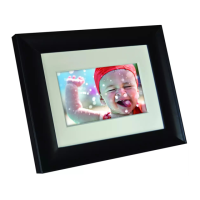
Philips Digital Photo Frame
Identifying the parts
EN - 4
2
5-in-1 memory card slot
Allows for an SD
™
/ SDHC
™
, MultiMediaCard
™
(MMC),
Memory Stick
™
(MS), Memory Stick PRO
™
(MS PRO) and
xD-Picture Card
™
(xD) memory card. You can play back
photos stored in the inserted card, or copy photos from or
to the inserted card. See "Inserting a memory card" on
page 13 for details.
3
USB port
Allows for a USB flash drive. You can play back photos
stored in the inserted drive.
4
Mini USB port
Allows you to connect the PhotoFrame to a computer so
the files can be transferred from your computer to the
PhotoFrame.
5
Power switch
Slide the power switch to turn on or turn off the
PhotoFrame. See "Inserting a memory card" on page 13
for details.
6
Power jack
Connect one end of the AC power adapter into the power
jack and the other end into a power outlet.
No. Description
GN104F00_GN-A18-G7_UM_en.book Page 4 Monday, September 14, 2009 10:57 PM



 To Next Page