CBL/SAT Cablebox,satellite
receiver,InternetProtocol
TV(IPTV),FreeToAirTV,
HighDenitionTelevision
decoder(HDTV)andTivo
VCR Videocassetteplayer/
recorder,Personalvideo
recorder(PVR),VCRpart
ofTV/VCR,TV/VCR/DVD
andVCR/DVDcombos
Example:settinguptheuniversalremote
controltooperateyourTV:
1 SwitchONtheTVmanuallyorusethe
originalremotecontrolforthis.Tuneto
channel1.
2 Pressandholdthe
deviceselection
keyfor5seconds
untiltheredSetup
light remainslit.
• Theremote
controlisnowinsetupmode.
3 Lookupthe4-digit
codeforyourbrand
inthe
brandlist
at
thebackofthisuser
manual.
A4-digitcodeis
shownforeachbrand.
Usethedigitkeys
toenterthecode
foryourbrand
(e.g.Philips,
).
• IftheredSetup
light turnsoff,aninvalidcodewas
entered.Inthiscase,tryagain.
4 Aimtheremote
controlattheTV.
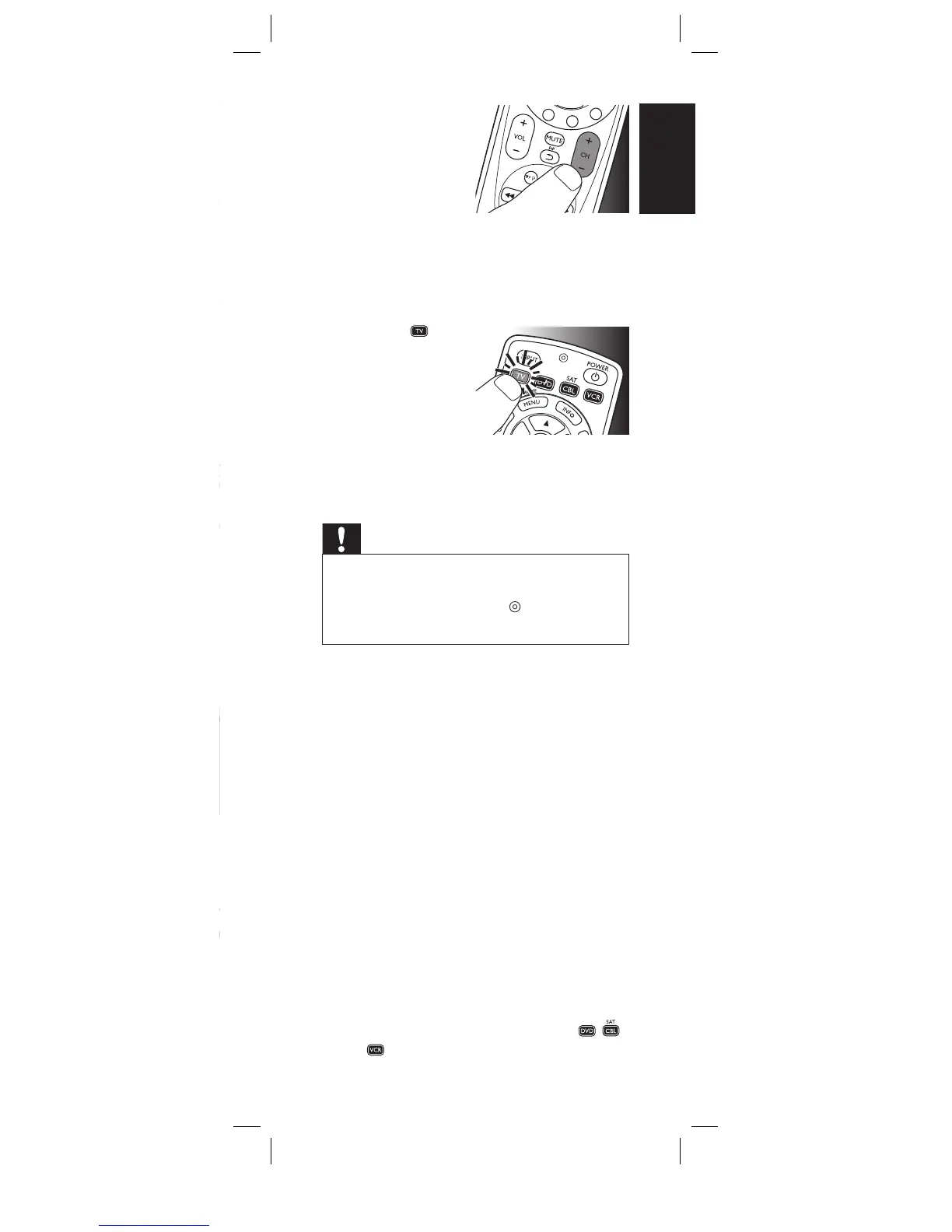
Pressandholdthe
key.Releaseit
immediatelyrelease
itassoontheTV
switchesoff.
•Thisstepnormallytakesbetween
5and60seconds.Inextreme
circumstancesthisstepcantakeupto
15minutes.
5 SwitchONtheTV.
Tryoutthekeys
youneedfor
operatingit.Try,for
example,ifthe
-CH+anddigit
keysfunctionproperly.
• Ifakeydoesnotworkasexpected,press
andholdthatkey.Releaseitimmediatelyas
soonasitworks.Formoreinformation,see
chapter2.3.2.
6 Pressthe device
selectionkeytwice
tofinishsetup.
•
Whennokey
ispressedfor
5minutesor
more,theremotecontrolwillexitsetup
mode,automaticallysavingallyour
settings.
Important
Ifyoumadeamistake:
• Pressthedeviceselectionkeytwicetoexit
setup.TheredSetuplight
turnsoff.
•
Restartfromthebeginning.
• Ifthedevicedoesnotrespondatallornotto
allofthekeycommandsorifyoucannotfind
thecodeforyourbrand,enter‘9,9,9,9’instep
3andcontinuewithstep4.Theremotecontrol
willnowsearchitsfulldatabaseforacode
thatworkswithyourTV.Fulldatabasesearch
maytakeupto15minutes.
2.3.1 Settinguptheremotecontrolfor
otherdevices(
DVDplayer/recorder,
Cable/SatelliteboxandVCR
)
1 Makesurethedeviceisturnedon,fully
operationalandabletorespondtoremote
controlcommands.E.g.insertadiscinthe
DVDplayer/recorderoravideocassettein
theVCR.
2 Thenfollowsteps2to6of‘Settingupthe
remotecontrolforyourTV’.Makesureto
usethecorrectdeviceselectionkey:
,
or
.
Gettingstarted
2x
English










 To Next Page