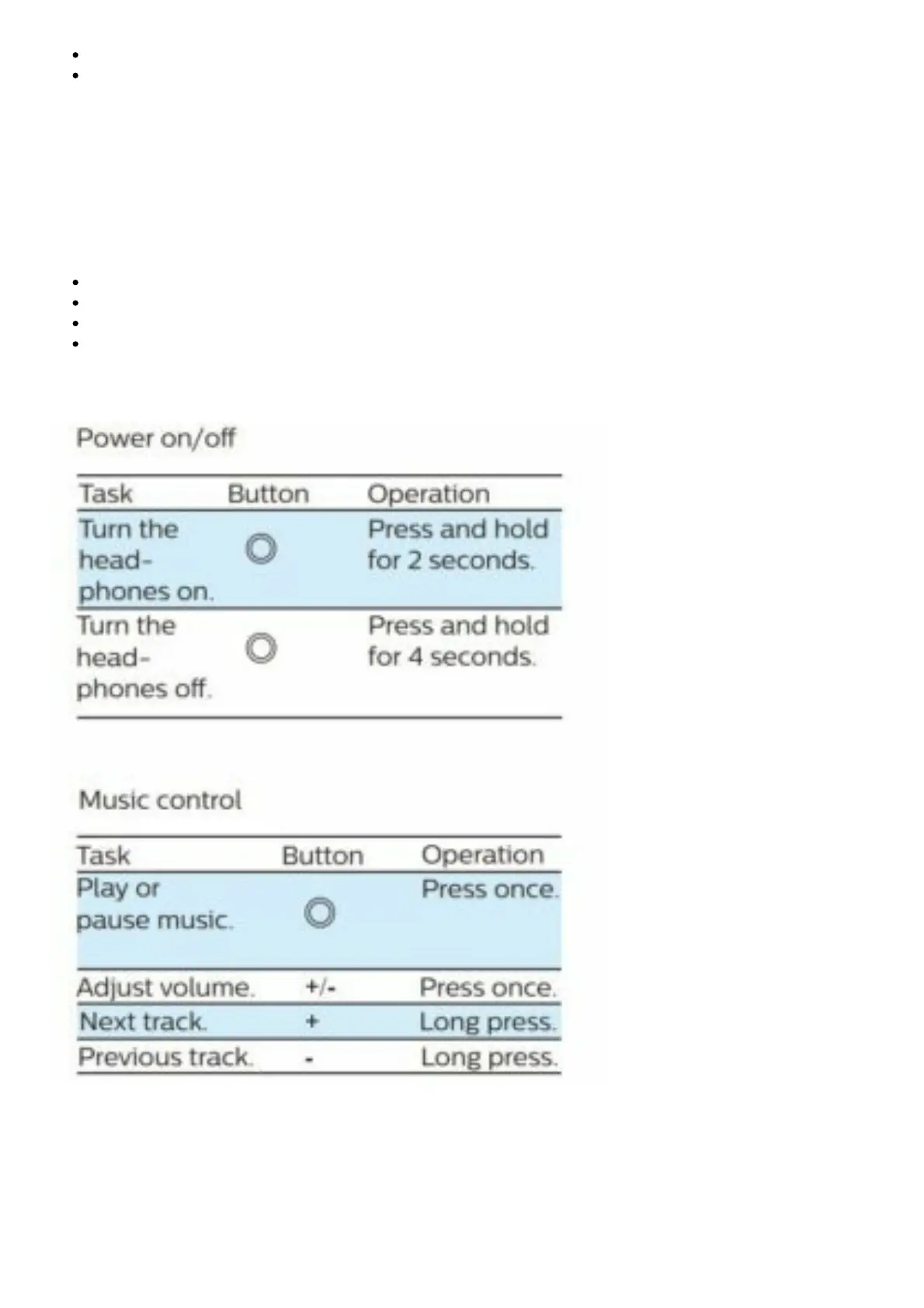
It may require more than 5 seconds to have an accurate notification of heart rate BPM.
Philips TAA4205 is compatible with most fitness apps which support heart rate monitor
devices
Download Philips Headphones app
1. Download and install the Philips Headphones app from Google Play store or App Store on your
mobile phone.
2. When your headset is connected to the mobile phone, you can launch the Philips Headphones app
and use features listed as below:
Track and record your heart rate BPM.
Adjust equalizer.
Check the status of remaining battery.
Headset software update.
Control your headset


 To Next Page