32 EN
5 Translation Mode
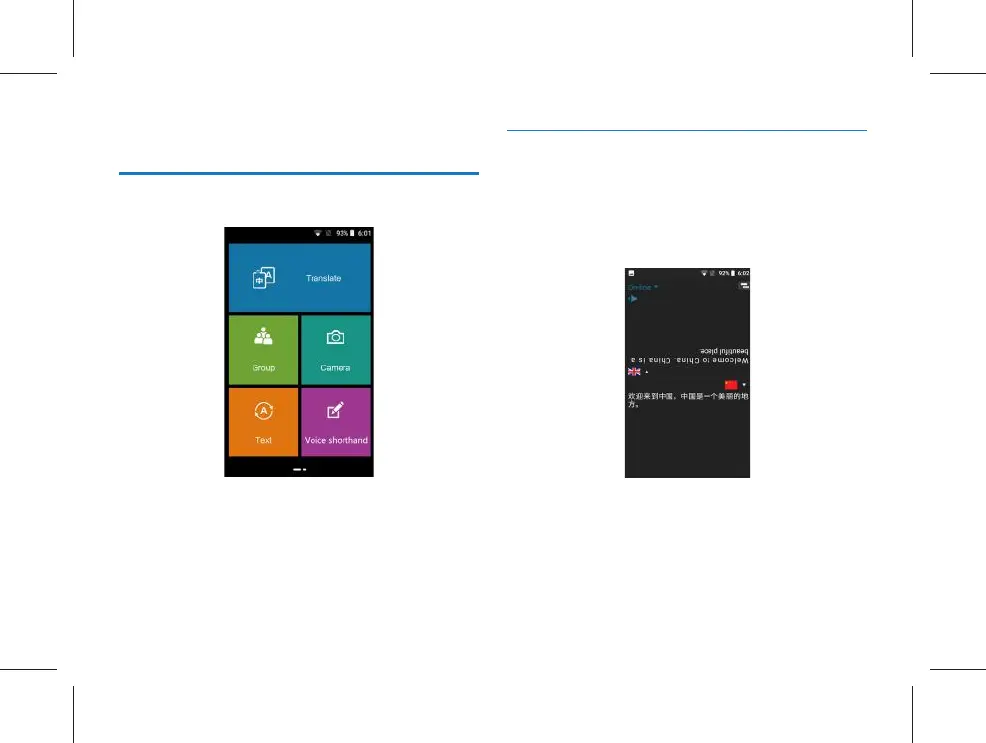
Various types of translation functions are displayed on the
main menu, and a reference interface is shown below:
The translation function is divided into 4 modules: translate,
group translation, camera translation and text translation.
Translate: suitable for conversation and dialogue translation.
Group translation: suitable for multi-language and group chat
translation.
Camera translation: suitable for text, article, road signs, etc.
Text translation: suitable for direct text input to translate.
5.1 Translate
Firstly, select the source language and the target language,
press YOU key or ME key while recording; after the record-
ing is over, the translated text will be generated and then an
audio of this text will be played. Click “Translate” to access
the following translate interface:
(1)Translate is divided into “on-line translation” and “off-line
translation”. On the translation interface, the user can
click the “on-line” or “off-line” at the upper left corner for
switching. In case of switching to “off-line”, the translated
languages are: Simplified Chinese, English, Japanese and
Korean; in case of translation to other languages, the
user can switch to “on-line”, and the number of on-line



 To Next Page