34 EN
Note
• The device has no network connection when switched
on, and therefore it is defaulted as off-line status. When
first using “off-line” translation, please first connect to
the network for activation and authorization.
5.2 Group translation
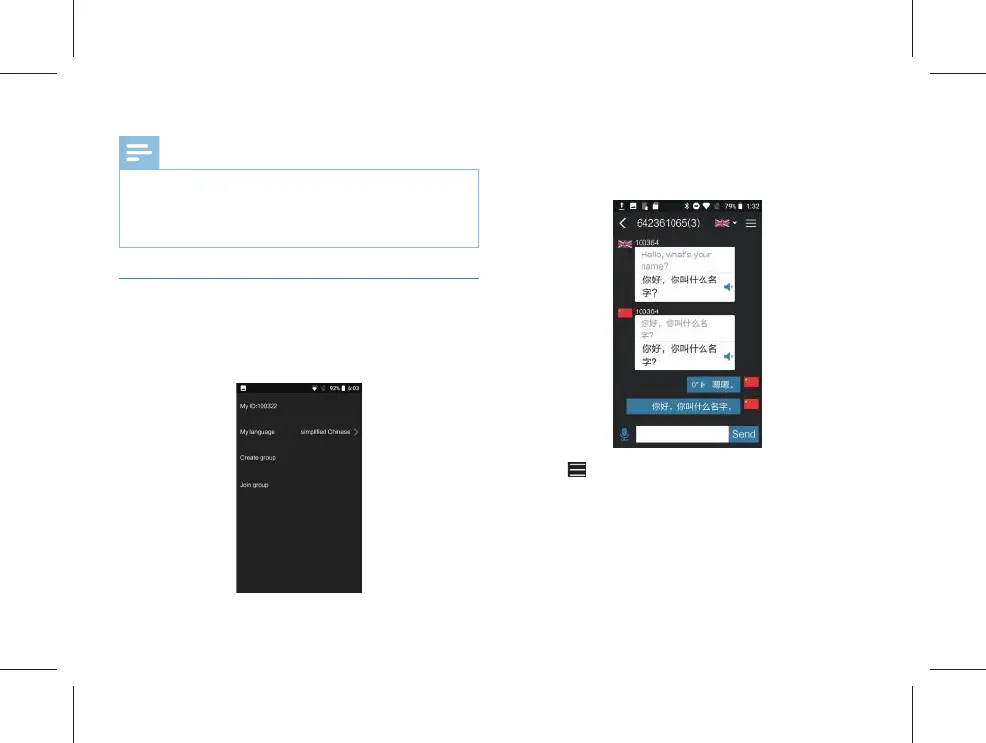
First select the target language, and then create a group for
group translation. Click “Group Translation” to enter the
interface as shown in the fi gure below:
(1)After entering the “Group Translation” page, select “My
Language” firstly, click “Create group” will automatically
creat a group chat rooom; click “Join group” and enter the
room number to the group chart interface.
(2) Click “ ” at the upper right corner to enter the menu
setting interface, and click “+” to input the equipment ID, as
shown in the fi gure below:



 To Next Page