EN 37
English
6 Voice Shorthand
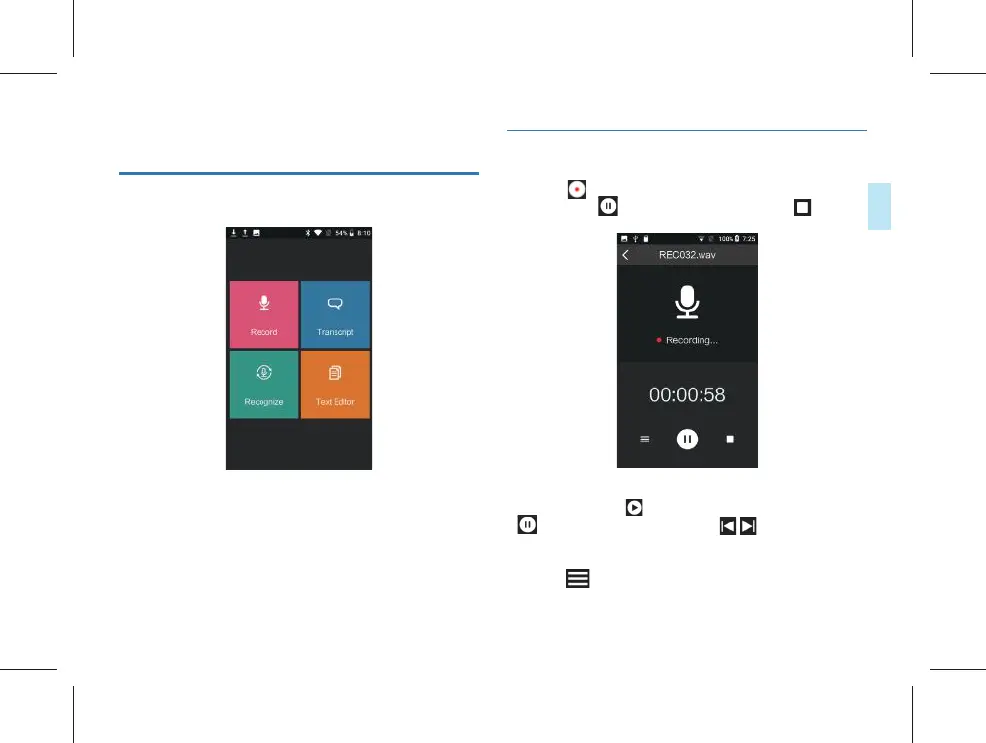
The voice shorthand mode includes 4 modules, i.e. Record,
Transcript, Recognize and Text Editor.
Record: this function can be used for recording;
Transcript: transfer text while recording, suitable for meeting
minutes;
Recognize: the recorded audio fi les can be transfer to text;
Text editor: the transcription of text fi les can be edited.
6.1 Record
(1) Click “ ” on the recording interface to start recording,
and then click “
” on the recording interface to start recording,
” to suspend recording; click “ ” to save
recording, as shown in the fi gure below:
(2) After saving the recording, enter the playing interface
automatically, click “
” to play the current document, click
“
” to suspend the playing, click “ ” to switch
documents, drag the progress bar for fast forward and fast
backward.
(3) Click “
” on the recording interface to enter the “audio”
document list interface, as shown in the fi gure below:



 To Next Page