36 EN
to translate the identified text into languages of other
countries.
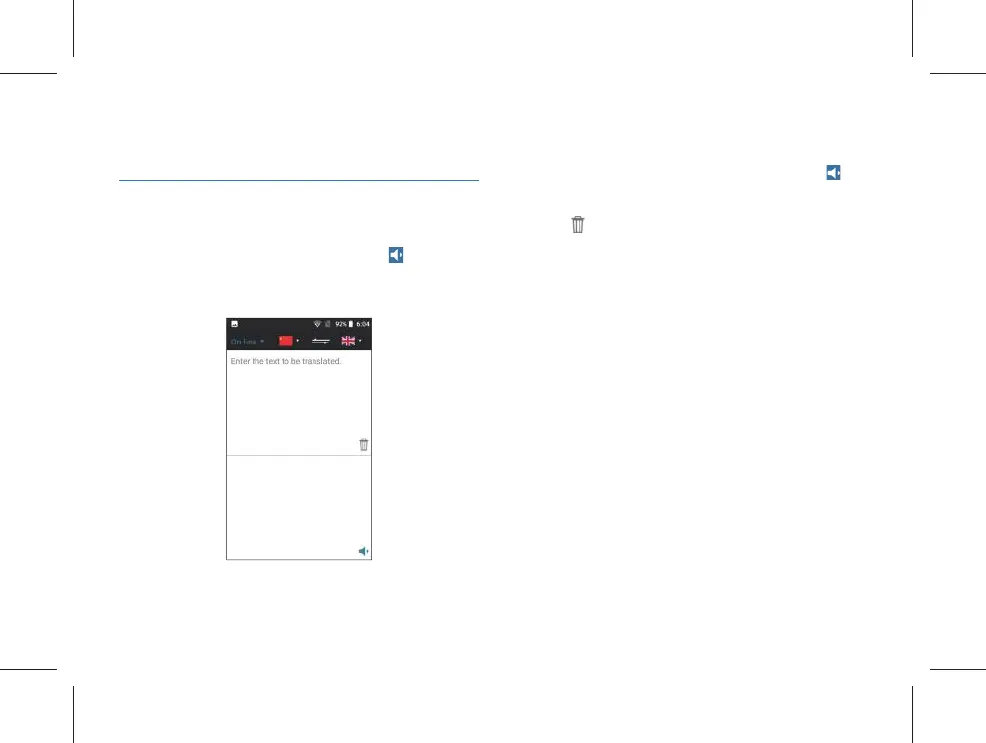
5.4 Text translation
Firstly, select the source language and the target language,
input the text for translation, and then click “
” for playing
the audio of the translated text. Click “Text Translation” to
enter the text translation interface as shown in the fi gure
below.
(1) Touch the editing box in the upper half area to input the
text to be translated, long press the editing box in the upper
half box to “paste, select all, cut, copy and share” the input
text; after the completion of editing, the translated text will
be generated in the lower half area, and after clicking “
”
button at the lower right corner, the translated text can be
played.
(2) Click “
” to empty the words.



 To Next Page