60 EN
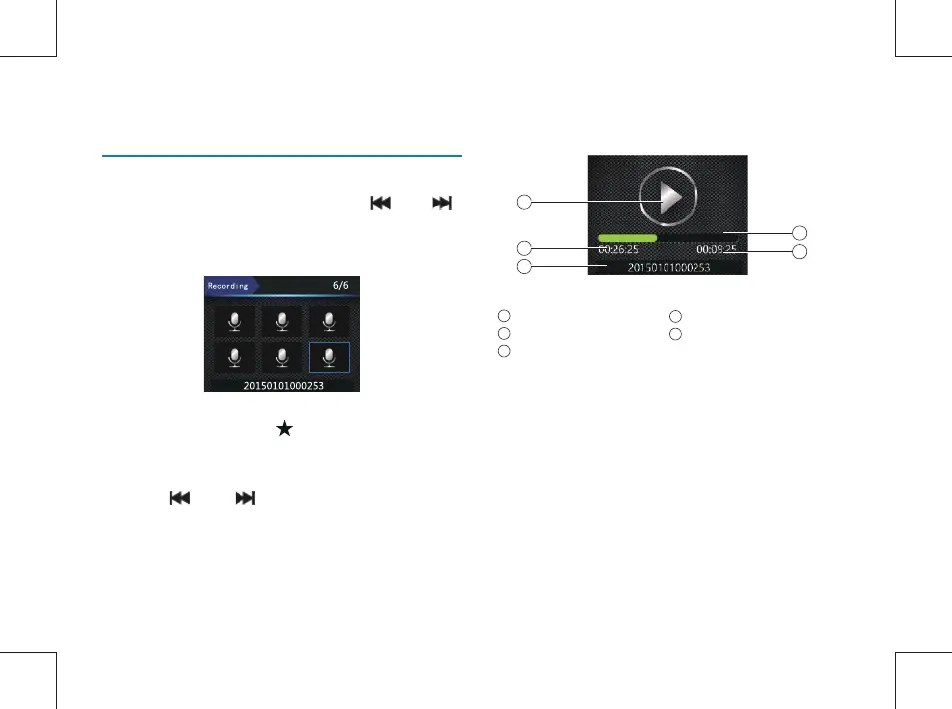
Illustration of Voice Playback Interface:
On the Preview interface, you can enter the playback review
interface through the Play button; press the “ ” or “
” button to select Voice Playback, and then press the Play
button quickly to enter the voice file list interface. The voice
file list interface is shown in the following figure:
On this interface, press the“ ”button to mark the
current file as important. And the file will not be covered
when loop recording and only can be deleted through
computer.
Press the “ ” or “ ” button to select a voice file to
play back, and then press the Play button quickly to enter the
Voice Stop interface.
11 Voice Mode
Play state
Current time
Time file name
1
2
3
Progress bar
Total time
4
5
5
4
1
2
3



 To Next Page