72 EN
15.2 The installation of FMS
(1) Please insert the FMS CD into the PC CD-ROM and
copy the les from CD to PC. Open the folder “DSJ-
1J Files Management System“ and unzip the le“Setup_
PHILIPSManager_1j.rar”to current folder. Then, please try
to run the unzipped le as administrator. The installation
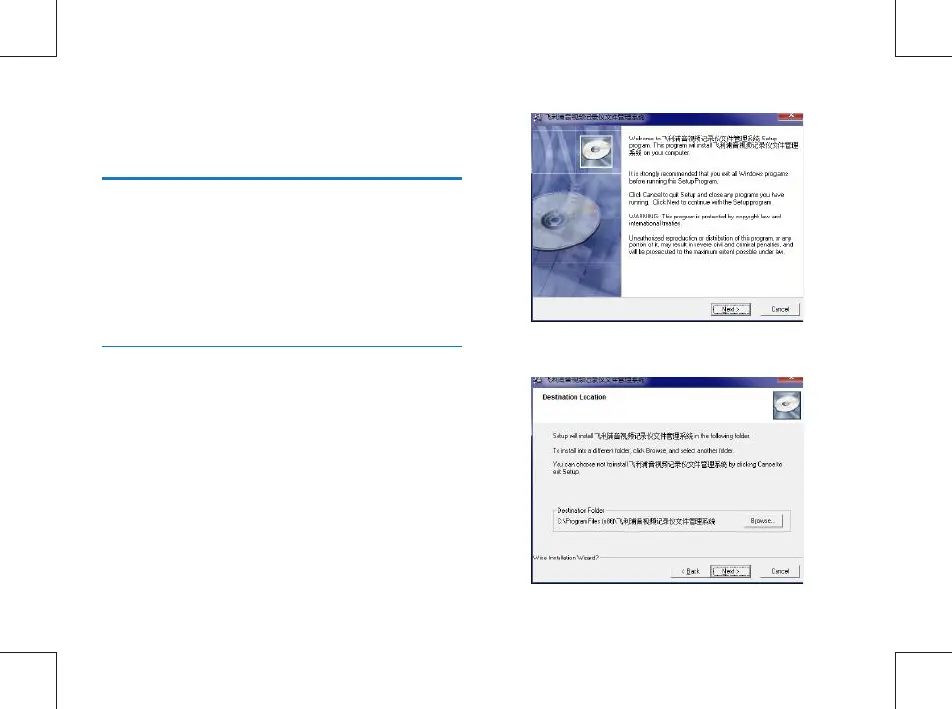
interface is like below:
(2) Click “Next”to continue the installation.
15 Installation and Application of File
Management System(FMS)
15.1 Introduction to File Management
System
The connection between PC and the device is managed by
FMS. The FMS is highly condential, tamper-proof and well
interactive. User can change the password, synchronize
system time, log management, les upload and so on via FMS
on Windows 10/8/7/Vista/XP/2000, Mac OS X, Linux.



 To Next Page