EN 65
14.2 Video Settings 14.2.2 Video Quality
14.2.3 Pre-record
14.2.4 Delay Record
14.2.1 Resolution
The Video Settings menu includes Resolution, Video Quality,
Pre-record, and Delay Record. Press the “ ” or “ ”
button to select the Video Settings menu icon, press the “
” or “ ” button to select the item you wish to set, and then
press the Menu button to enter.
The Video Quality menu has three options: “S. Fine, Fine,
Normal.” Different quality can be selected for different
needs. Higher quality will require a larger le within the same
recording period.
When Pre-record is enabled, you can record a video for some
seconds before an event. Pre-record has two options: Off and
On. Press the “ ” or “ ” button to select. After selection,
press the Menu button to conrm, or press the Back button
to return to the previous menu.
When Delay Record is enabled, you can keep recording for
a set time after pressing the button to save the recorded
video. Delay Record has six options: Off, 5 Sec, 10 Sec, 15 Sec,
30 Sec and 60 Sec. Press the “ ” or “ ” button to select.
After selection, press the Menu button to conrm, or press
the Back button to return to the previous menu.
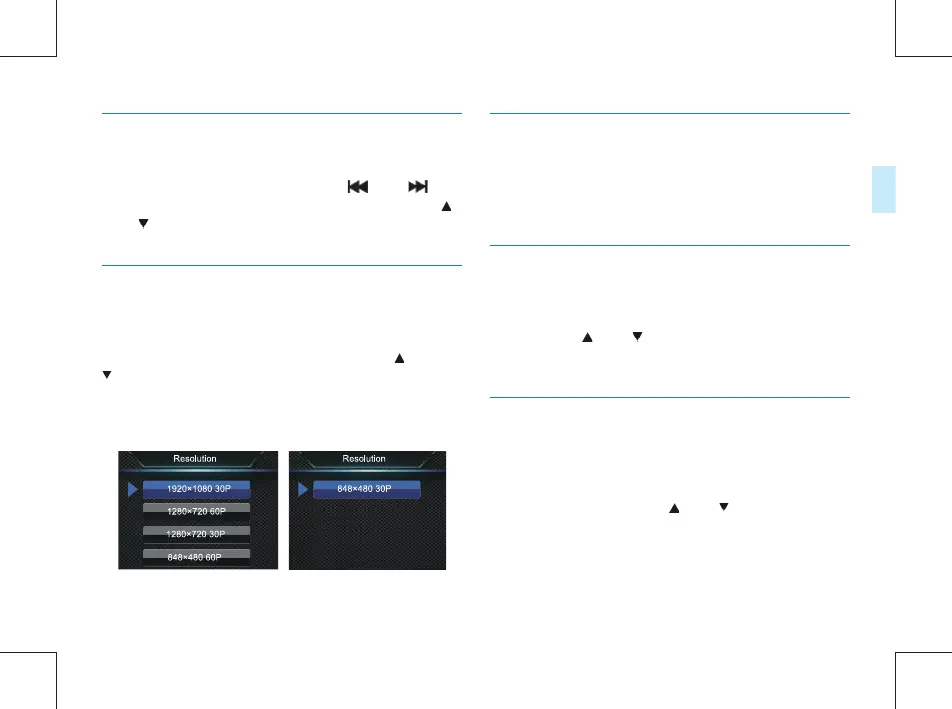
Recording resolution has ve levels, i.e. 1920 × 1080 30P, 1280
× 720 60P, 1280 × 720 30P, 848 × 480 60P and 848 × 480 30P,
to satisfy the needs in most scenarios. Press the “ ” or “
” button to select the desired resolution. After selection,
press the menu button to conrm, or press the Back button
to return to the previous menu.
The interface reference is presented in the following gure:



 To Next Page