EN 79
16 Changing the battery
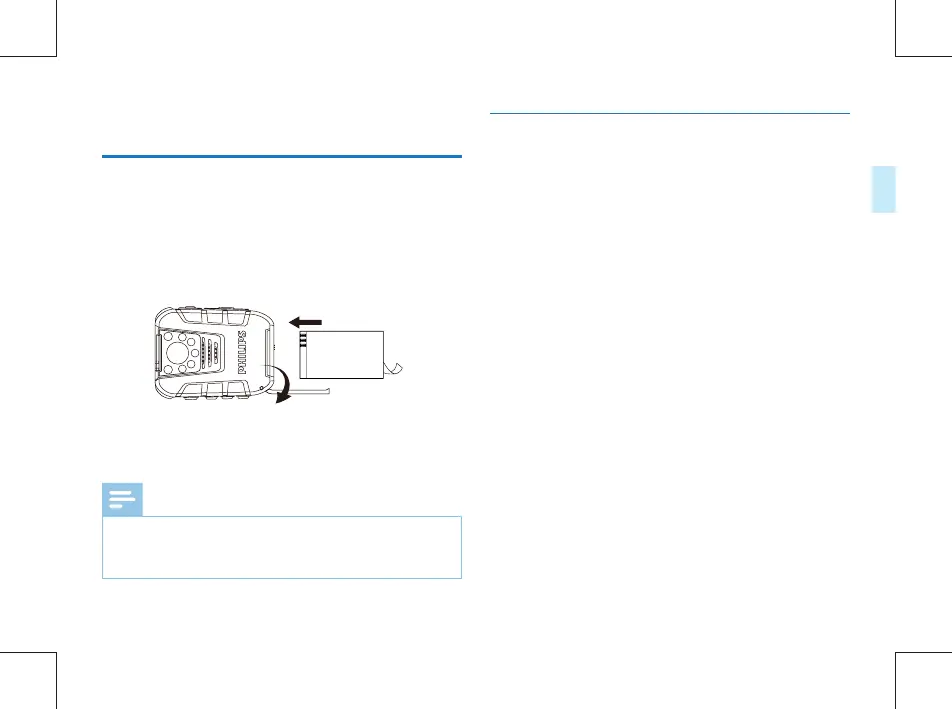
16.1 Battery loading
16.2 Battery unloading
1 Push the battery cover latch to “OPEN” direction to open
the lid.
2 Put battery into the slot as shown in below picture:
1 Push the battery cover latch to “OPEN” direction to open
the lid.
2 Take out the battery.
3 Recover the battery cover to the original position.
3 Recover the battery cover to the original position.
Note
•
The battery may explode if it is not replaced properly.
Only the same model or type of battery should be used
on the device.



 To Next Page