11
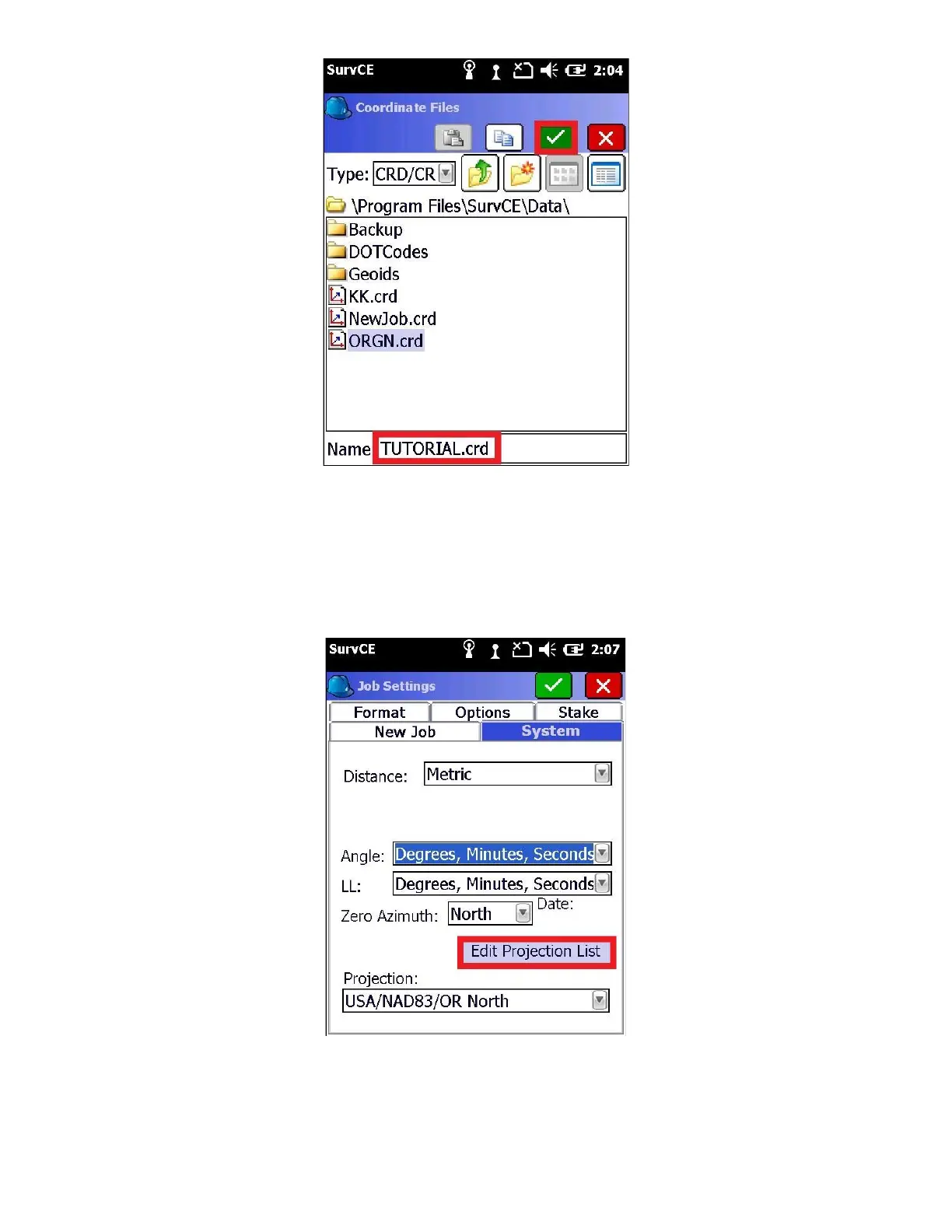
SurvCE jobs are stored in “Card Files” with .CRD file extensions. When you create a new job, several supporting files
are created in the same folder as the .CRD file. Some users prefer to keep jobs in separate folders, which you can
manage from the “Coordinate File” menu.
4. Select the “System” tab and choose the correct projection for your job.
Choose “Distance” units from “Metric”, “US Survey Feet” or “International Feet”. The projection drop box displays a
list of your recently used projections. If the projection you need is not listed in the drop-down list click on “Edit
Projection List”.



 To Next Page