39
5 Troubleshooting a UHF Base/Rover Pair
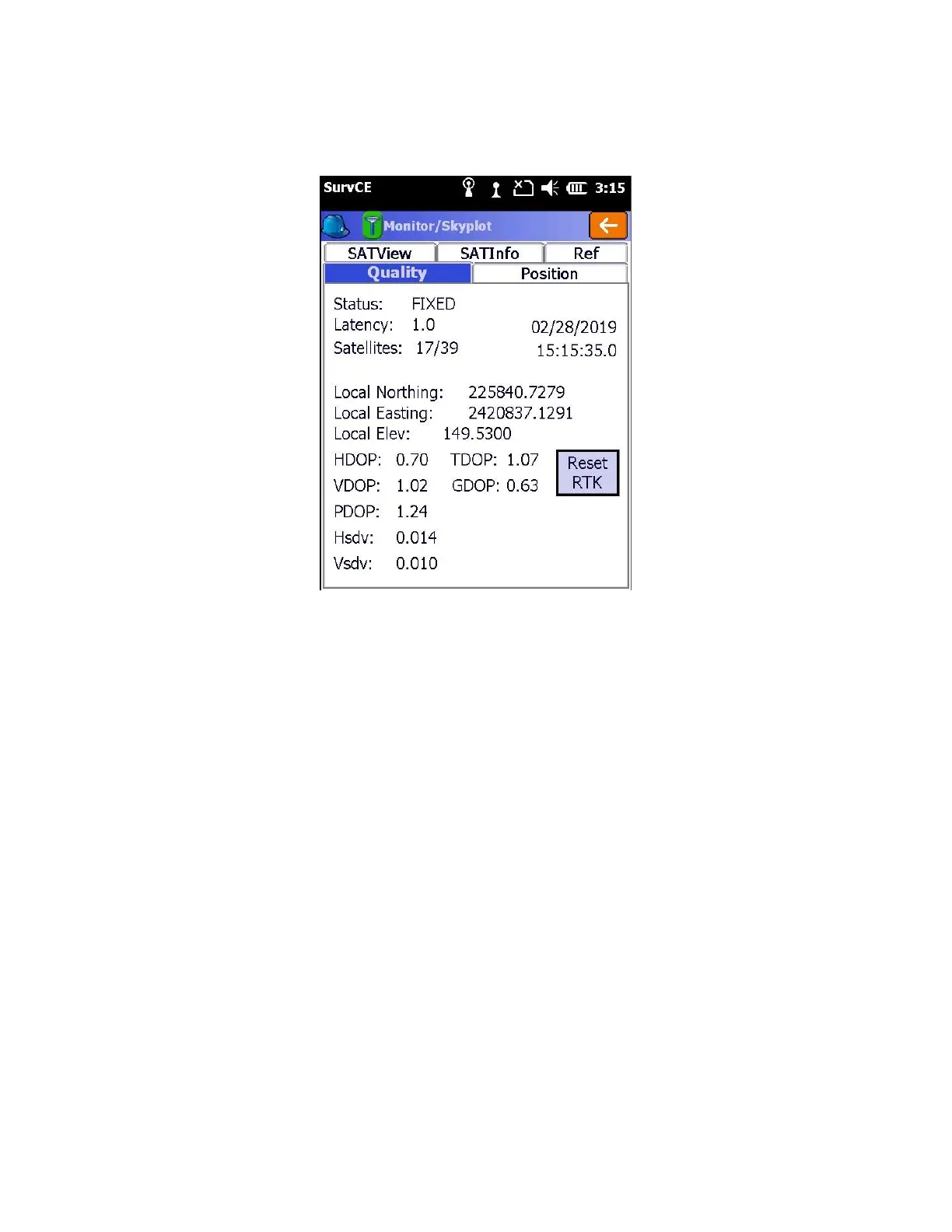
While connected to the rover, from the main menu click on the “Equip” tab > 7 Monitor skyplot
What is the displayed “Status”?
Status = “Fixed” → you are read to survey!
Status = “AUTONOMOUS” or “DGPS” → The Rover is NOT receiving Base Corrections or the Rover is indoors or
under very heavy canopy
1. Have you waited 30 seconds? The base only transmits the base position record once every 30 seconds. The Rover
must receive this position record prior to reporting a ‘FLOAT’ solution. You may need to wait for a full 30 seconds.
2. TOO CLOSE TO BASE? If the base is very near (less than 10 feet from the rover) then the received signal at the rover
may be too strong for the rover to understand.
If the data link LED is blinking green on the rover once each second, then this may be the issue. You can remove the
UHF antenna from the rover and it should fix.
Remember to reconnect the UHF antenna after moving more than 20 feet from the base.
3. Is the Base broadcasting corrections? Check the data link LED on the base. It should blink green once each second.
If not, reconfigure the base from scratch.
4. Is the Rover receiving the base corrections? The data link LED on the Rover should blink green once each second. If
the Rover green LED is not flashing, check these items:



 To Next Page