63
12 Connecting to a Real Time Network
There are many variants of network corrections: Single Base Line, VRS (Virtual Reference Server), FKP and SpiderNet
MAX (Master Auxiliary.) The most common network transport is NTRIP using a data collector which is connected to
the internet via a Wi-Fi Hotspot (preferred) or an internal GSM SIM card. It is important to note that Stonex S900
receivers are compatible with both GSM and WCDMA providers, so when you see “GSM” in this manual, we are
referring to both GSM and CDMA. In this manual, we will cover how to connect your data collector to a Wi-Fi
Hotspot.
Once you configure your data collector to have Internet Connectivity, you will want to check that the connection is
valid. The steps required to configure a network rover are shown below:
12.1 Connecting Data Collector to a Smart Phone Wi-Fi Hotspot
The first time your data collector is connected to a Wi-Fi hotspot you will need to configure the Wi-Fi access point
and password. These steps will show you how to use a smartphone as a Wi-Fi hotspot
1. On your smartphone, navigate to Personal Hotspot Settings.
2. Activate the Personal Hotspot and note the Wi-Fi Password
3. Now we need to connect the data collector to the Wi-Fi hospot.
4. On the S4II, Click at the top of the screen and then click on the icon that looks like a cell phone
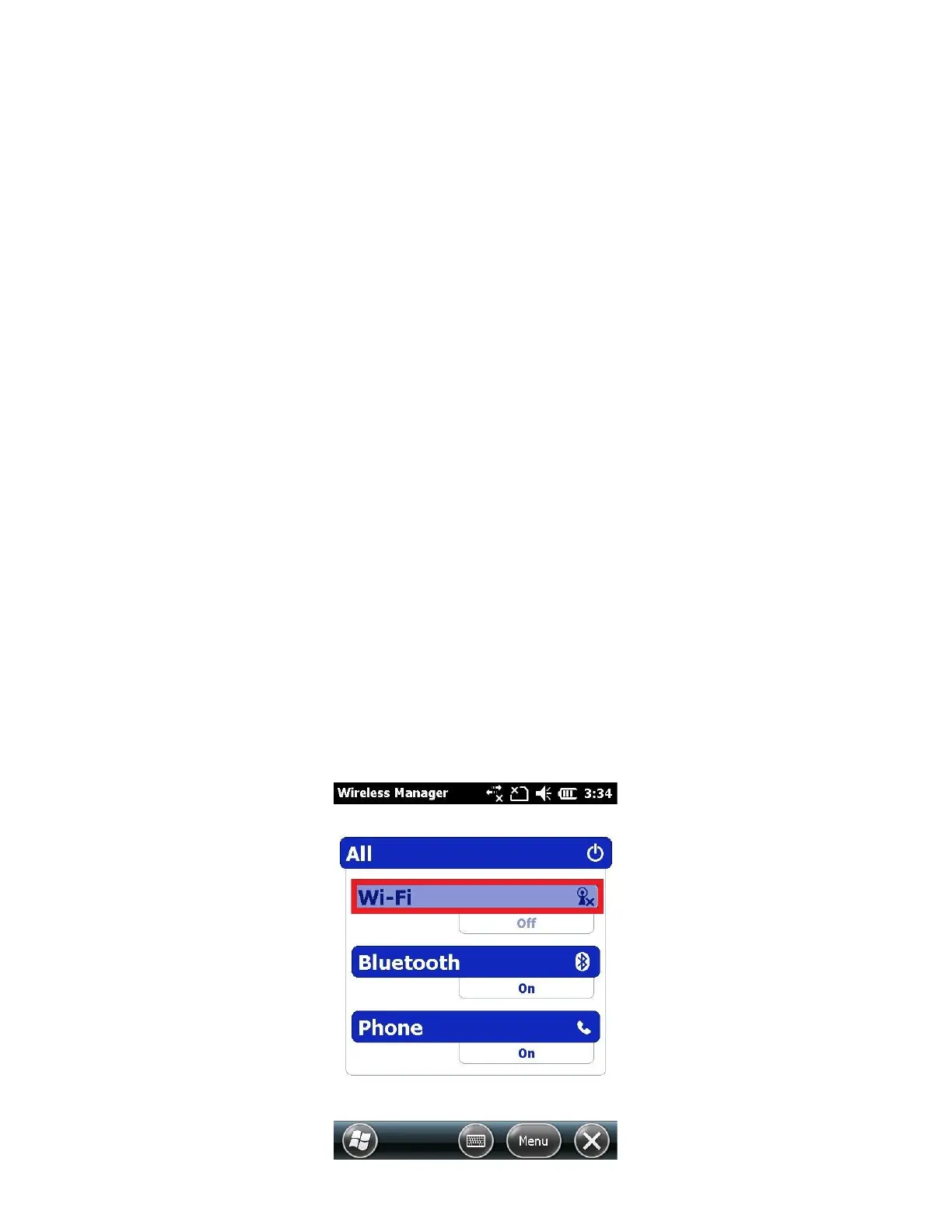
5. Click on “Wireless Manager” (blue link)
6. Enable (Turn ON, OPEN) the Wi-Fi connection by clicking on “Wi-Fi”



 To Next Page