64
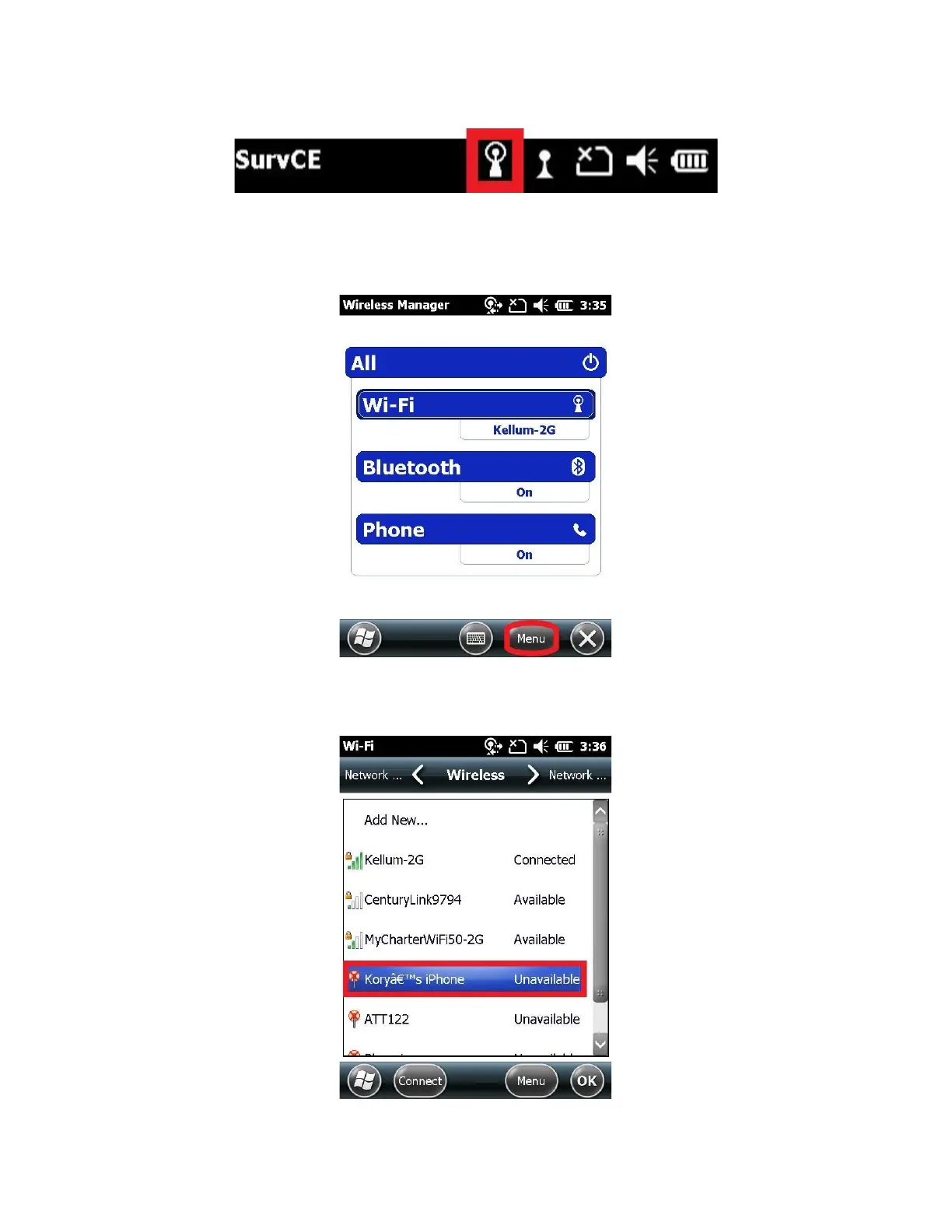
7. If you have connected to the hotspot before, wait 30 seconds to allow the data collector to automatically reconnect.
If the antenna icon has a complete circle around it then your data collector is already connected to the internet. Skip
to section 12.2 Check the Internet Connection
8. From the Wireless Manager, click on “Menu” and then click on “Wi-Fi Settings”
9. A list of available Wi-Fi Hotspots will be shown
10. Click on your Wi-Fi Hotspot’s (Smartphone) name
11. Click “Next”



 To Next Page