28
Click the green check mark to accept
23. Your base is now configured. Verify that the Data link LED on the S900 head is flashing green signifying RTK
corrections are being transmitted.
24. Verify the Base is storing GNSS observations on the head by verifying that the data link LED is also flashing blue
with flashing rate corresponding to the sampling interval specified (1 Hz).
3.3 Base Configuration - From Known Position
The following procedure is for setting up a base over a known position. This procedure replaces steps 17-24 above
in the “3.2 Base Configuration Workflow”.
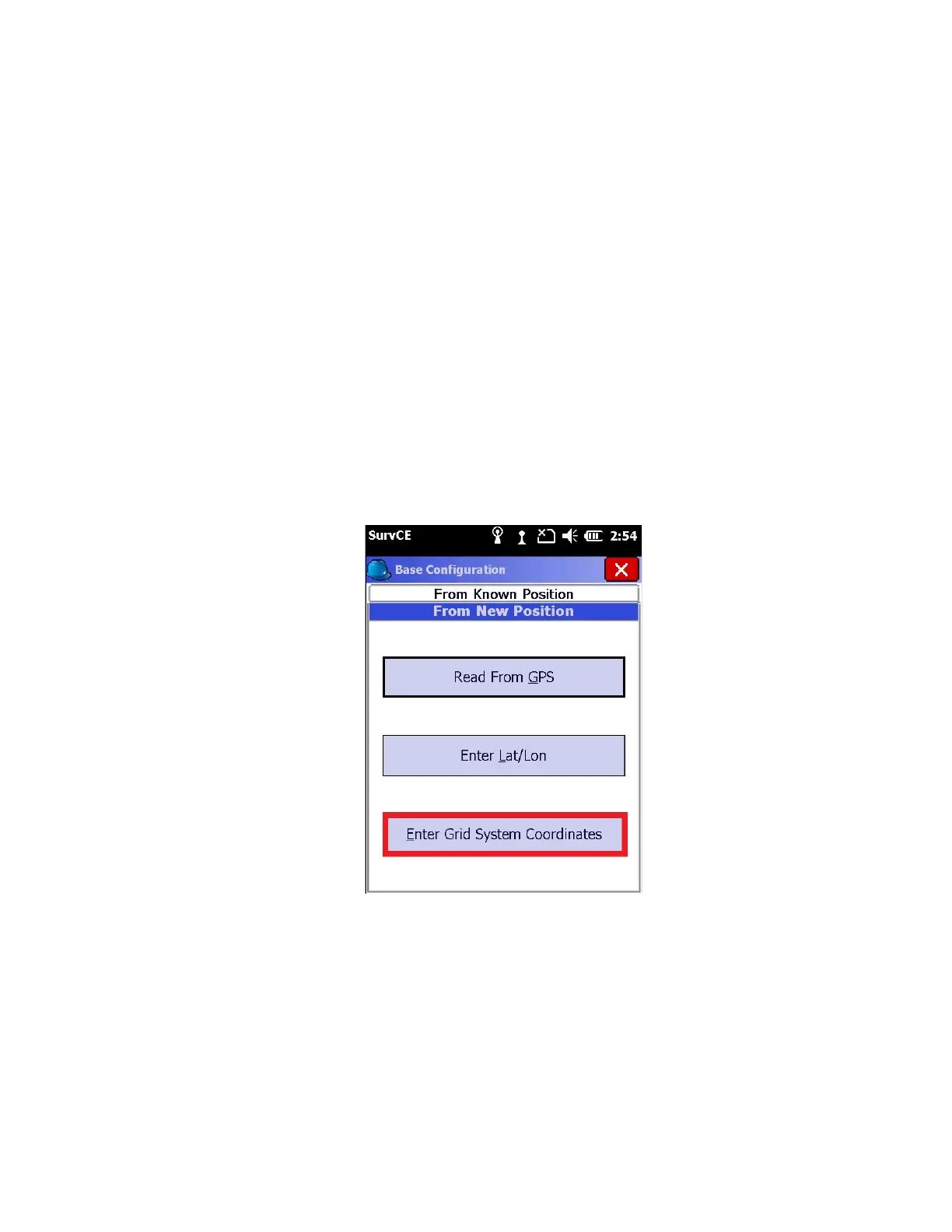
If you are set up over a known position, and you have a geographic coordinate (Latitude / Longitude), then you can
manually enter the position using ‘Enter Lat/Lon’. Use ‘Enter Grid System Coordinates’ if you know the Grid
Coordinates for the base position or if you are setting up over an existing surveyed point within your job.
1. Select “Enter Grid System Coordinates”
2. Enter “Northing”, “Easting”, and “Elevation” of known base coordinate, and select whether the elevation is an
ellipsoid or orthometric elevation.



 To Next Page