61
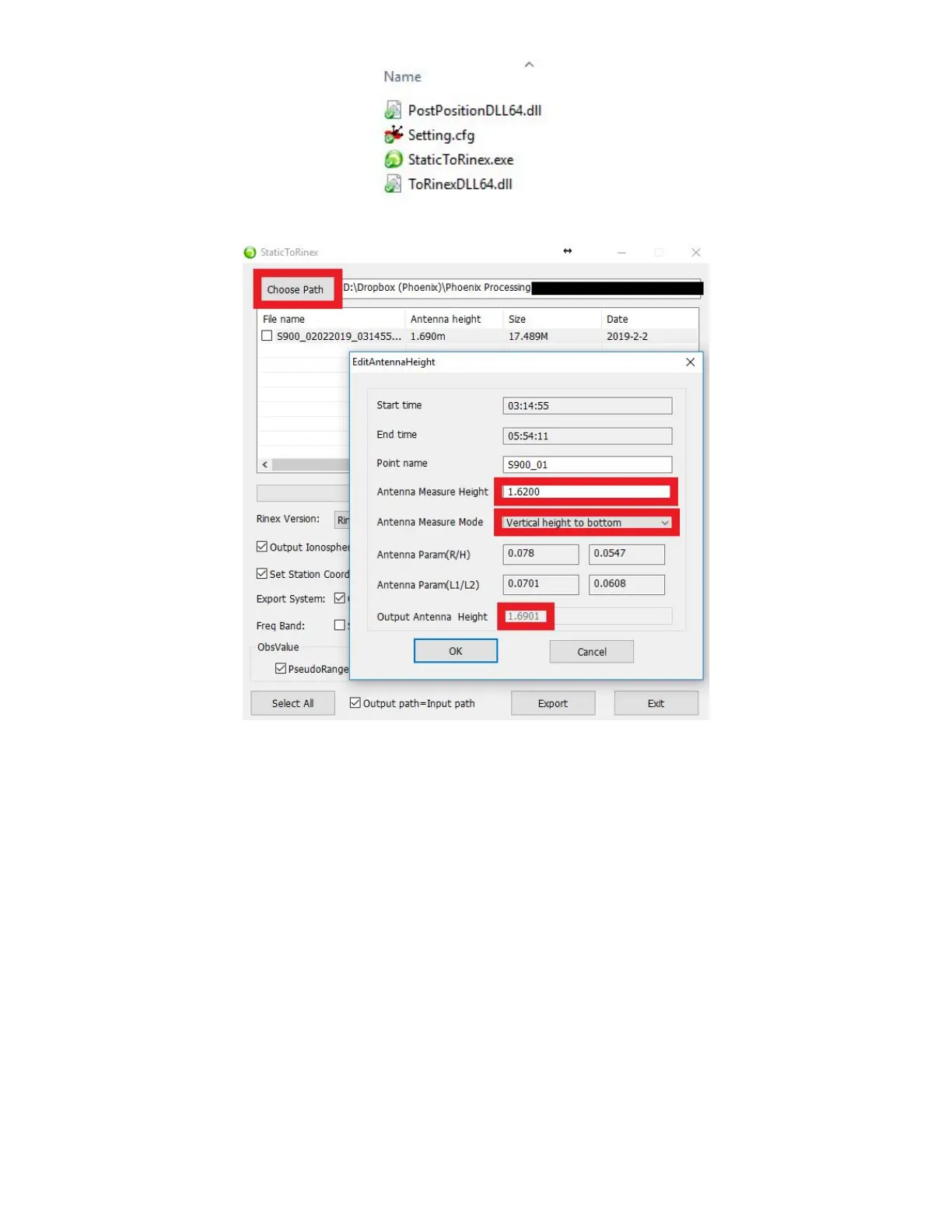
5. Click on “Choose Path” and navigate to your “.dat” file
“Antenna height” will automatically populate from the settings input into SurvCE. Verify antenna height settings by
double clicking on the numerical value listed in the “Antenna Height” column. Double check “Antenna Measure
Height”, “Antenna Measure Mode”, and “Antenna Param’s”. Note: The only time “Antenna Measure Height” and
“Output Antenna Height” will be the same, is when “Antenna Measure Mode” is set to “Phase Center”. Click “OK”
when finished
6. Check the box next to the “.dat” file you wish to convert to Rinex



 To Next Page