17
FireFly 302
Synchronization
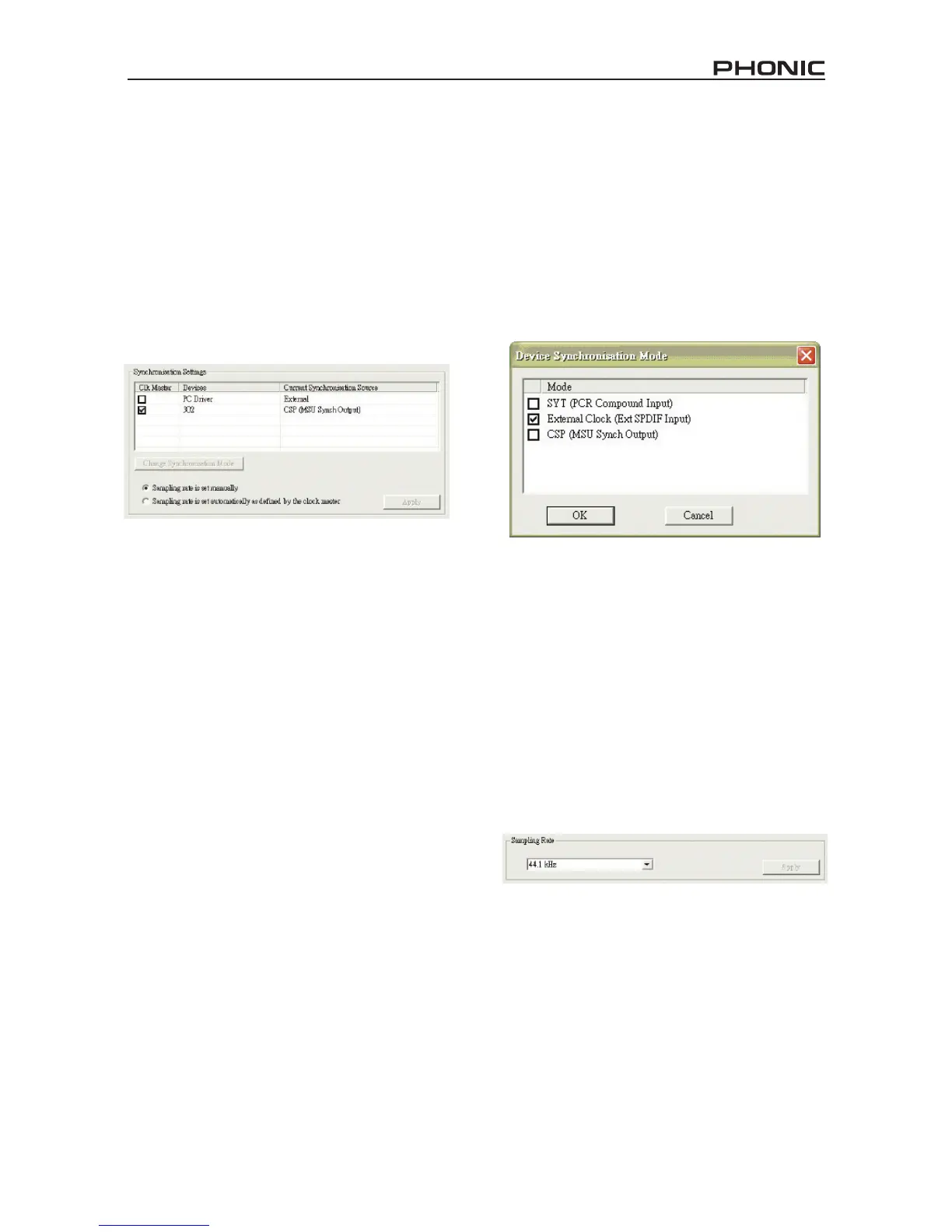
In the Synchronization section, users can
adjust the sampling rate and other syn-
chronization properties. Many of these
adjustable properties, as they are, are set
for optimum performance and, unless you
are sure of what you need to change, are
probably best left alone.
First off, the synch mode can be altered,
though making this alteration is not rec-
ommended for novice users. The synch
mode is basically the way the computer
determines what the ‘clock source’ (ie.
device that your computer will use to de-
termine the timing of all digital signals re-
ceived) will be. The default setting for this
feature is “CSP”, meaning the FireFly is
the “master” clock source of the device.
The other options allow users to make the
FireFly follow the “timing” of whichever
device is the clock source. Having two
clock sources has the potential to cre-
ate very undesireable audio, so it is best
avoided. If the FireFly 302 is the only
piece of digital audio equipment attached
to the computer, there is no reason this
option should be changed.
If you wish to use the S/PDIF input, simply
double-click on the “302” in the devices
menu. The Device Synchronization Mode
window that will then appear allows users
to select the External Clock (Ext. S/PDIF
Input) as the default clock source.
Also in Synchronization, users are also
able to change between automatic and
manual sampling rate settings. When
the sampling rate is manually set, users
can select between sampling rates of
44.1, 48.0, 88.2 and 96.0 kHz per second.
Many devices have sampling rates that do
not surpass 44.1 kHz per second, there-
fore, when using multiple digital devices,
users are advised not to exceed this level
unless they are sure the secondary de-
vice’s sampling rate can .


 To Next Page