Settings
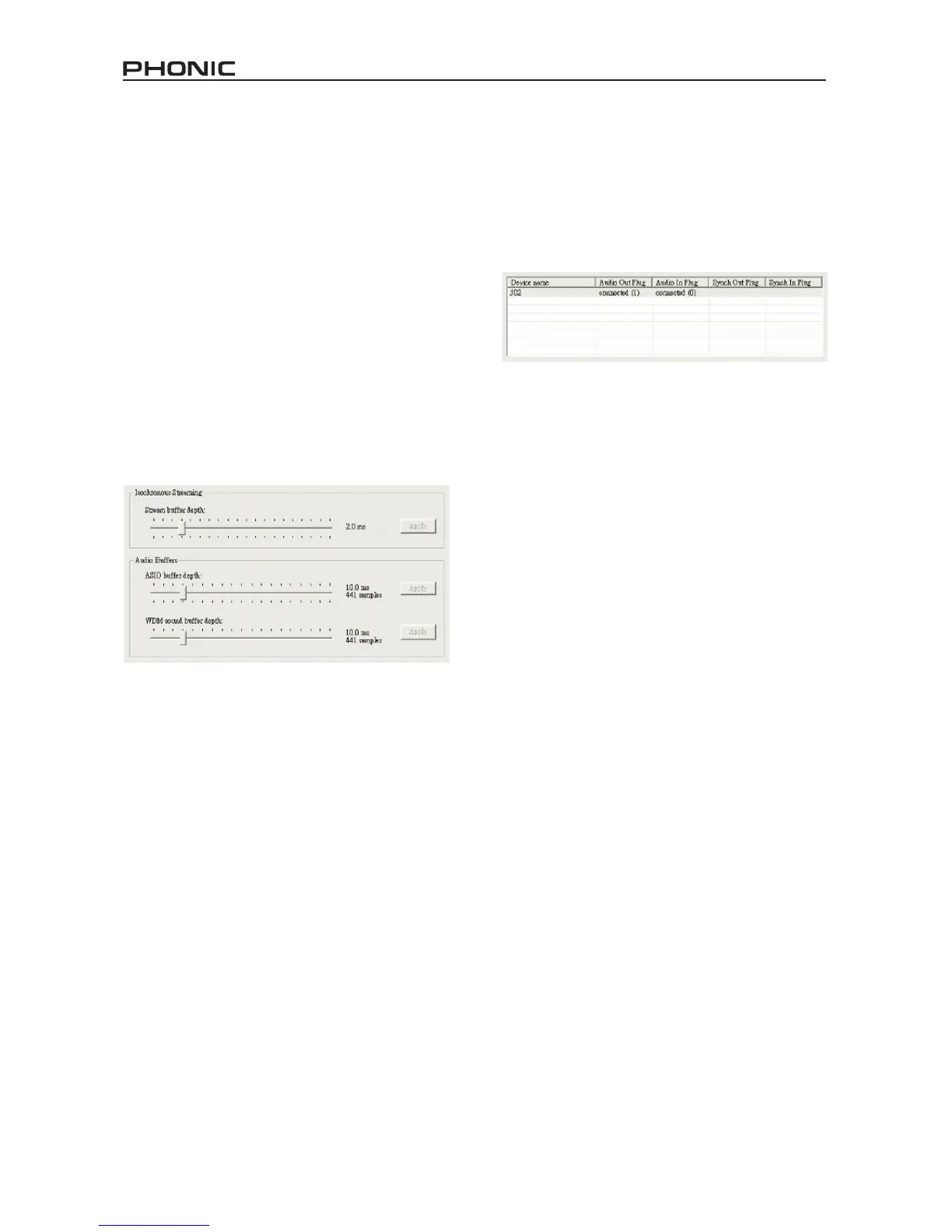
Users are able to adjust various buffer
times in the Settings section.
The Stream Buffer Depth is adjustable be-
tween 0.5 and 20 milliseconds. It adjusts
the buffer used when streaming a signal
from the FireFly 302. If the depth is set too
high, an obvious latency will become evi-
dent. If the depth is too low, various clicks
and pops may become obvious. It is best
to set the Stream Buffer Depth to a level
that allows users to get the lowest latency,
while still maintaining an optimal perfor-
mance. The default settings are ideal for
most computers.
The ASIO Buffer Depth is adjustable be-
tween 4 and 40 milliseconds. This allows
users to adjust the latency of the stream
received by ASIO driver-based software
(including Steinberg Cubase LE).
The WDM (Windows Driver Model) Sound
Buffer Depth is adjustable between 4 and
40 milliseconds. This allows users to ad-
just the latency of the stream received by
WDM based programs.
Also in this section, users are able to view
their “drop out statistics”, where the num-
ber of times the FireWire connection has
been interrupted can be viewed.
Streams
In the Streams section, the FireFly 302 de-
vice properties can be viewed. Each input
and output stream can be scrutinized, and
the isochronous stream number and its
supported sampling rates can be viewed.


 To Next Page