● getADCall(addr) - return an 8 element list of floating point values with voltages from all eight input
channels
Examples
Using a Potentiometer to Generate a Variable Voltage
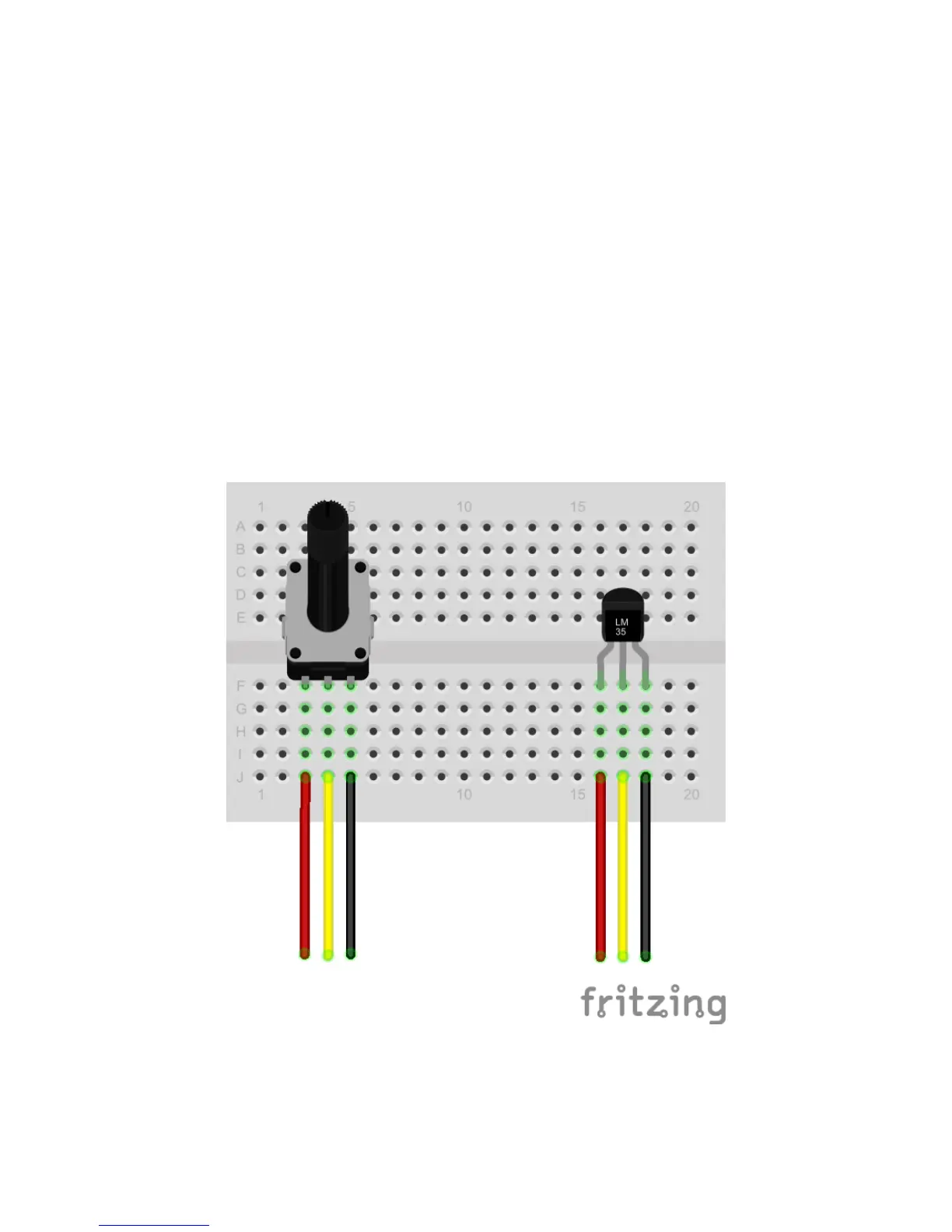
1. Attach a 10K potentiometer to a protoboard as shown on the left side of the diagram below.
2. Route the red wire to the 5VDC terminals (terminal 10) on the Analog Input Block
3. Route the black wire to the ground terminal on the Analog Input Block (terminal 9)
4. Route the yellow wire to Analog Input 0 on the Analog Input Block (terminal 1)
5. Go into the Python interactive environment and import the DAQC2plate module by typing import
piplates.DAQC2plate as DAQC2
6. Assuming a DAQC2plate board address of 0, type DAQC2.getADC(0,0) from the command prompt and
look at the returned value
7. Rotate the "pot" and retype DAQC2.getADC(0,0). Turning the "pot" completely clockwise will return a
value of around zero volts. Turning the "pot" completely counter clockwise will return a value of 5 volts.



 To Next Page