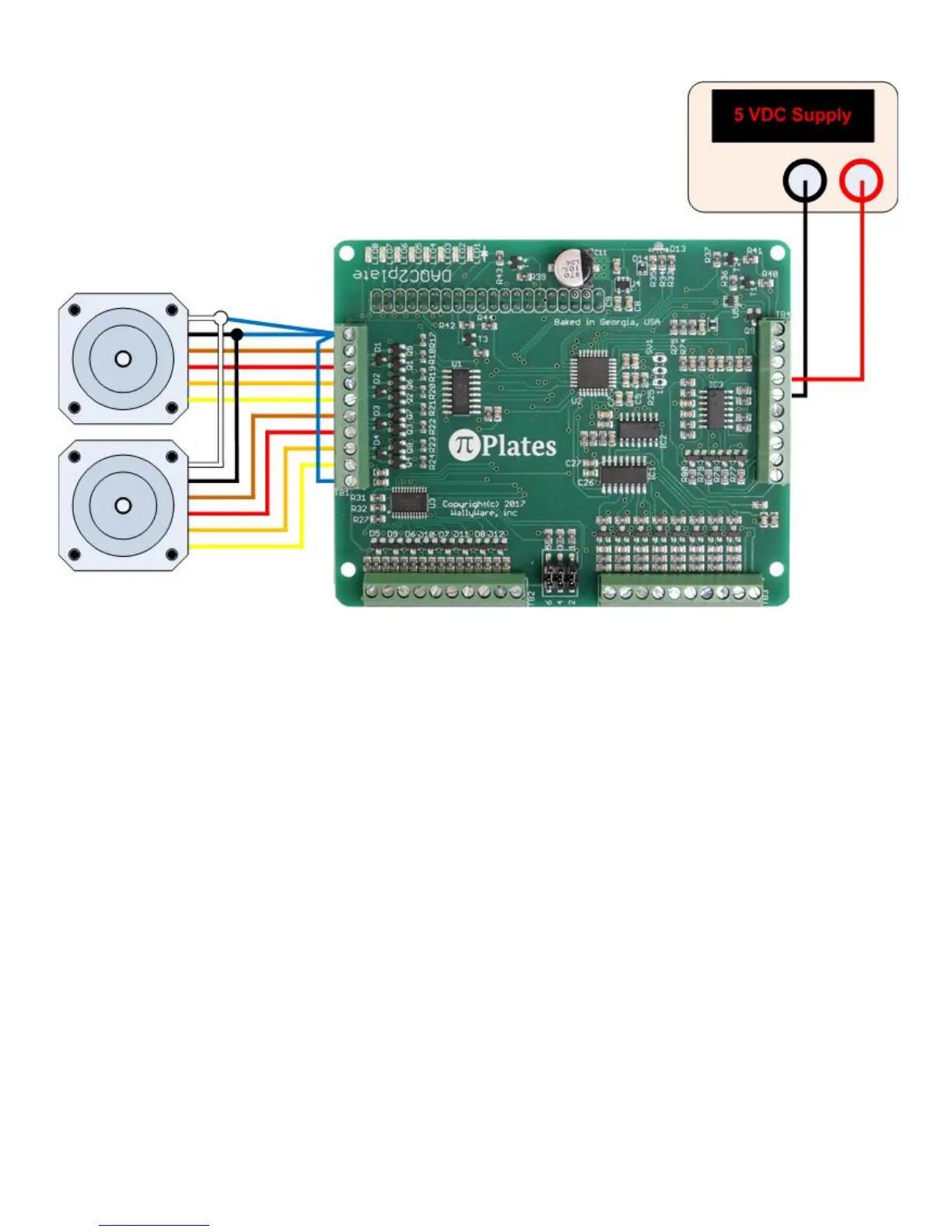
is also connected to 5VDC output on pin 10 via a separate wire.
Note that each of the above images show two motors with six wires each. This is not uncommon since motors
of this type can be used in both unipolar and bipolar modes. Also note that the colors may not necessarily
match those on your motor. Consult your motor manual for center tap wires that will attach to the power source
and the wires for each of the windings.
Commands
The following arguments apply to the motor control functions:
● addr: the address of the DAQC2plate board being addressed. This can be 0-7 and is set via the
address selection header described above.
● motor: selects the motor to command - can be 1 or 2.
● steps: the number of desired steps when a MOVE command is issued - must be in the range of -16383
and 16383
● dir: the direction of rotation when the JOG command is issued. This is a string argument and the valid
values are 'CW' and 'CCW' for clockwise and counter clockwise.
● rate: the step rate of the motor in steps per second. Range of values is from 1 to 500
● stepsize: the motor controller supports whole steps and half steps. If your stepper motor moves 1.8° for
every step, then a half step will be 0.9°. This is a shingle character argument and the valid values are
'w' for whole steps and 'h' for half.
The functions are:
● motorENABLE(addr) - enable motor mode
● motorDISABLE(addr) - disable motor mode and turn off all power going to motor windings
● motorDIR(addr,motor,dir) - set direction of selected motor
● motorRATE(addr,motor,rate,stepsize) - set step size and rate of selected motor



 To Next Page