Functions
addr must be in the range of 0 through 7
bit must be in the range of 0 through 7
● getDINbit(addr,bit) - return single bit value
● getDINall(addr) - return all eight bits
● enableDINint(addr, bit, edge) - enable interrupts for an input change on the specified bit. The "edge"
value can be 'r' for rising, 'f' for falling, of 'b' for both.
● disableDINint(addr,bit) - disable interrupts on the specified bit
Example: Monitor an External Button
With a built in pull up resistors, monitoring buttons and switches with the Digital Inputs of the DAQC2plate is
simple:
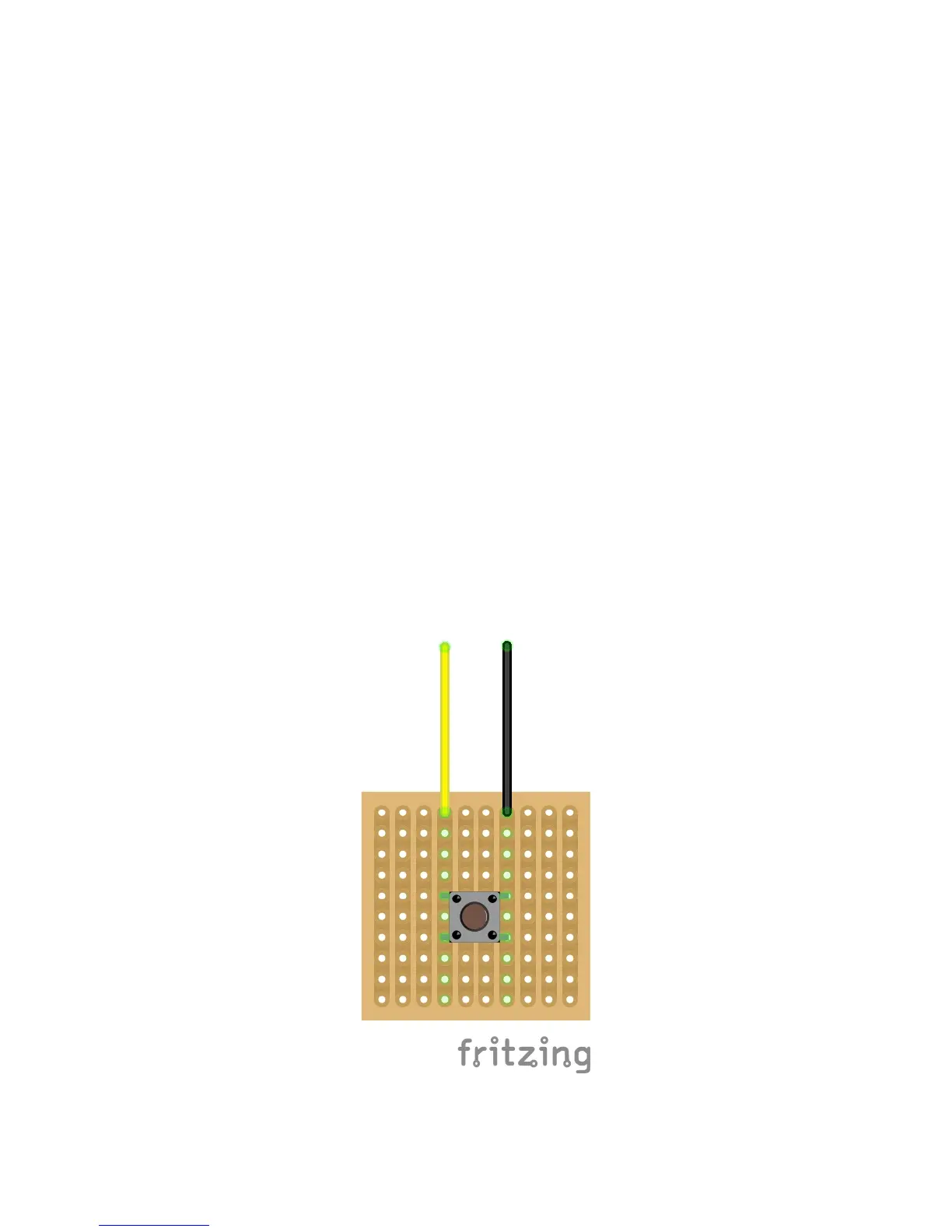
1. Attach a normally open push button to a protoboard as shown below
2. Route the yellow wire to Digital Input 0 on the Digital Input Block (terminal 1)
3. Route the black wire to a ground terminal on the Digital Input Block (terminal 9 or 10)
4. Go into the Python interactive environment and import the DAQC2plate module by typing import
piplates.DAQC2plate as DAQC2
5. Assuming a DAQC2plate board address of 0, type DAQC2.getDINbit(0,0) from the command prompt
and look at the returned value. The DAQC2plate should return a value of 1 since the button is up and
the input voltage is 5VDC.
6. While pushing the button, execute DAQC2.getDINbit(0,0) from the command prompt again. This time
the DAQC2plate should have returned a value of 0 since pressing the button grounds the input.
Extended Functions



 To Next Page