25
Appuyez à nouveau sur le bouton de diffusion de vapeur pendant 5 secondes pour confirmer votre choix. Il est à noté
que le four reviens par lui-même au menu principale après un temps déterminé.
STOP THE INTERNAL FAN
NOTE
You must use the Stop button #18 before making a change in direction.
TOTAL OVEN USAGE TIME
Press simultaneously buttons #09 and #10. The Baking Time display will now display the oven’s total usage time since
its installation. (Each unit = 10 hours)
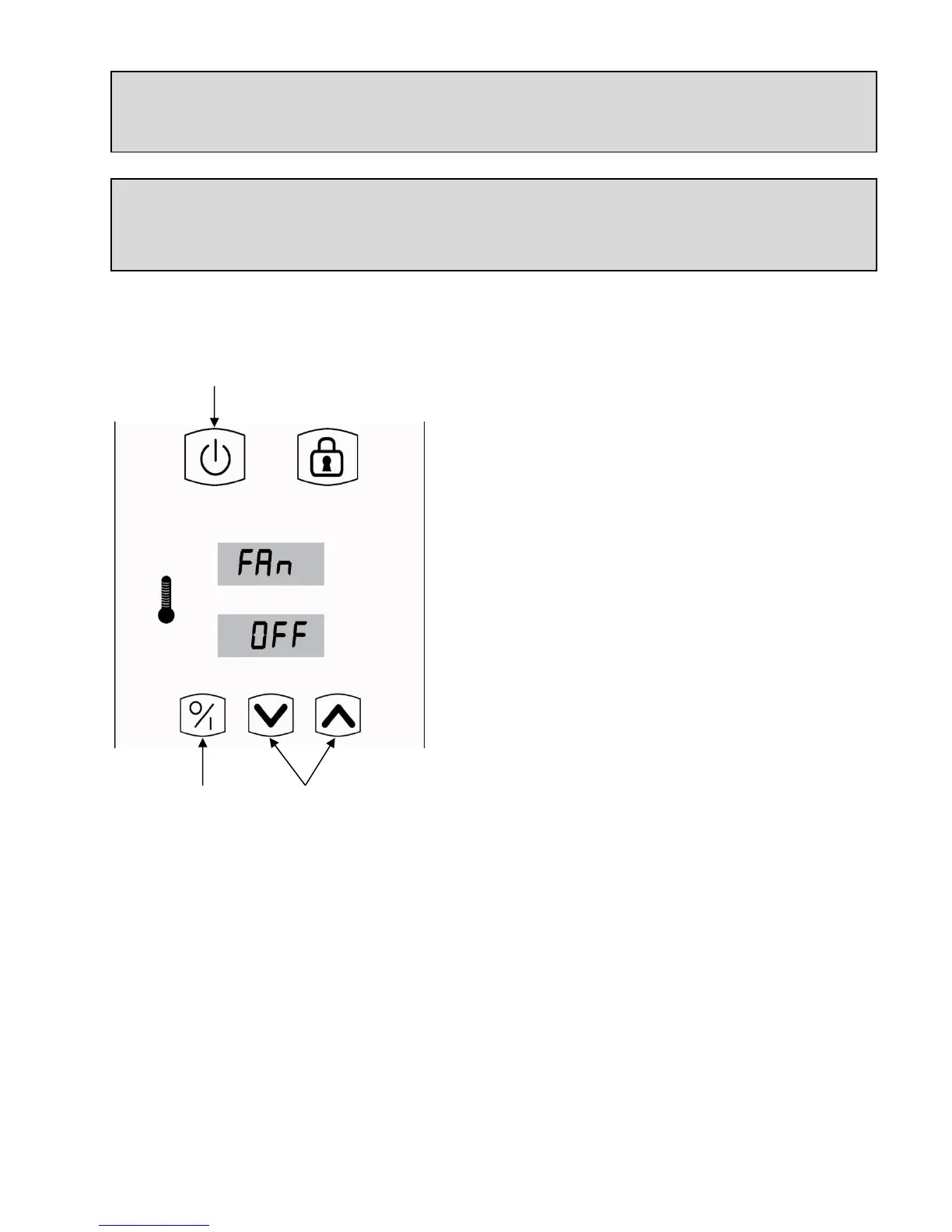
20. Turn the oven off completely by the power on/off
key.
21. Touch the temperature set on/ off key for 5 seconds
to activate the fan menu.
22. Use the up and down keys to turn on or off the fan.
21. Touch the temperature set on/ off key once again to
confirm.
20. Restart the oven.


 To Next Page