24
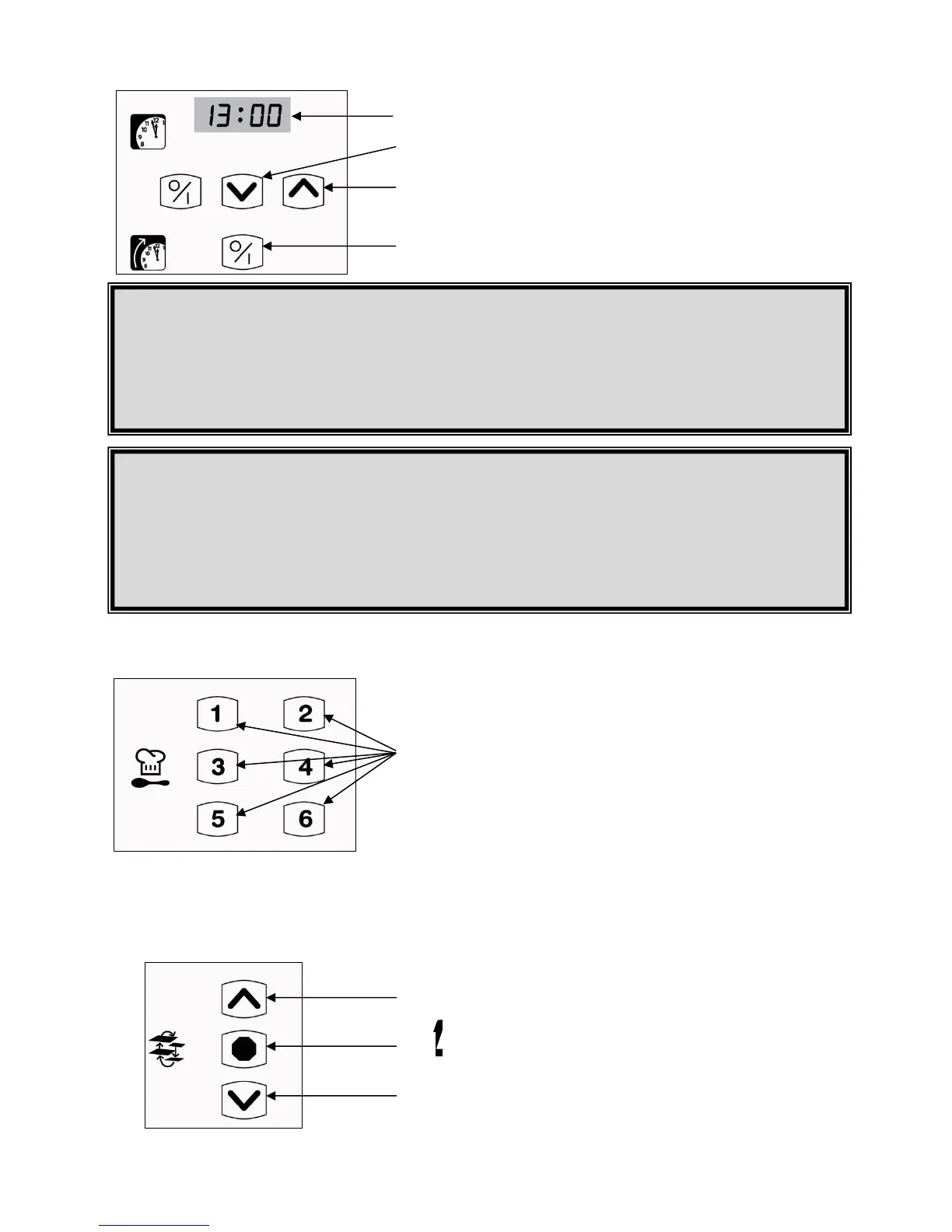
PRESET TIMER
RECIPE PRESETS
SHELF ROTATION
12. Displays the auto start time.
13. Touch the down arrow button to decrease the auto start
time.
14. Touch the up arrow button to increase the auto start
time.
15. Use this button to start or stop the preset timer function.
16. Each one of the six preset recipe buttons can be used to
save common configurations. After setting temperature
and time, simply hold down the preset button of your
choice for 5 seconds to save it to that preset button.
17. Use this button to start the steam function
TIME ADJUSTMENT
Press and hold the preset timer button #15 for 5 seconds. The lights will begin flashing.
Adjust the timer if necessary with the timer arrow buttons #13 and #14.
Press the preset timer button #15 again to save your settings.
Hour display is in 24 hour format.
The clock doesn’t change automatically spring and fall.
WARNING
Before you start the oven
make sure that :
The gas entry pressure is between 5 and 14 inches of water column.
The exhaust canopy induction is adequate, between 600 and 1000 CFM and
that an air intake has been made.
The voltage and amperage are in accordance with the name plate.
The oven is level.
The water hook-ups to the oven have been made for the steam option.
______________________
ATTENTION
Avant de démarrer le four
assurez-vous que :
La pression d’entrée de gaz se situe entre 5 et 14 pouces de colonne d’eau.
L’aspiration de la hotte est adéquate, soit entre 600 et 1000 CFM selon le
modèle et qu’une entrée d’air a été aménagée.
Le voltage et l’ampérage sont bien conformes à la plaque signalétique.
Le four est bien de niveau.
L’eau à été raccordée au four pour l’option vapeur.
PRESET TIMER USE
Use the preset timer button #15 to begin the set-up.
Use the preset arrows #13 and #14 to set the start up hour.
Adjust the temperature required using the temperature arrow buttons #5 and #6.
Press the power on / off button #1, to close the oven.
Hour display is in 24 hour format.
17. Touch this arrow to make the shelves turn
upwards.
18. Use this button to stop the shelves rotation.
19. Touch this arrow to make the shelves turn
downwards.


 To Next Page