SECTION 4 - PROGRAMMING GUIDE
Page 4.7
PXI/PXIe LVDT/RVDT/Resolver Simulator Module 41/43-670
pickering
Internally Generated Feature
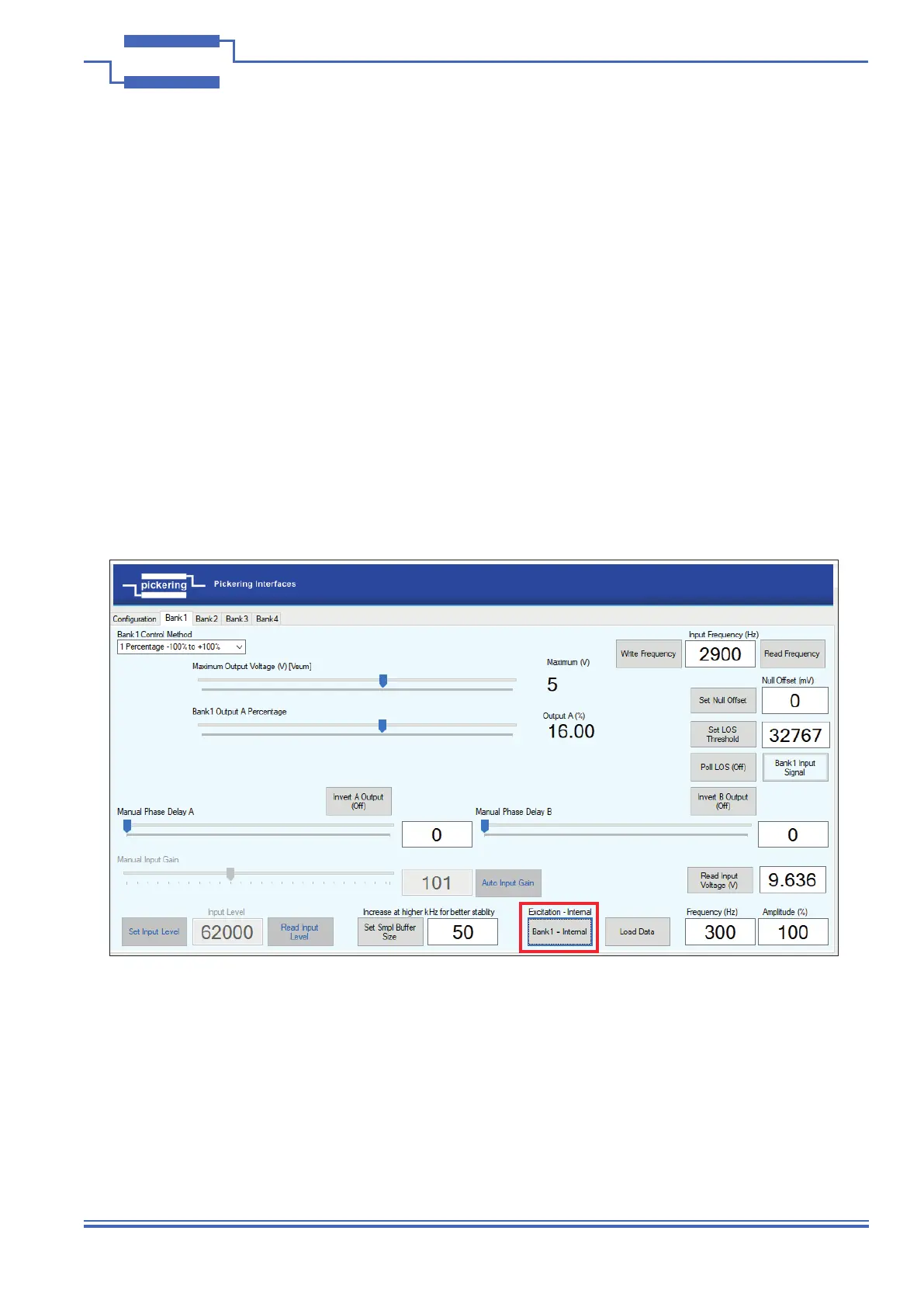
A feature has been implemented to generate an internal excitation, the driver calculates the waveform and uploads
it to the internal circular buffer instead of from sampling the input. This allows a glitch free output without applying
an input signal, each bank can be run independently at its own frequency and amplitude. The Vsum / Vdiff and
other controls can be operated the same as when applying an input waveform. If the frequency is read using ‘Read
Frequency’ it will return the internally generated rather than any applied frequency.
• Set Bank be to ‘Internally Generated’
• Close output switches for Outputs A and B
• Choose mode 4-Wire (Independent) or 5/6-Wire (Complementary)
• Select ‘Tab’ 1-4 relating to Bank
• Enter Frequency in Hz
• Enter Amplitude scaling percentage 100% (unless you want smaller output)
• Click ‘Load Data’
To return to applying an external input, simply change the input to ‘Local’ or ‘Bank1’.
Entering an amplitude other than 100% will scale the output accordingly e.g. if amplitude is scaled to 50% with Vsum
set 5V then the output will be halved, so 2.5V.
Figure 4.6 - Selecting Internally Generated Excitation


 To Next Page