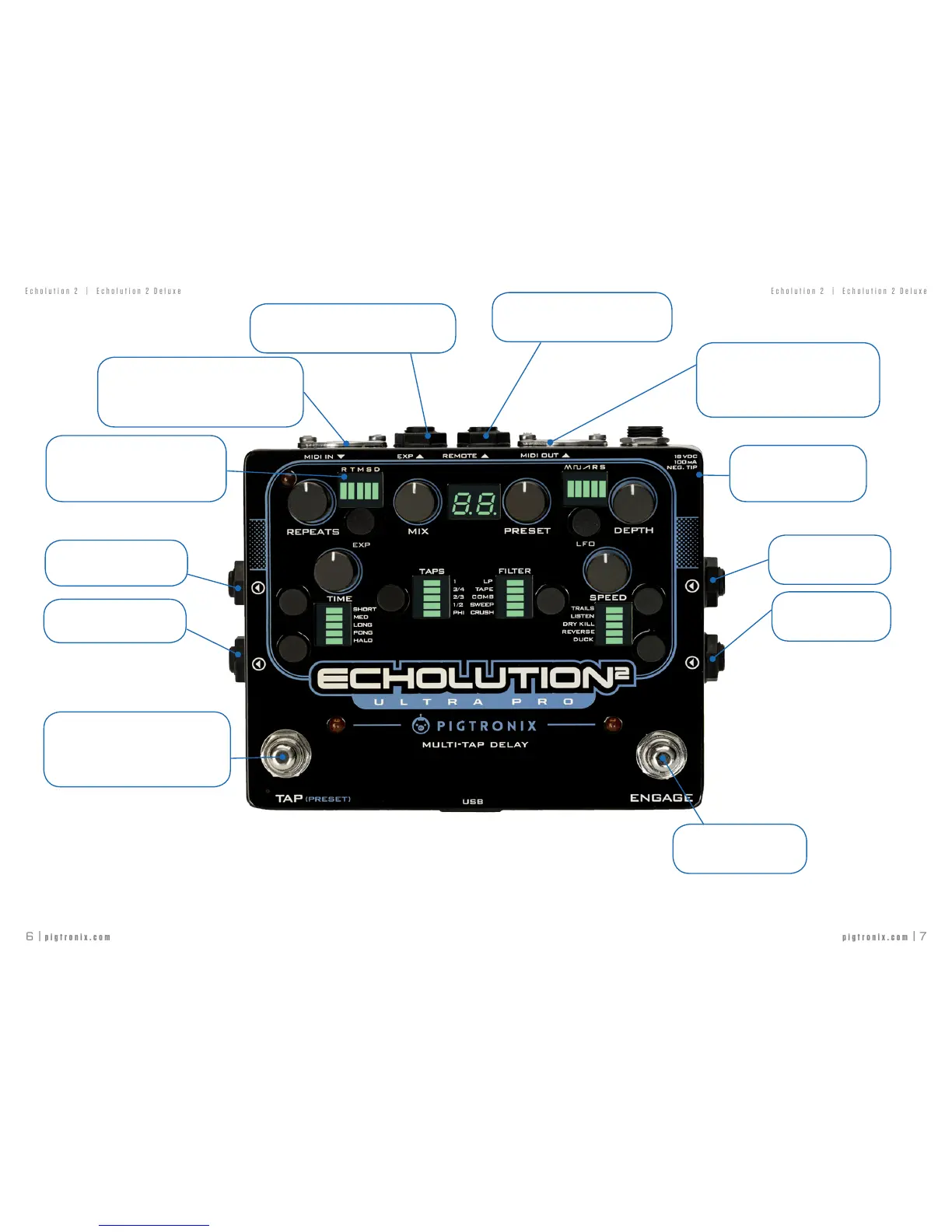
MIDI IN
AcceptsMIDIpresetchange,MIDICCinputs(see
MIDImap)forallfunctionsaswellasMIDIbeat
clocktosetthedelaytime.
Output 1
Connectamplier,mixer,DAWhere.
Output 2
Connectamplier,mixer,DAWhere.
Note:Whenonlyoneofthetwoaudioinputsis
connected,thatsingleinputwillbeprocessed
instereothroughbothoutputs
MIDI LED
WhenaMIDIclockatthe MIDIINjackis
present,theredMIDILEDintheupperleft
cornerwillilluminate.
TAP TEMPO
Taponthisswitchtosetthedelaytime.Whena
newdelaytimeissetbytheTapTemposwitch,it
willoverridethemanualdelaytimeknob.
PRESET SELECTION
JACKS AND FOOTSWITCHES
A LONGPRESSoftheTapTemposwitchentersPRESETSELECTmode.OnceyouhaveenteredthePRESETSELECT
mode,thegreenpresetdigitwillblink.
A SHORTPRESSonthetaptemposwitchwillmoveuponepresetandaLONGPRESSwillmovedownonepreset.
Oncethedesiredpresetisqueued,pressingtheENGAGEfootswitchwillactivateit.
EXP
TRSexpressionpedalgoeshere.Usealow-impedance
footcontroller.
Input 1
Connectinstrumenthere
Input 2
Connectinstrumenthere
MIDI OUT
SendsoutMIDIbeatclockthatiseitherrelated
tothe delaytime or based on the signal
presentattheMIDIINjackalongwithMIDI
Thrusignals.
REMOTE
E2RorcompatibleTRSmomentaryremote
switchgoeshere.
ENGAGE
Turnstheeffectonandoff.
Power
18VDC(2.1mmneg.tip)
100mAorhigherisrequired.
JACKS AND FOOTSWITCHES
Note:TheEngagefootswitchisalsousedtoloadpresetsonceyouhaveloadedPRESETSELECTmode.Whenthe
Engagefootswitchisusedtoloadapreset,thebypassstatusoftheeffectwillnotchange



 To Next Page