PITCH SHIFTING & SPECIAL FUNCTIONS
SECONDARY DELAY TAP VOLUME
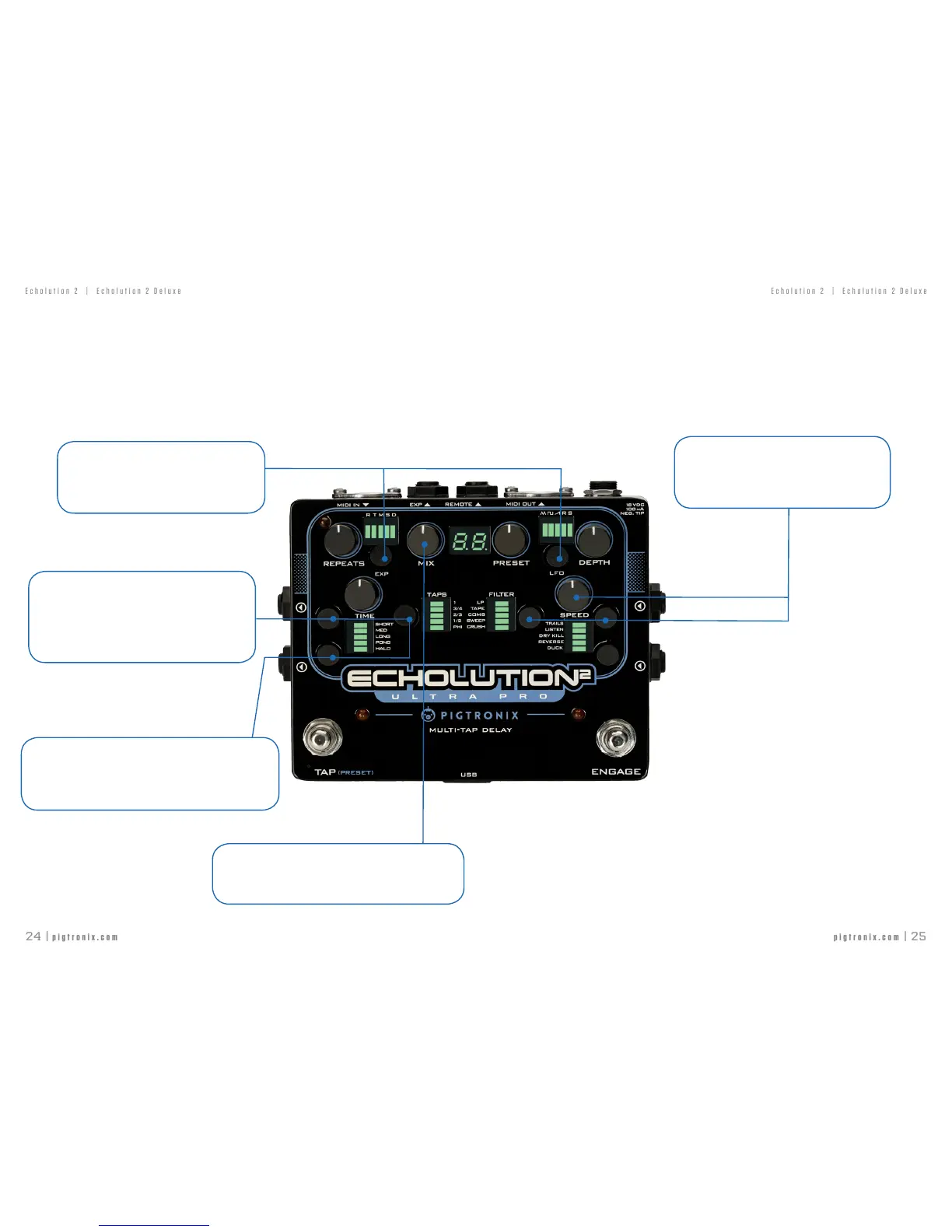
TurntheMixknobwhileholdingdownthesecondarytapbuttons
toreducethevolumeoftheseconddelaytap.
ENVELOPE SENSITIVITY
HolddowntheEXPandLFObuttonswhileturning
thePresetEncodertoadjusttheGlobalEnvelope
Sensitivity.
PRIMARY DELAY TAP PITCH SHIFT
HolddowntheDelayTimeRangeandTapsbuttonswhile
turningthePresetEncodertoadjustthepitchshiftvalue
bysemitoneincrements.Turnclockwisetopitchupandturn
counterclockwise to pitch down.
SECONDARY DELAY TAP PITCH SHIFT
HolddowntheSpecialFXandTapsbuttonswhileturningthePreset
Encodertoadjustthepitchshiftvaluebysemitoneincrements.
Turn clockwise to pitch up and turn counterclockwise to pitch down.
PITCH SHIFTING & SPECIAL FUNCTIONS
CURRENT FILTER CUTOFF
HoldtheFiltersandDelayLineI/Obuttonswhileturning
theSpeedknobtoadjustthecutofffrequencyofthe
Default,LowPass,orTapelter.
SPECIAL FUNCTIONS
Simulateouslypressingcertaincombinationsoftwosofttouchbuttons
providesaccesstodeepeditingofpitchshifting,envelopesensitivity,
ltercutoff,andsecondarydelaytapvolumeoptions.Thesefeaturesare
essentialforgettingthemostcreativesounddesignpotentialoutoftheE2



 To Next Page