ThePRESETknobisarotarypushbuttonencoderthatfacilitatessavingandloadingofpresets.Acomplete
listofall60defaultpresetscanbefoundattheendofthismanual.
Onpowerup,theunitwillloadpreset0inBank0.Turningthepresetencoderclockwisescrollsthrough
presetnumbers1-9inBank0.Goingbeyondpreset9inBank0takesyouintopreset0-9ofBank1and
soforth.ThecurrentBankisindicatedbytheupperrightlightbar,wherenolightsindicatesBank0,one
lightindicatesBank1,twolightsindicatesBank2etc…
PRESET LOADING
ToLoadapreset,turnthepresetknobtoselectthedesirednumber,thedigitwillash.Whenyouhave
arrivedatthedesireddestination,pushdownthepresetknobtoloadthatpreset.
Note:Uponswitchingpresets,anewTapTempowillbeloaded,associatedwiththatpreset.Inordertobypassthis
tokeepaconstantGlobalTap,engageGlobalTap.See‘Footswitches’formoreinformation
.
PRESET SAVING
ToSaveapresetyouhavecreated,pushandHOLDthepresetknobfor1second,untilthedigitbegins
ashing.Turnthepresetknobtoselectthepresetnumberwhereyouwanttosavethesoundandthenpush
downandHOLDthepresetknobfor1secondtonalizethesave.
Thedecimalpointwillilluminatetoindicatethatpresetispresentinanygivennumber/bank.Whenchanges
havebeenmadebutnotsaved,thedecimalpointwillash.Ifyouwanttokeepyourchanges,simplyfollow
thesaveprocessexplainedabovewithoutchangingtheselectedbank.
PRESET COPY
ToCopyapresetfromonebanktoanothersimplyinitiatethesaveprocessasexplainedaboveandsave
toanyslotyouwish.
PRESET SELECT USING THE ON-BOARD FOOTSWITCHES
HoldTAPTEMPOtoenterPRESETSELECTmode.Thepresetdigitwillbeginblinking.ASHORTPRESSonthe
TapTemposwitchmovesuponepreset.ALONGPRESSmovesdownonepreset.PressingENGAGEactivatesthe
chosenpreset.WhenpressingtheENGAGEswitchtoactivateanewpreset,theBYPASSstatuswillnotchange.
Note:Whenswitchingbetweenvastlydifferentsounds,theEcholution2willautomatically“teleport”taps,making
aseamlesstransition,instantlychangingtheTapTempowithoutpitchchanges.
FACTORY RESET
Holdingdownbothfootswitchesduringpowerupwillresultinafactoryreset,restoringall60original
Echolution2presets.
WARNING:PerformingafactoryresetwilleraseallcustompresetdatastoredtotheEcholution2.
PRESETS
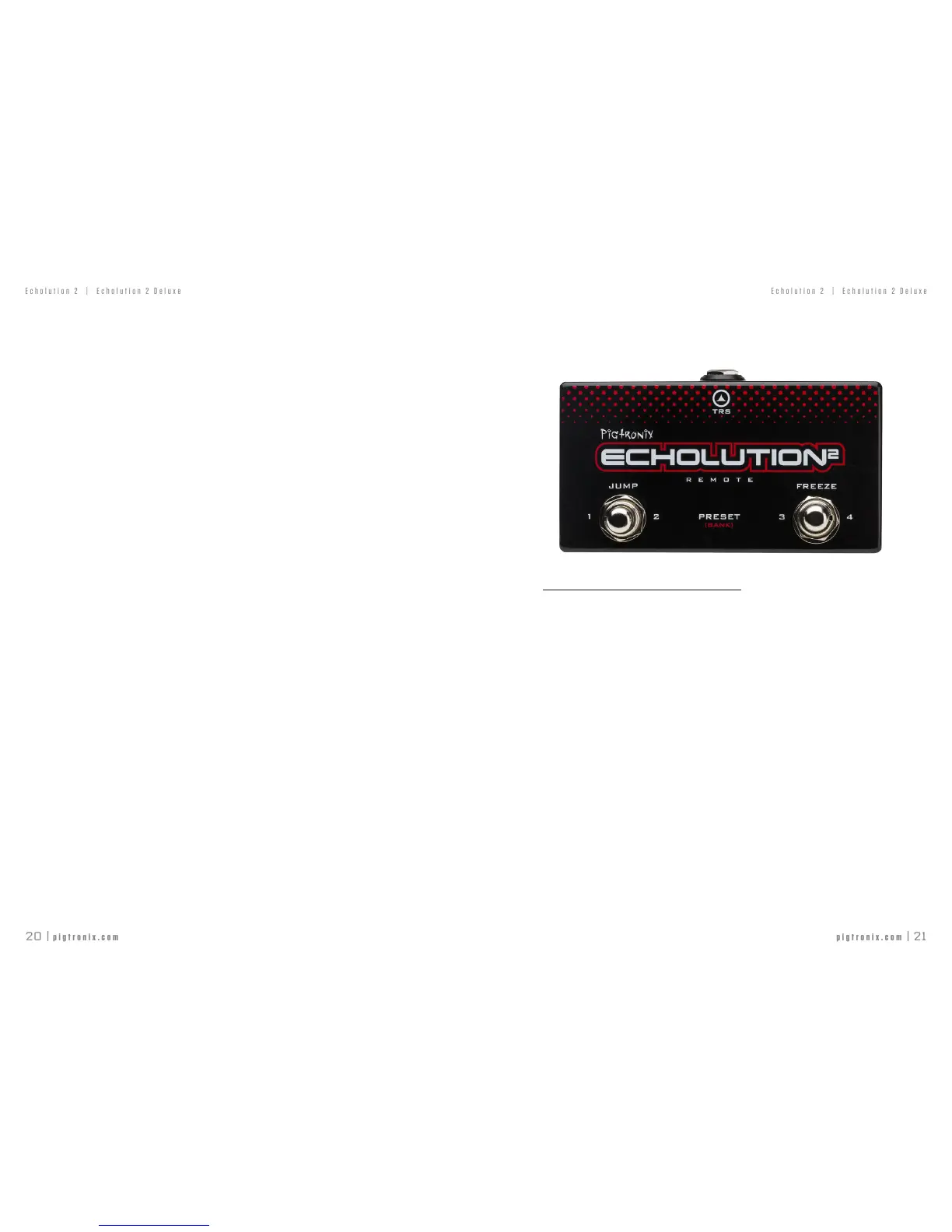
E2R REMOTE SWITCH
PresetLoadusingtheoptionalE2RRemoteSwitch
SHORT PRESSontheleftfootswitchoftheE2Rwillinstantlyloadpreset1inthe
current bank.
SHORT PRESSontheleftfootswitchagainwillinstantlyloadpreset2inthecurrentbank.
LONG PRESSontheleftfootswitchmovesuponebank(indicatedbyupperrightlightbar).
SHORT PRESSontherightfootswitchoftheE2Rwillinstantlyloadpreset3inthe
current bank.
SHORT PRESSontherightfootswitchagainwillinstantlyloadpreset4inthecurrentbank.
LONG PRESSontherightfootswitchmovesdownbank(indicatedbyupperrightlightbar).



 To Next Page