IM_208.CCF.20170508-EN
29
Software Installation
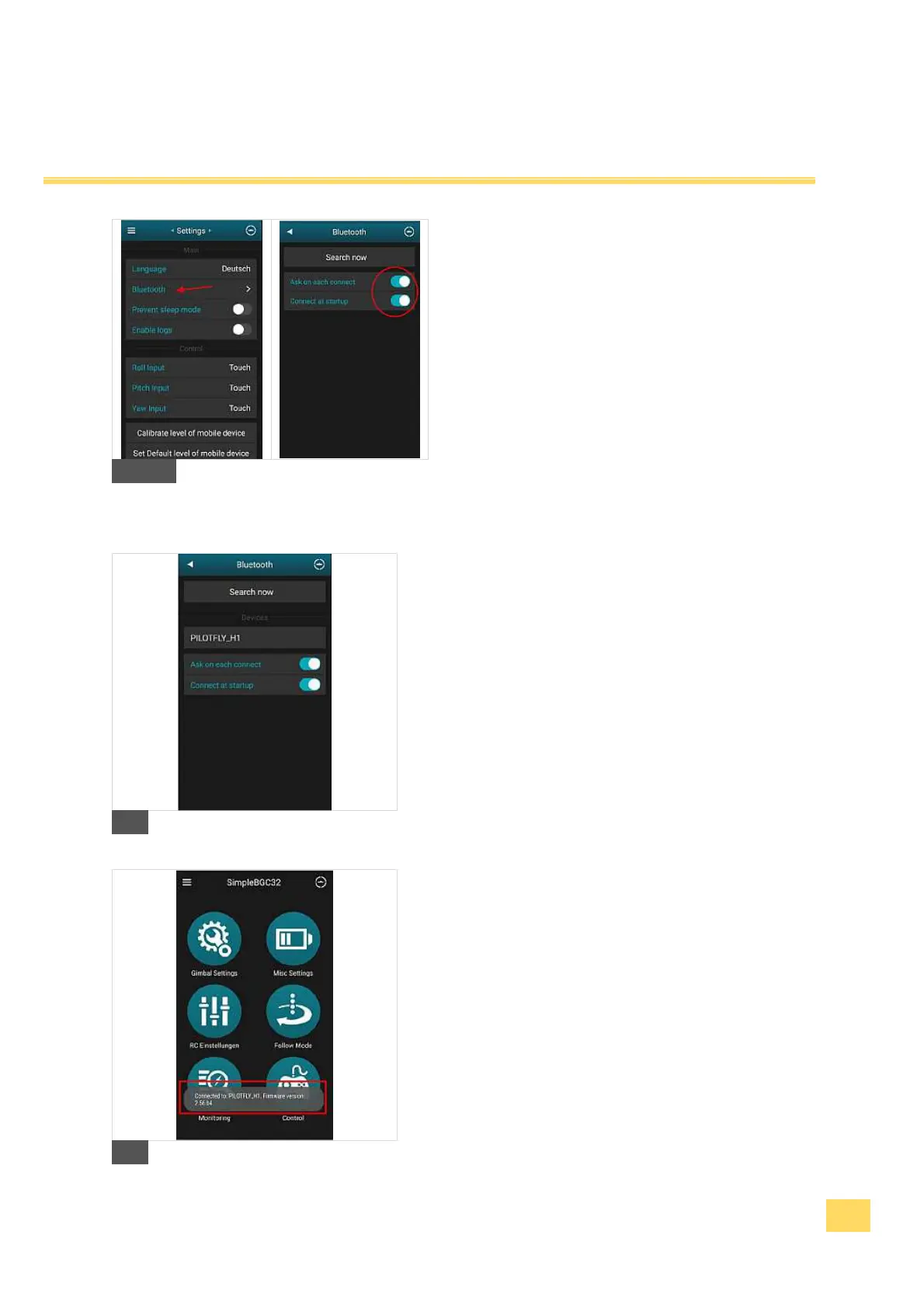
5. Then press on „Bluetooth“ and search for new
devices. Enable „Ask on each connect“ and
„Connect at startup“.
C
6. The Bluetooth window should show you detected
devices as shown.
D
7. Close the application and start it again while the Pilotfly
device is powered on.
8. While starting the application the App tries to connect
with the Pilotfly device and will show a Pop-up window
with information of proper connetion and current
firmware version.
9. Now the application is ready to use with your Pilotfly
device.
E


 To Next Page