IM_208.CCF.20170508-EN
20
Set up and operating
2.3 Assembling and adjustment of the camera
Implicitely follow the safety instructions and warning
notices within the instruction manual of your camera!
Make sure that both, the camera and the Gimbal remain
switched off during the assembly and adjustment.
Watch our video on YouTube how to install and balance the
camera: https://www.youtube.com/watch?v=SAkNv1WpnXE
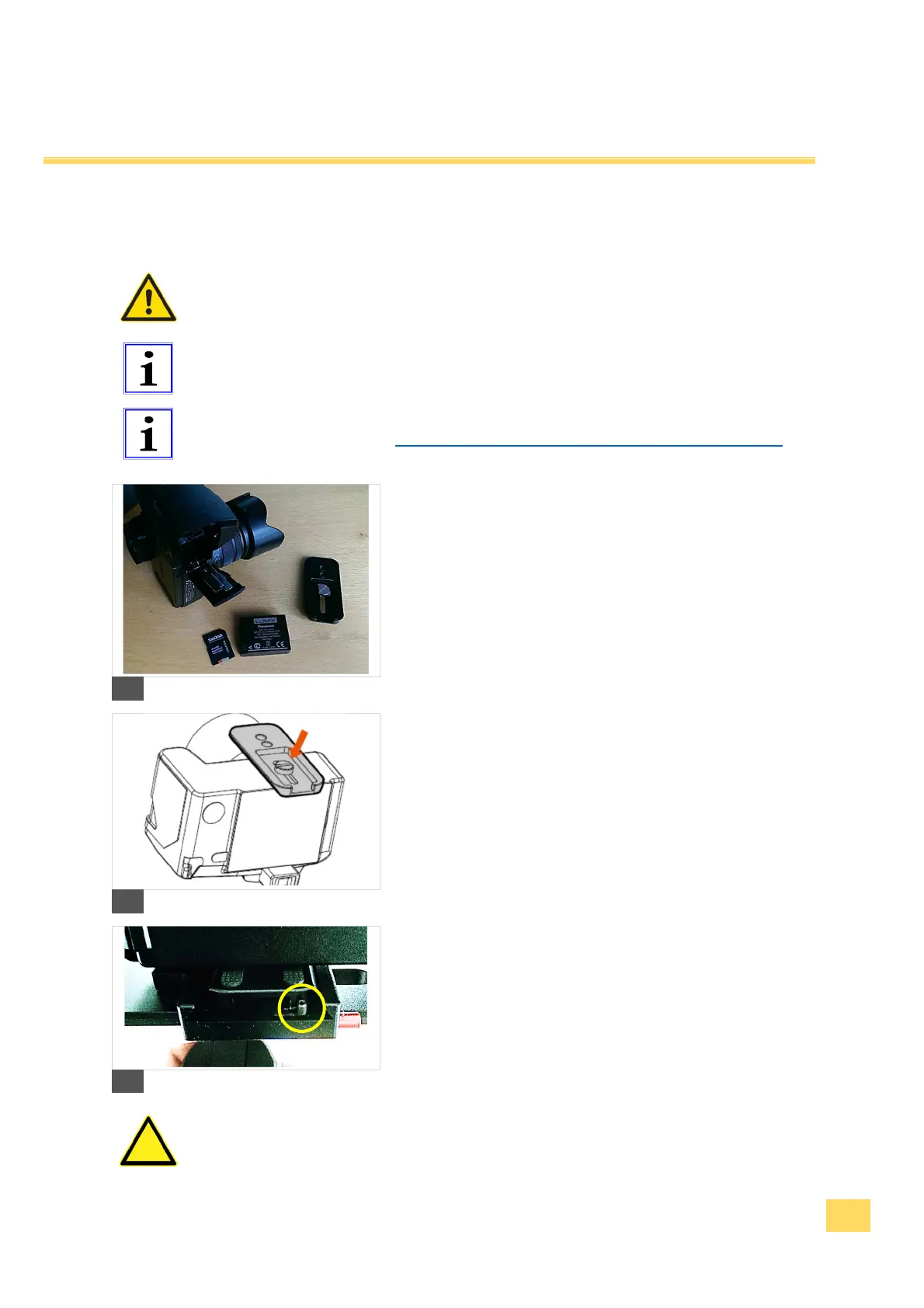
1. Remove the objective lid and make sure that the battery
is fully charged and the memory card is installed in the
camera before you attach the camera to the Gimbal.
5
2. Attach the adapter plate to the camera.
3. Make sure that the camera is fixed tightly and upright.
6
4. Slide the camera with the adapter plate into the quick-
action locking system.
7
Make sure that the locking bolt is within the adapter
plate, so that the camera cannot fall out.


 To Next Page