IM_208.CCF.20170508-EN
23
Setup and operating
2.4 Switch on and basic operating
Before you switch on the device, please read the
instruction manual completely and get familiar with all use and safety
instructions. Follow the notes and tips so that you can use the device
optimally.
Druring processing a programmed script, the joy-stick is
locked.
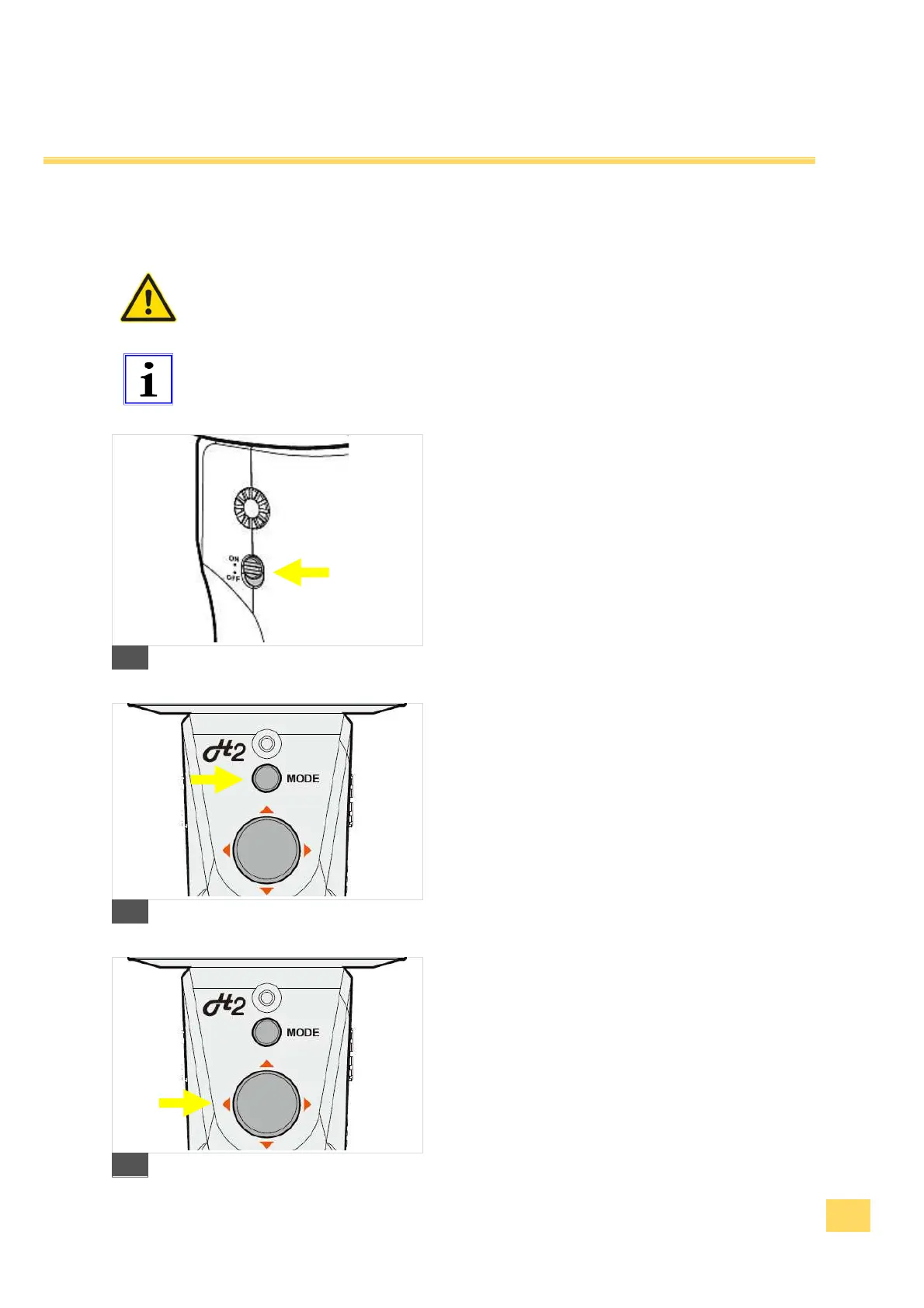
1.
. Hold the device with an assembled
camera upright and slide the switch into the "ON"
position. The device will be initialized and you hear
a sound sequence. The LED display shines green.
2. After switching on, the device is in the follow mode.
The device is ready to use.
11
3.
Set the desired operating mode or function
with the "Mode"-key button Product
overview“Mode“-key button.
12
4.
You can change the angle of inclination
(Pitch) of the camera or the horizontal angle (Yaw)
of rotation manually over the joystick.
13


 To Next Page