IM_208.CCF.20170508-EN
43
Using the Software PC/MAC – PID control
5.10 Fine-tuning by adjusting the PID settings – ADVANCED
Prior to delivery, the Pilotfly Gimbal is optimally tuned to a camera weight in line with commonly used cameras
ranging from approx. 800 g to approx. 1.2 kg. If your camera weight is outside this range (max. permissible
approx. 2.2 kg) it may vibrate. In this chapter we will show you how to optimally set the Gimbal to your camera
weight by adjusting the PID control parameter.
We have saved the optimal PID settings for several standard cameras in
a database.
https://drive.google.com/drive/folders/0B9o3W--165qzbnJVMmpQMEthbVk
5.10.1 Manually optimising the PID control settings
1.
the PID control settings.
Before you start ensure that the Gimbal is
stable. For general information on mechanisms
of the PID parameter read 2.5 Fine-tuning
using the SimpleBGC software
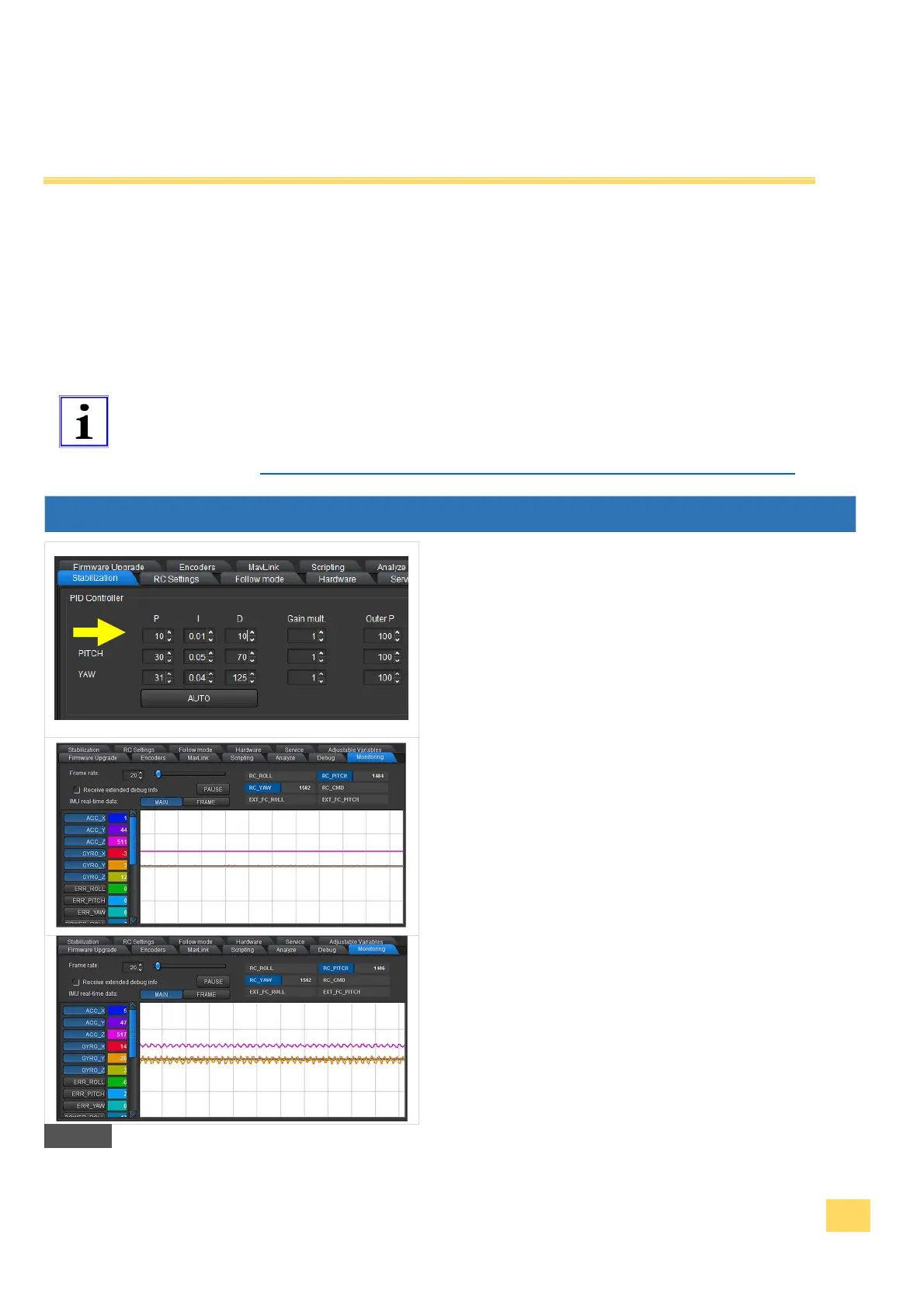
2. Select the setting Gain = 1 (direct multiplier for
the P and D value) and the value for Outer P =
100 (speed of angle correction, standard
setting Outer P = 100) for all three axes.
3. Optimize the settings as described, only for one
axis at a time. When one has been aligned, you
can begin with the next.
4. Set the respective axis to P=10, I=0.01 and
D=10 at the beginning of the values.
5. In the monitoring register you can see how
stable your system is. The result after
successful fine-tuning can be seen in the
adjacent illustration and below that an example
of when the system is not yet working stably.
24


 To Next Page