IM_208.CCF.20170508-EN
58
Using the Android App
6.6 Control
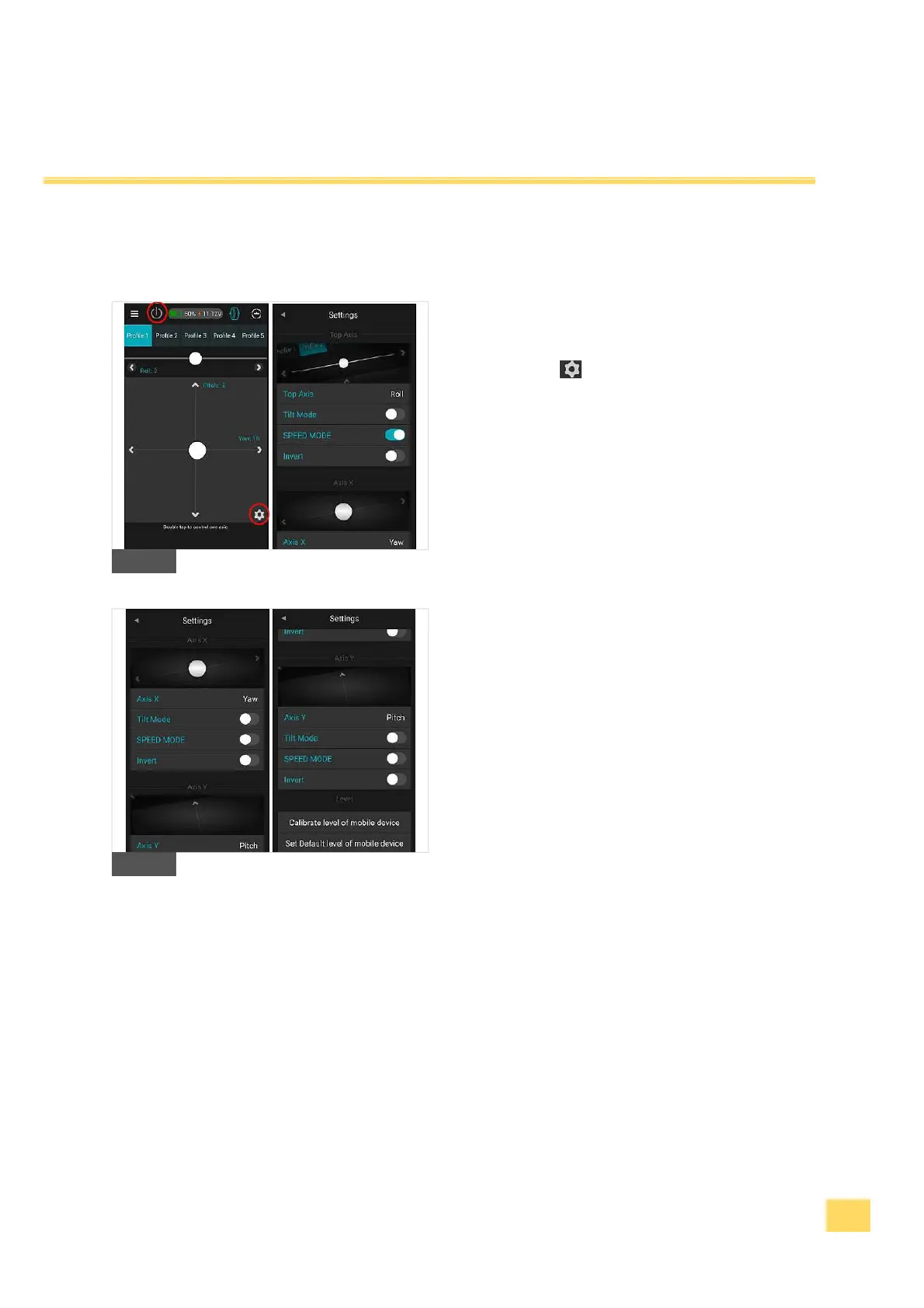
6. The control panel enables you to control each axis
while moving the white cursor. In the sub menu
„Settings“ you are able to set which axis you
want to control on the touch panel or by moving the
smartphone (Tilt mode). The touch panel is
generally locked and needs to be activated first by
pressing the On/Off button on the upper left corner.
K1
K2


 To Next Page