68
IMPORTANT
Pre.Select never shifts to a gear that is lower than the gear
you specified here, which is also engaged for starting.
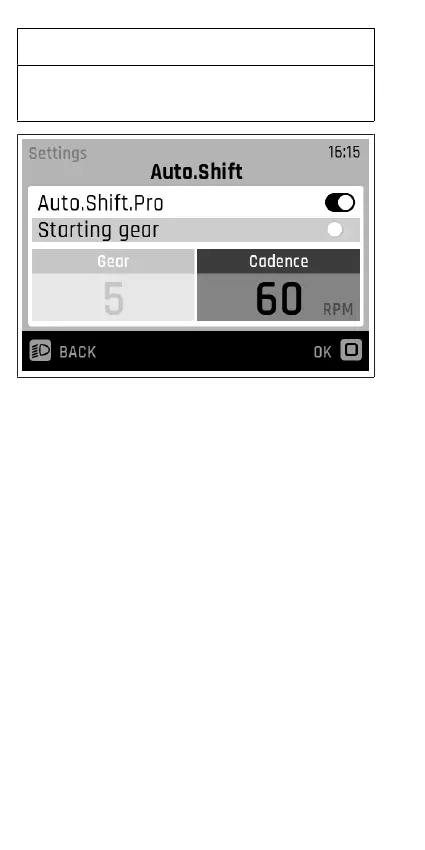
Fig.10
In Auto.Shift mode, the MGU shifts to the appropriate gear
based on a preset desired cadence, even while pedalling. When
the Auto.Shift function is activated, you can increase or
decrease the desired cadence (in steps of 5) using the two
buttons on the control unit (e.g. TE1 or Remote E-Shift).
Auto.Shift is shown in the display with "A" instead of the usual
gear indicator. If you change the cadence on the control unit,
this is temporarily shown in the display field for the gear shift
on the display.
Here you can activate Auto.Shift.Pro, which allows you to
change gear manually even with active automatic shifting.
Auto.Shift.Pro mode is shown in the display with "A+" instead
of the usual gear indicator.
With Auto.Shift.Pro, you can use the shift buttons (e.g. TE1 or
Remote E-Shift) for shifting as in manual mode. This means
that you no longer use the shift buttons to adjust the cadence
as with the normal Auto.Shift, but instead override the
automatic shifting to be able to engage the desired gear
manually in any situation.



 To Next Page