EasyManua.ls Logo

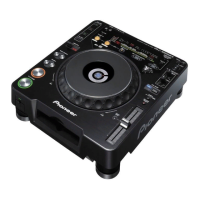
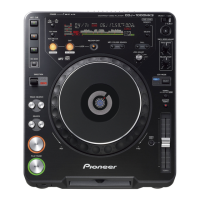
Pioneer CDJ-1000 - User Manual

Pioneer CDJ-1000
20 pages
Print Icon
To Next Page IconTo Next Page
Loading...
Operating Instructions
COMPACT DISC PLAYER
CDJ-1000

Other manuals for Pioneer CDJ-1000

Questions and Answers

  • S
    stephanie16Sep 23, 2025
    Why is track search not finished when the auto cue function is ON on Pioneer CD Player?
    • J
      Jeremiah HudsonSep 23, 2025
      If the muted portion between selections is long, the searching time will be extended. Press the TIME MODE/AUTO CUE button for more than 1 second to set the auto cue function OFF.
  • C
    cantuconnieAug 25, 2025
    Why won't my Pioneer CDJ-1000 start playing?
    • E
      emilyterrellAug 25, 2025
      If your Pioneer CD Player doesn't start playing even after inserting a disc, it might be because the auto cue function is enabled. Try holding down the TIME MODE/AUTO CUE button for 1 second or longer to turn off the A. CUE function.
  • M
    Miguel BrownAug 25, 2025
    Why are the DJ functions not working on my Pioneer CDJ-1000 CD Player?
    • G
      Glen BlairAug 26, 2025
      If the DJ functions on your Pioneer CD Player aren't working, it might be because the Digital Mode switch is set to the [ON] position. Set the Digital Mode switch to the [OFF] position.
  • C
    Cole MurrayAug 27, 2025
    Why is the disc not rotating in my Pioneer CD Player?
    • S
      Samantha NewtonAug 27, 2025
      If the disc in your Pioneer CD Player isn't rotating, it could be due to the following reasons: * The disc rotation stops automatically if no operation has been performed for 80 minutes or more in pause mode. Playback can be restarted by pressing the PLAY/PAUSE button (6). You can also eject the disc by pressing the EJECT button (0). * When the last track on the disc is over the disc stops rotating. Playback can be restarted by pressing the PLAY/PAUSE button (6). You can also eject the disc by pressing the EJECT button (0).
  • T
    Tina JamesAug 27, 2025
    Why won't my Pioneer CD Player start playing the disc?
    • J
      James JonesAug 27, 2025
      The auto cue function might be enabled. To disable it, hold down the TIME MODE/AUTO CUE button for 1 second or longer to turn off the A. CUE function.
  • P
    patrickconnerSep 13, 2025
    What to do if my Pioneer CDJ-1000 sound is distorted or noisy?
    • H
      Heather McneilSep 14, 2025
      First, ensure that you're using the correct connections; connect to the audio mixer's LINE INPUT terminals and avoid the MIC terminals. Then, check for and clean any dirt from the pin plugs and amplifier terminals. If the issue persists, it might be interference from a TV set. Try switching off the TV, moving the player away from it, or plugging the player into a separate outlet.
  • G
    garysandersSep 12, 2025
    What does error E-72 01 mean on Pioneer CD Player?
    • W
      William RandallSep 12, 2025
      If your Pioneer CD Player displays error code E-72 01, it could be due to: * A cracked disc. Replace the disc. * A soiled or dirty disc. Clean the disc.
  • D
    Dustin CastilloSep 12, 2025
    Why is there no sound from my Pioneer CDJ-1000 CD Player?
    • B
      Brandon CastroSep 12, 2025
      Several factors could be at play. Ensure your output cables are correctly and securely connected, referring to the installation instructions if needed. Verify the settings on your audio mixer, checking both the switches and volume controls. Also, inspect the pin plugs and amplifier terminals for any dirt, cleaning them if necessary. Finally, confirm that the player is not in pause mode by pressing the PLAY/PAUSE button (6).
  • M
    michael78Sep 4, 2025
    Why does my Pioneer CDJ-1000 CD Player make loud noise with some discs?
    • J
      johnpadillaSep 4, 2025
      If your Pioneer CD Player produces loud noise or stops playing with certain discs, it could be due to: * A bad scratch or warp on the disc. If so, replace the disc. * An extremely dirty disc. In that case, clean the disc.
  • J
    Justin PerezSep 2, 2025
    What to do if my Pioneer CDJ-1000 CD Player disc won't eject?
    • P
      Parker RoseSep 2, 2025
      If the disc in your Pioneer CD Player won't eject, try the following: * Make sure the power plug is properly connected to the wall outlet. * Check the EJECT UNLOCK/LOCK button and ensure it is set to the [UNLOCK] position before pressing the EJECT button (0).

Summary

Important Safety Instructions

General Safety Precautions

Essential safety guidelines to follow before operating the appliance.

[For U.S. model] Important Notice

Electrical Safety Cautions

Warnings about polarized plugs, FCC compliance, and power cord safety.

Operational Safety Warnings

Cautions concerning radiation exposure and optical instrument use.

Cautions Regarding Handling

Location and Installation

Guidance on selecting a suitable location and proper installation for the player.

Player Cleaning and CD Lens Care

Instructions for cleaning the player's exterior and maintaining the CD lens.

Handling and Disc Care

Disc Storage and Condensation

Proper methods for storing discs and managing condensation.

Compact Disc Cleaning and Ejection

Steps for cleaning discs and procedures for forced disc ejection.

CDJ-1000 Features Overview

Jog Dial and Display Functions

Features related to the Jog dial, pitch bend, scratch, and display options.

Tempo and Pitch Adjustment

Controls for adjusting tempo, pitch, and master tempo settings.

Cue, Loop, and Hot Cue Operations

Functions for setting, recalling, and managing cue points, loops, and hot cues.

Advanced Playback and Connectivity

Features like reverse play, fader start, multi-read, and CD text support.

CONNECTIONS

Connecting to DJ Mixers

Detailed steps for connecting the player to DJM series mixers.

Relay Play Setup

How to connect two players for relay playback functionality.

BEFORE OPERATIONS: CONNECTIONS

Connecting to Other Audio Devices

Instructions for connecting to various mixers, stereo amplifiers, and digital input devices.

Power Cord Connection

The final step of connecting the player to a power source.

PANEL FACILITIES

Top Panel Controls Overview

Detailed identification of buttons and controls on the top panel for operation.

Mode Selection and Speed Adjustment

Controls for digital mode, eject lock, vinyl speed, and jog mode selection.

Tempo Control Features

Buttons and indicators related to tempo adjustment and master tempo functions.

Display Indicators and Controls

Track and Time Displays

Understanding track numbers, time displays, and auto cue indicators.

Playback and Waveform Visualization

How playback address and waveform data are displayed.

Operational Status Indicators

Explains indicators for BPM, EJECT LOCK, MASTER TEMPO, and VINYL mode.

BASIC OPERATION

Disc Loading and Unloading

Procedures for inserting and ejecting discs from the player.

DJ Player Operation Overview

Introduction to DJ player operations, including auto cueing and starting playback.

DJ Player Core Operations

Playback Control

How to stop playback, pause, and resume play.

Track Navigation and Searching

Methods for cueing tracks, fast searching, and fast forward/reverse.

Setting Cue Points

Detailed steps for setting and amending cue points in different modes.

Advanced DJ Playback Techniques

Tempo and Pitch Manipulation

Adjusting playback speed, master tempo, and tempo range.

Jog Dial Functionality

Using the Jog dial for pitch bending, scratch play, and frame search.

Track Mixing Procedures

Steps for mixing different tracks using two players and a mixer.

ADVANCED OPERATIONS

Scratch Play and Spinning

Techniques for scratch play, spinning, and braking using the Jog dial.

Hot Cue and Loop Playback

Setting and using hot cue points and defining loop playback.

More Advanced Operations

Loop and Reverse Playback Control

Adjusting loop points, relooping, and reversing track playback.

Fader Start and Relay Play

Setting up fader start and relay play using multiple players.

Display Modes and CD Text

Understanding wave display modes and CD Text information.

Cue and Loop Point Memory

Internal Memory Management

Storing, calling, and deleting cue/loop points using internal memory.

Multimedia Card Usage

Using MMC cards for storage, insertion, removal, and formatting.

Memory Card Data Operations

MMC Storage and Deletion

Storing, calling, deleting, and formatting data on MMC cards.

Data Copying Procedures

Copying data between MMC cards and from internal memory.

Troubleshooting Guide

Common Operational Issues

Diagnosing and resolving common operational problems and symptoms.

Malfunction and Error Resolution

Addressing issues like static electricity, disc errors, and general malfunctions.

Troubleshooting and Maintenance

Error Code Interpretation

Understanding and resolving error messages displayed on the unit.

Jog Dial Cleaning Instructions

Specific guidance on cleaning the Jog dial safely and effectively.

SPECIFICATIONS AND INFORMATION

System Specifications

Technical details including power, dimensions, and audio performance.

Accessories and Warranty

List of included accessories and warranty information details.

Pioneer CDJ-1000 Specifications

Power IconPower
power requirementsAC 120 V, 60 Hz
power consumption33 W
Operating Environment IconOperating Environment
operating temperature range+5˚C – +35˚C
operating humidity range5% – 85%
Audio Specifications IconAudio Specifications
frequency response4 Hz – 20 kHz
signal-to-noise ratio115 dB or more
distortion0.006%
Weight and Dimensions IconWeight and Dimensions
weight4.2 kg
width320 mm
depth370 mm
height105 mm

Related product manuals