EasyManua.ls Logo

Pioneer CDJ-100S - User Manual

Pioneer CDJ-100S
16 pages
Print Icon
To Next Page IconTo Next Page
Loading...
1
<DRB1232>
En
Operating Instructions
CONTENTS
CAUTIONS REGARDING HANDLING ..................... 3
FEATURES ................................................................. 4
CONNECTIONS ......................................................... 5
PANEL FACILITIES .................................................... 7
Top Panel ............................................................. 7
Display Window .................................................. 8
DISC LOADING/UNLOADING ................................. 8
ORDINARY CD PLAYER OPERATIONS.................... 9
Setting the Auto Cue Function ON/OFF............ 9
Playback Operations........................................... 9
To Stop Play......................................................... 9
To Pause Play ...................................................... 9
Track Cueing ........................................................ 9
Fast-Forward/Fast-Reverse ................................ 9
DJ PLAYER OPERATION......................................... 10
Playback Operations with Auto Cue Function ON......
10
Cueing by Frames ............................................. 10
Setting a Cue Point ........................................... 10
SPECIAL DISC JOCKEY TECHNIQUES ................. 11
Jog Dial Functions ............................................ 11
Master Tempo ................................................... 11
Using Digital Jog Break.................................... 11
Cueing ................................................................ 12
Fader Start Playback......................................... 12
Relay Play Using Two Players ......................... 12
MIXING DIFFERENT TRACKS................................ 13
DIGITAL MODE........................................................ 14
TROUBLESHOOTING ............................................. 14
SPECIFICATIONS ......................................Back cover
CAUTION: This product satisfies FCC regulations when
shielded cables and connectors are used to connect the
unit to other equipment. To prevent electromagnetic
interference with electric appliances such as radios and
televisions, use shielded cables and connectors for
connections.
[For Canadian model]
This Class B digital apparatus meets all require-
ments of the Canadian Interference-Causing Equip-
ment Regulations.
[Pour le modèle Canadien]
Cet appareil numérique de la Classe B respecte
toutes les exigences du Règlement sur le matériel
brouileur du Canada.
Information to User
Alteration or modifications carried out without appropri-
ate authorization may invalidate the user's right to oper-
ate the equipment.
This equipment has been tested and found to comply with the limits for a Class B digital device, pursuant to Part 15 of the FCC
Rules. These limits are designed to provide reasonable protection against harmful interference in a residential installation.
This equipment generates, uses, and can radiate radio frequency energy and, if not installed and used in accordance with the
instructions, may cause harmful interference to radio communications. However, there is no guarantee that interference will
not occur in a particular installation. If this equipment does cause harmful interference to radio or television reception, which
can be determined by turning the equipment off and on, the user is encouraged to try to correct the interference by one or
more of the following measures:
Reorient or relocate the receiving antenna.
Increase the separation between the equipment and receiver.
Connect the equipment into an outlet on a circuit different from that to which the receiver is connected.
Consult the dealer or an experienced radio/TV technician for help.
Thank you for purchasing the Pioneer CDJ-100S Com-
pact Disc Player. Be sure to read these operating in-
structions before using your player to prevent any dam-
age that may result from improper operation. Once you
have finished reading the instructions, place them in a
safe place where they won’t become lost and can be
easily accessed for future reference.
WARNING: TO PREVENT FIRE OR SHOCK HAZARD,
DO NOT EXPOSE THIS APPLIANCE TO RAIN OR MOIS-
TURE.
IMPORTANT NOTICE
The serial number for this equipment is located on the
rear panel. Please write this serial number on your
enclosed warranty card and keep it in a secure area.
This is for your security.
[For Canadian model]
CAUTION: TO PREVENT ELECTRIC SHOCK DO NOT
USE THIS (POLARIZED) PLUG WITH AN EXTENSION
CORD, RECEPTACLE OR OTHER OUTLET UNLESS THE
BLADES CAN BE FULLY INSERTED TO PREVENT
BLADE EXPOSURE.
ATTENTION: POUR PREVENIR LES CHOCS ELEC-
TRIQUES NE PAS UTILISER CETTE FICHE POLARISEE
AVEC UN PROLONGATEUR, UNE PRISE DE COURANT
OU UNE AUTRE SORTIE DE COURANT, SAUF SI LES
LAMES PEUVENT ETRE INSEREES A FOND SANS EN
LAISSER AUCUNE PARTIE A DECOUVERT.
COMPACT DISC PLAYER
CDJ-100S

Other manuals for Pioneer CDJ-100S

Questions and Answers

Summary

Important Safety and Operational Notices

Fire and Shock Hazard Warning

Prevent fire or shock hazard by not exposing the appliance to rain or moisture.

Serial Number Location and Security

Record the serial number from the rear panel on your warranty card for security.

Canadian Model Electrical Safety Caution

Caution for Canadian models: ensure full insertion of polarized plug blades to prevent shock.

FCC and Canadian Compliance Statements

Information on FCC regulations and Canadian interference-causing equipment standards.

Important Safety Instructions

General Operating and Handling Precautions

Read all instructions, retain them, heed warnings, and follow all operating guidelines.

Environmental, Electrical, and Servicing Safety

Follow guidelines for cleaning, environment, electrical safety, servicing, and heat precautions.

Installation and Product Placement Guidelines

Use only recommended accessories and follow guidelines for stable installation and mounting.

Handling and Care Precautions

Player Installation and Location

Install the player in a well-ventilated area away from heat, direct sunlight, and moisture.

Cleaning and Maintenance

Clean the player with a soft cloth; handle the CD lens with care, using only approved cleaners.

Disc Storage and Handling

Store discs vertically, avoid heat, moisture, and do not play non-standard shape discs.

Key Features and Functions

Core Playback and Tempo Control

Features like Jog Dial, Tempo Control, Quick Start for precise playback and beat matching.

DJ-Oriented Performance Features

Includes Digital Jog Break, Cue functions, Fader Start, and Relay Play for creative mixing.

Specialty Functions and Design

Master Tempo, Slot In loading, Oil-damped suspension, and forced disc ejection.

Audio Output Connections

Stereo Amplifier Connection

Connect the player's audio output to a stereo amplifier's CD or AUX input.

DJ Mixer Connections (DJM-300;DJM-500)

Connect audio outputs to DJM-300 or DJM-500 mixers for integrated DJ setups.

Connection with Other DJ Mixers

Connect player's audio out to LINE IN or AUX IN of other DJ mixers or components.

Control and Power Connections

Control Jack Connections for DJ Mixers

Connect CONTROL jacks to DJ mixers for fader start and back cue functions.

Relay Play Connection

Connect two CDJ players via CONTROL jacks for automatic alternate operation.

Power Cord Connection and Caution

Connect the power cord to an outlet and follow safety precautions for cord handling.

Panel Facilities Overview

Top Panel Control Layout

Identifies key controls on the top panel including playback, search, and cue buttons.

Playback and Navigation Controls

Details on power, display, track search, play/pause, loading, and eject functions.

DJ Performance and Tempo Controls

Explains Digital Jog Break, Cue functions, Master Tempo, and Tempo control knob.

Display Window and Disc Handling

Display Window Indicators

Explanation of various indicators and displays on the player's window.

Disc Loading and Unloading Procedures

Instructions and precautions for inserting and removing discs, including 8 cm discs.

Precautions on Playing CD Singles

Specific guidelines for playing 8 cm (3-inch) discs using adapters.

Basic CD Player Operations

Auto Cue Function and Playback

Setting Auto Cue ON/OFF and performing basic playback operations.

Stopping and Pausing Playback

How to stop playback and pause the disc, including auto-stop after inactivity.

Track Navigation and Search

Using track search, fast-forward, and fast-reverse for precise track locating.

DJ Player Specific Operations

Playback with Auto Cue Enabled

Performing playback when the Auto Cue function is active for immediate track starts.

Setting and Using Cue Points

How to record, confirm, and set cue points for precise track entry.

Frame-Level Track Navigation

Using the jog dial and search buttons for precise frame-by-frame cueing.

Advanced DJ Techniques

Master Tempo and Jog Dial Playback

Controlling tempo and pitch independently using Master Tempo and Jog Dial.

Digital Jog Break Effects

Utilizing JET, ZIP, and WAH effects with the HOLD function for sound creation.

Advanced Jog Dial Navigation

Performing frame search, cue point search, and super-fast track search with the jog dial.

Advanced Cueing and Playback Modes

Cue Point Confirmation and Adjustment

Confirming cue points (sampler) and returning or modifying existing cue points.

Fader Start Playback Operation

Using DJ mixer cross fader to trigger playback for seamless transitions.

Two-Player Relay Play Setup

Connecting two players for automatic sequential playback of tracks.

Mixing Different Tracks

Track Preparation and Tempo Matching

Connect players, set levels, and match track tempos (BPM) for smooth mixing.

Cross Fader Mixing Procedure

Gradually mix tracks using the DJ mixer's cross fader for seamless transition.

Long Mix Play and Fader Start

Achieve good sound with BPM match or use Fader Start for simpler mixing.

Digital Mode and Troubleshooting

Digital Output Functionality and Limitations

Using digital output; limitations on functions like Jog Break, Master Tempo, and Cue.

Troubleshooting Common Issues

Solutions for common symptoms like no sound, distorted audio, or disc errors.

Error Code Interpretation

Understanding player error codes (E-72, E-83, E-91) and recommended actions.

Advanced Troubleshooting and Support

Additional Troubleshooting Scenarios

Addresses issues like auto cue, back cue, DJ mode, TV interference, and disc rotation.

Interpreting Error Display Codes

Details on error codes (E-72, E-83, E-91) and their possible causes and remedies.

Contacting Service and Support

Information on how to contact Pioneer for service, parts, and warranty assistance.

Product Specifications and Care

Technical Specifications

Details on system, power, audio, dimensions, and included accessories.

Maintenance Recommendations

Guidance on regular maintenance for safe and proper unit function.

Safe Listening Advisory

Advice on setting safe listening levels to prevent hearing damage.

Summary

Important Safety and Operational Notices

Fire and Shock Hazard Warning

Prevent fire or shock hazard by not exposing the appliance to rain or moisture.

Serial Number Location and Security

Record the serial number from the rear panel on your warranty card for security.

Canadian Model Electrical Safety Caution

Caution for Canadian models: ensure full insertion of polarized plug blades to prevent shock.

FCC and Canadian Compliance Statements

Information on FCC regulations and Canadian interference-causing equipment standards.

Important Safety Instructions

General Operating and Handling Precautions

Read all instructions, retain them, heed warnings, and follow all operating guidelines.

Environmental, Electrical, and Servicing Safety

Follow guidelines for cleaning, environment, electrical safety, servicing, and heat precautions.

Installation and Product Placement Guidelines

Use only recommended accessories and follow guidelines for stable installation and mounting.

Handling and Care Precautions

Player Installation and Location

Install the player in a well-ventilated area away from heat, direct sunlight, and moisture.

Cleaning and Maintenance

Clean the player with a soft cloth; handle the CD lens with care, using only approved cleaners.

Disc Storage and Handling

Store discs vertically, avoid heat, moisture, and do not play non-standard shape discs.

Key Features and Functions

Core Playback and Tempo Control

Features like Jog Dial, Tempo Control, Quick Start for precise playback and beat matching.

DJ-Oriented Performance Features

Includes Digital Jog Break, Cue functions, Fader Start, and Relay Play for creative mixing.

Specialty Functions and Design

Master Tempo, Slot In loading, Oil-damped suspension, and forced disc ejection.

Audio Output Connections

Stereo Amplifier Connection

Connect the player's audio output to a stereo amplifier's CD or AUX input.

DJ Mixer Connections (DJM-300;DJM-500)

Connect audio outputs to DJM-300 or DJM-500 mixers for integrated DJ setups.

Connection with Other DJ Mixers

Connect player's audio out to LINE IN or AUX IN of other DJ mixers or components.

Control and Power Connections

Control Jack Connections for DJ Mixers

Connect CONTROL jacks to DJ mixers for fader start and back cue functions.

Relay Play Connection

Connect two CDJ players via CONTROL jacks for automatic alternate operation.

Power Cord Connection and Caution

Connect the power cord to an outlet and follow safety precautions for cord handling.

Panel Facilities Overview

Top Panel Control Layout

Identifies key controls on the top panel including playback, search, and cue buttons.

Playback and Navigation Controls

Details on power, display, track search, play/pause, loading, and eject functions.

DJ Performance and Tempo Controls

Explains Digital Jog Break, Cue functions, Master Tempo, and Tempo control knob.

Display Window and Disc Handling

Display Window Indicators

Explanation of various indicators and displays on the player's window.

Disc Loading and Unloading Procedures

Instructions and precautions for inserting and removing discs, including 8 cm discs.

Precautions on Playing CD Singles

Specific guidelines for playing 8 cm (3-inch) discs using adapters.

Basic CD Player Operations

Auto Cue Function and Playback

Setting Auto Cue ON/OFF and performing basic playback operations.

Stopping and Pausing Playback

How to stop playback and pause the disc, including auto-stop after inactivity.

Track Navigation and Search

Using track search, fast-forward, and fast-reverse for precise track locating.

DJ Player Specific Operations

Playback with Auto Cue Enabled

Performing playback when the Auto Cue function is active for immediate track starts.

Setting and Using Cue Points

How to record, confirm, and set cue points for precise track entry.

Frame-Level Track Navigation

Using the jog dial and search buttons for precise frame-by-frame cueing.

Advanced DJ Techniques

Master Tempo and Jog Dial Playback

Controlling tempo and pitch independently using Master Tempo and Jog Dial.

Digital Jog Break Effects

Utilizing JET, ZIP, and WAH effects with the HOLD function for sound creation.

Advanced Jog Dial Navigation

Performing frame search, cue point search, and super-fast track search with the jog dial.

Advanced Cueing and Playback Modes

Cue Point Confirmation and Adjustment

Confirming cue points (sampler) and returning or modifying existing cue points.

Fader Start Playback Operation

Using DJ mixer cross fader to trigger playback for seamless transitions.

Two-Player Relay Play Setup

Connecting two players for automatic sequential playback of tracks.

Mixing Different Tracks

Track Preparation and Tempo Matching

Connect players, set levels, and match track tempos (BPM) for smooth mixing.

Cross Fader Mixing Procedure

Gradually mix tracks using the DJ mixer's cross fader for seamless transition.

Long Mix Play and Fader Start

Achieve good sound with BPM match or use Fader Start for simpler mixing.

Digital Mode and Troubleshooting

Digital Output Functionality and Limitations

Using digital output; limitations on functions like Jog Break, Master Tempo, and Cue.

Troubleshooting Common Issues

Solutions for common symptoms like no sound, distorted audio, or disc errors.

Error Code Interpretation

Understanding player error codes (E-72, E-83, E-91) and recommended actions.

Advanced Troubleshooting and Support

Additional Troubleshooting Scenarios

Addresses issues like auto cue, back cue, DJ mode, TV interference, and disc rotation.

Interpreting Error Display Codes

Details on error codes (E-72, E-83, E-91) and their possible causes and remedies.

Contacting Service and Support

Information on how to contact Pioneer for service, parts, and warranty assistance.

Product Specifications and Care

Technical Specifications

Details on system, power, audio, dimensions, and included accessories.

Maintenance Recommendations

Guidance on regular maintenance for safe and proper unit function.

Safe Listening Advisory

Advice on setting safe listening levels to prevent hearing damage.

Overview

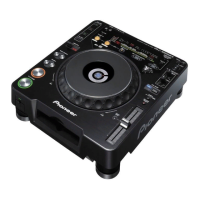
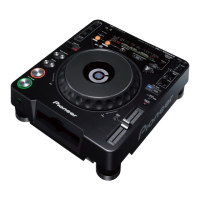
The Pioneer CDJ-100S is a compact disc player designed specifically for DJs, combining traditional disco club functions with the unique features of the CD medium. This player offers a range of advanced controls and features to enhance mixing and sound creation.

Function Description

Digital Jog Break: This feature allows for original sound creation with built-in remix assist functions (JET, ZIP, WAH). By selecting a desired function and controlling the jog dial, users can easily create new remix sounds.

  • JET: Changes the delay time by rotating the jog dial, mixing a short delay with the playback sound. This simulates the "jet engine" effect traditionally achieved with two players.
  • ZIP: Alters the pitch of the playback sound in accordance with the jog dial's rotation, allowing for radical changes in tonal pitch. Rotating the dial in a decreasing direction can create a sound similar to stopping an analog record.
  • WAH: Applies a filter to change the cutoff frequency of the playback sound based on the jog dial's rotation. This enables DJs to extract and play back specific parts of the sound.
  • HOLD: When a Digital Jog Break function is active, pressing the HOLD button will keep the applied effect steady, even after releasing the jog dial. The display will show "J-HOLD," "Z-HOLD," or "W-HOLD" periodically.

Jog Dial: A large-diameter (100 mm) jog dial allows for precise compensation of music beat, similar to analog turntables. It enables finding exact entry points for tracks, moving in increments of one frame (1/75th second). The jog dial also supports "Super-Fast Search" and "Super-Fast Track Search" for quicker navigation.

  • Playback: During playback, rotating the jog dial slowly changes the beat (tempo) proportionally, either increasing (FWD+) or decreasing (REV-). When the dial rotation stops, the beat returns to its original speed.
  • Standby (Frame Search): In standby mode, slow rotation of the jog dial performs frame search in 1-frame increments. If rotated at a steady rate in the FWD+ direction, playback sound will be audible at normal speed.
  • Cue Point Search: In cue standby mode, pressing a SEARCH button and then rotating the jog dial allows for searching various cue points. Pressing the CUE button sets the new cue point.
  • Super-Fast Track Search: While holding a TRACK SEARCH button, rotating the jog dial in the desired direction initiates accelerated high-speed track search. The speed corresponds to the amount of rotation.
  • Super-Fast Search (during playback): While holding a SEARCH button, turning the jog dial in the desired direction enters fast forward or fast reverse mode.

Tempo Control: A long-stroke (100 mm) high-precision slider control allows for exact adjustment of track speed. The digital display shows tempo changes in 0.1% steps.

  • Two Tempo Control Ranges: The maximum adjustable range can be set to ±10% (in 0.1% steps) or +10% to -16% (in 0.1% steps for 0 to +10%, and 0.2% steps for 0 to -16%) for flexible adjustment. The default range is ±10% when power is first turned on.

Quick Start: Pressing the PLAY button from standby mode initiates instantaneous music playback (0.01 second or less). This eliminates the typical time lag of normal CD players, enabling smoother track-to-track splices.

Master Tempo: This function changes music tempo without altering its pitch. Unlike analog systems where speed changes affect pitch, Master Tempo leverages digital medium features to maintain original pitch quality.

Playing Address: An analog bar graph provides a direct visual readout of elapsed and remaining playing time, similar to a moving needle on an analog record. The bar length indicates current track location, and a flashing bar warns of the impending end of a track.

Slot In: The disc loading slot mechanism allows for fast and easy disc insertion, changing, and removal without needing to open doors or trays, streamlining operation and track selection.

Cueing:

  • Back Cue Function: Pressing the CUE button after listening to a sound from a cue point returns the pickup to that cue point, allowing playback to restart from there. This enables repeated returns to a preselected cue point with a single button press.
  • Auto Cue Function: Automatically bypasses non-recorded parts of track introductions, cueing the track to a standby point just before the sound begins. This allows for instantaneous playback when the PLAY button is pressed. This function defaults to OFF when power is first turned on.
  • Cue Point Sampler Function: Allows playing up to one minute of sound from a preselected cue point, useful for confirming cue points or creating track samplers.

Fader Start Playback: When connected to a compatible DJ mixer (e.g., DJM-500 or DJM-300), the mixer's CROSS FADER slider can be used to perform quick start and back cue operations on the CDJ-100S.

Relay Play: Connecting two CDJ-100S units allows for automatic relay play. When a track ends on one player, the other player automatically starts playback from standby mode.

Digital Mode: This unit supports digital output when the rear panel's DIGITAL OUT switch is set to ON. However, certain functions (CUE, DIGITAL JOG BREAK, MASTER TEMPO) are disabled in digital output mode, displaying "D-OUT ON." Other control functions like relay play and fader start are also non-functional. Auto Cue will enter pause at the start of playback.

Usage Features

Disc Loading/Unloading:

  • Insert discs label side up into the front panel slot.
  • For 8 cm (3-inch) discs, use a commercially available CD adapter before insertion.
  • Only one disc can be loaded at a time. Avoid forcing discs or interrupting their motion during loading/ejection to prevent damage.
  • Press the EJECT button to stop disc rotation and eject the disc. If ejection fails, use the accessory forced eject pin (located on the player's bottom surface) in the front-panel hole.

Ordinary CD Player Operations:

  • Auto Cue ON/OFF: Press and hold the TIME MODE/AUTO CUE button for one or more seconds to toggle the auto cue mode. The A.CUE indicator lights when ON.
  • Playback: After inserting a disc, playback begins automatically from track 1 if auto-cue is off. Playback continues sequentially until the last track, then stops.
  • Pause: During playback, press PLAY/PAUSE. The button indicator and CUE indicator flash. Press again to resume. If paused for 80 minutes, disc rotation stops automatically; press PLAY/PAUSE to resume.
  • Track Cueing: Use TRACK SEARCH buttons (◄◄, ►►I) to cue tracks. Pressing and holding increases cueing speed.
  • Fast-Forward/Fast-Reverse: Use SEARCH buttons (◄◄, ►►) during playback. Press and hold to fast forward or reverse. Rotate the jog dial while holding SEARCH buttons for super-fast search.

DJ Player Operation:

  • Setting a Cue Point: During playback, press PLAY/PAUSE to enter standby. Rotate the jog dial to find the desired location (just before the audible sound starts). Press the CUE button to store the cue point. The sound will mute, and the CUE indicator will light. Each new cue point erases the previous one.
  • Cueing by Frames: In standby mode, rotate the jog dial to cue by frames (75 frames = 1 second). Clockwise rotation cues forward, counterclockwise cues reverse. SEARCH buttons also move one frame per press.
  • Confirming a Cue Point (Cue Point Sampler): After setting a cue point, press and hold the CUE button to hear the track sound at that point.
  • Return to a Cue Point (Back Cue): During playback, press the CUE button to return to the set cue point and enter standby. Press PLAY/PAUSE to resume playback instantly.
  • Modify a Cue Point (Cue Point Adjust): During playback, press CUE to return to the set cue point and enter standby. Use SEARCH buttons or rotate the jog dial to move the cue point in 1-frame increments. Press CUE again to set the new point.
  • Fader Start Playback: Connect to a compatible DJ mixer. Set the mixer's CROSS FADER and FADER START switches to ON. When the mixer's channel fader is raised, the player automatically releases from CUE standby for instant playback. Returning the fader restores the cue point.
  • Relay Play: Connect two CDJ-100S units. Ensure both players have Auto Cue ON and the audio mixer's fader control is centered. Start playback on the first player. When its track ends, the second player automatically starts. The first player then enters cue standby for its next track. This allows continuous relay play or mixing with new discs.

Maintenance Features

Cleaning the Player: Wipe the player with a polishing cloth or a soft, dry cloth. For stubborn dirt, use a soft cloth dampened with a weak solution of neutral detergent (diluted 5-6 parts water), wring it well, and wipe the dirt away. Follow with a dry cloth. Avoid volatile liquids like benzene or thinner, as they can damage the unit.

CD Lens Cleaner: The player's pickup lens should not get dirty during normal use. If it becomes soiled and malfunctions, contact a PIONEER authorized service center. Commercial lens cleaners are available, but use with caution as some may cause damage.

Condensation: If the unit is moved from a cold to a warm room, or if room temperature rises sharply, condensation may form inside, impairing performance. Allow the unit to stand for about an hour or raise the room temperature gradually to resolve this.

Cleaning and Handling Compact Discs:

  • Keep discs clean by gently wiping them with a soft cloth from the inner edge toward the outer edge to remove fingerprints or smudges.
  • For very dirty discs, dampen a soft cloth with water (wring well), gently wipe the dirt, and then dry with another soft cloth.
  • Do not use record cleaning sprays or anti-static agents on discs. Avoid benzene, thinner, or other volatile solvents, as they can damage the disc surface.
  • Hold discs by the edges or by one edge and the center hole; do not touch the signal surfaces.
  • Do not affix gummed labels or tape to the disc surface, and avoid scratching or damaging the label.
  • Do not use damaged, cracked, or warped discs, as they rotate at high speeds inside the player.
  • Do not play CDs with special shapes (e.g., heart-shaped), as this may cause malfunction.

Oil-Damped Suspension: The player features an oil-damped floating suspension designed to protect against vibrations and impacts, preventing sound skipping even under challenging conditions.

Troubleshooting: The manual provides a comprehensive troubleshooting chart to address common issues, including disc ejection problems, playback interruptions, no sound, distorted sound, and loud noise with certain discs. It recommends checking connections, cleaning discs, and verifying settings before contacting service.

Important Safety Instructions: The manual emphasizes reading all safety and operating instructions, retaining them for future reference, heeding warnings, and following instructions. It covers proper cleaning, avoiding attachments not recommended by the manufacturer, preventing exposure to water and moisture, and using stable carts or stands. It also details ventilation requirements, power source considerations, and power-cord protection. Grounding/polarization instructions and precautions against lightning and power line surges are included. Users are warned against pushing objects into the product, spilling liquids, and attempting self-servicing. It advises unplugging the unit during non-use periods and seeking qualified service personnel for repairs.

Pioneer CDJ-100S Specifications

General IconGeneral
Frequency range4 - 20000 Hz
Built-in microphoneNo
CD-R playbackYes
Media types supportedCD, CD-R
Device typePortable CD player
Product colorBlack, Silver
Disc loading typeTray
Display type-
I/O ports2 x RCA
Headphone connectivity3.5 mm
Power requirementsAC 220 - 240 V, 50/60 Hz
Power consumption (typical)12 W
Dimensions (WxDxH)217 x 297 x 91 mm
Weight and Dimensions IconWeight and Dimensions
Weight2200 g

Related product manuals